45
DVD Setup Menu
Dolby Digital Setup:
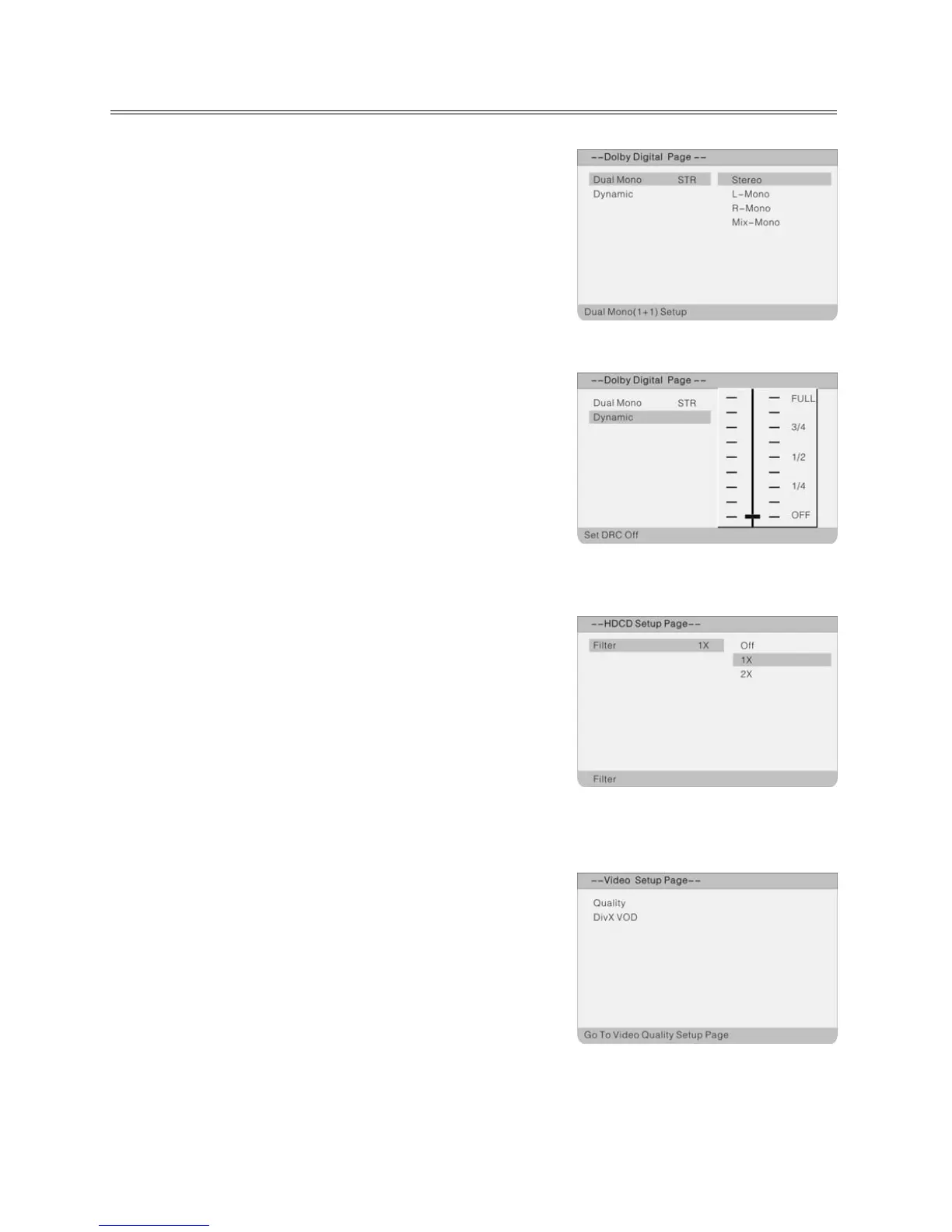
Dual Mono
This function is used to set audio output.
Stereo: Stereo signal output.
L-Mono: Left audio channel signal output.
R-Mono: Right audio channel signal output.
Mix-Mono: Output of left and right mixed audio signals.
Dynamic
Use this function for setting the linear, dynamic compression
ratio that can be used to implement various signal compression
effects. The greater the compression ratio, the smaller the
difference between highs and lows.
This option is only available for Dolby Digital audio.
As shown above, switch into the sub-menu and select the
desired value with ▲▼. Use ENTER to confirm and ◄ to end
setting.
HDCD Setup:
Filter
As shown above, switch into the sub-menu and select the
desired value with ▲▼.
Options are: Off, 1x, 2x.
Use ENTER to confirm and ◄ to end setting.
Video Setup Page
Press the SETUP button in DVD mode. Use ◄ ► to select the
Video Setup menu. The Video Setup menu will appear:
Select the submenu "Quality" using the direction buttons
▲▼ on the remote and press ENTER to confirm. Select
further options and an option value to be set using the ▲▼
direction buttons on the remote and press ENTER to confirm,
or press ◄ to cancel setting. After ENTER; you return to the
main menu using ◄.



 To Next Page