35
EPG Function
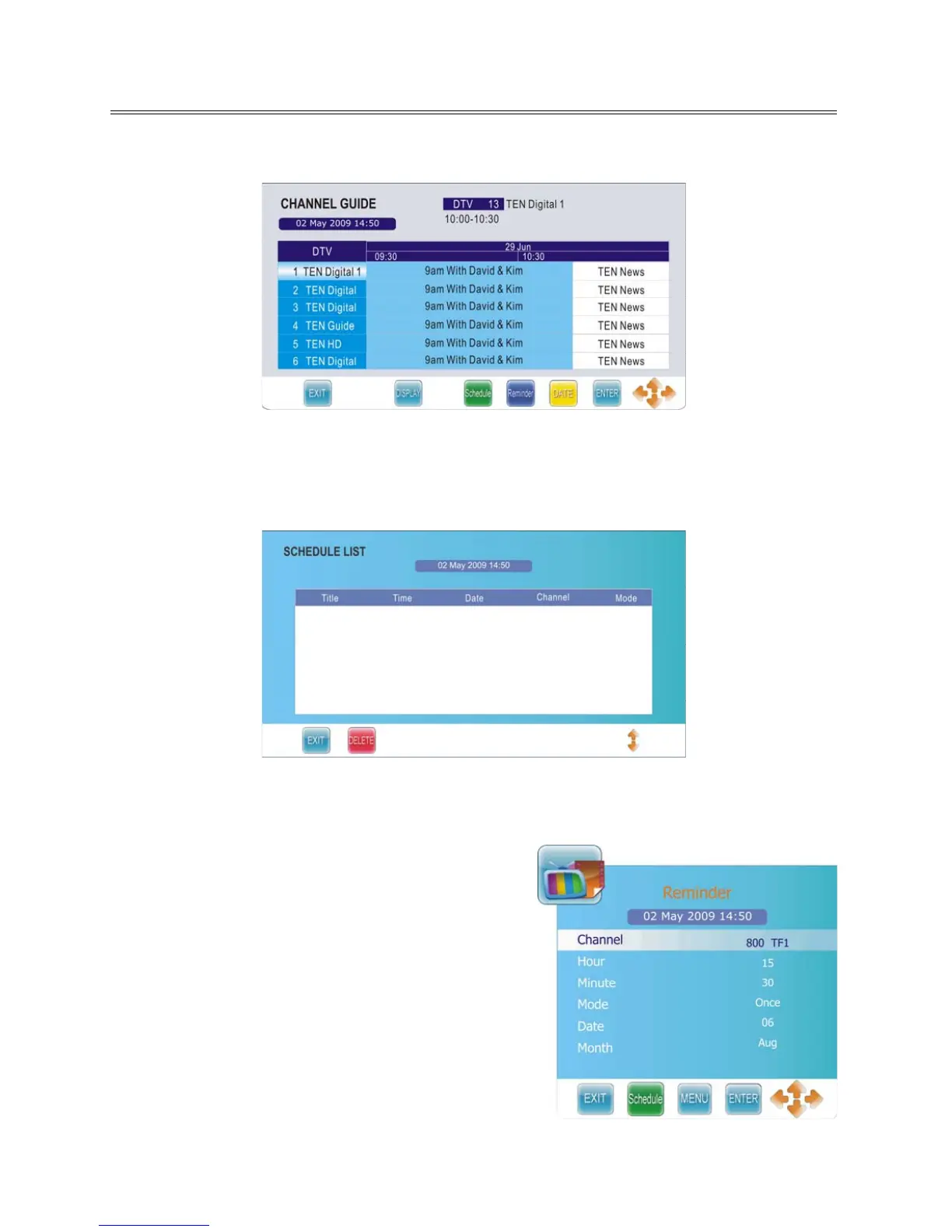
In DTV mode, press the EPG button to display the CHANNEL GUIDE menu as shown below:
Within this menu, press the ▲▼ button to select a desired channel.
Press the DISPLAY button to display the detail information of the selected channel.
Press the yellow button to check the date information.
Press the green button to display the Schedule List as shown below:
Within the SCHEDULE LIST menu, press the ▲▼ button to select desired item and press the red button
to delete it. Press the EXIT button to exit.
Press the blue button in the CHANNEL GUIDE menu to
enter the Reminder menu, as shown on the right:
Within this menu, press the ▲▼ button to select desired
item and press the ◄► button to set.
Press the green button to display the Schedule List.
Press the ENTER button to save your settings.
Press the EXIT button to exit.



 To Next Page