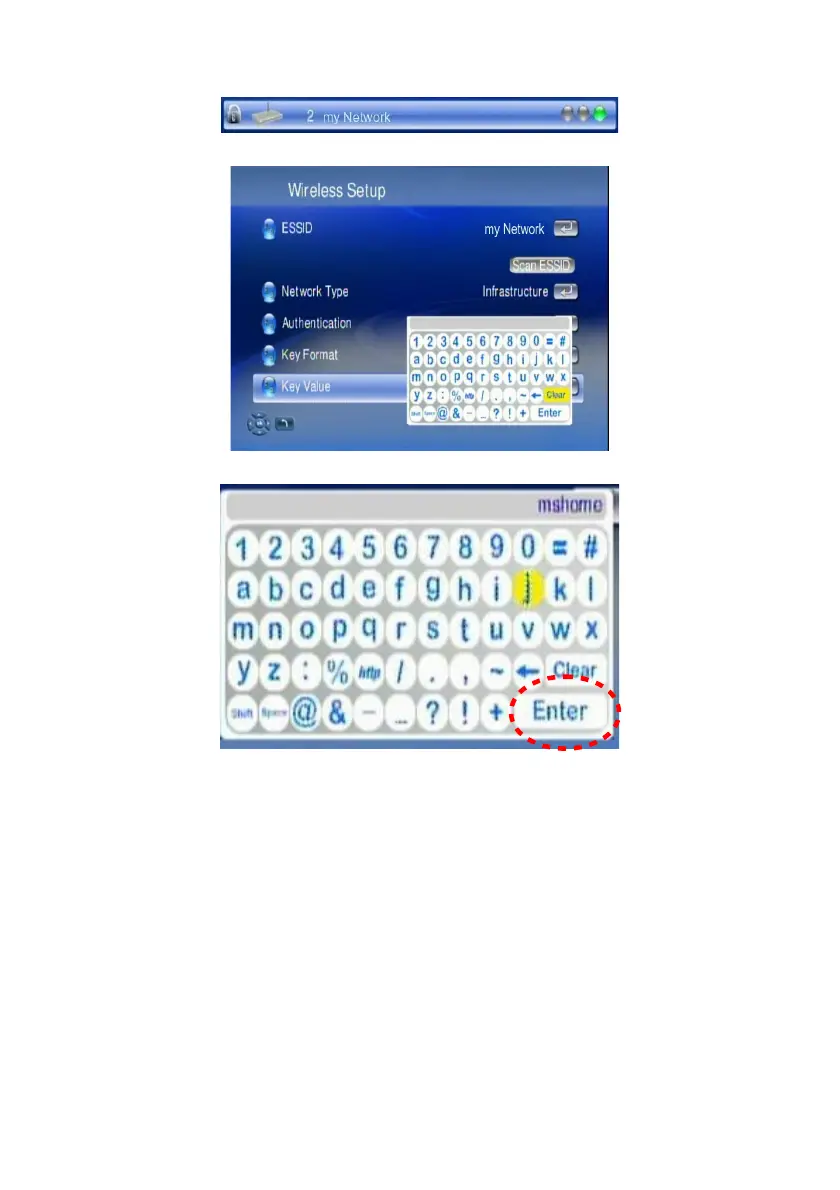
6. If the network you choose is encrypted, a “Lock” icon displays on the
network.
7. Select “Key Value”, and have your password ready to enter.
8. Input your password and choose “Enter” to save.
9. Follow the onscreen instructions to complete the setting.
Note: With each network, there are signal strength indicators in 3 colors; red, yellow
and green. It is recommended to play high-bit-rate video only when the signal turns
into green or to re-adjust the two antennas of WAP-V6000 accordingly.
16



 To Next Page