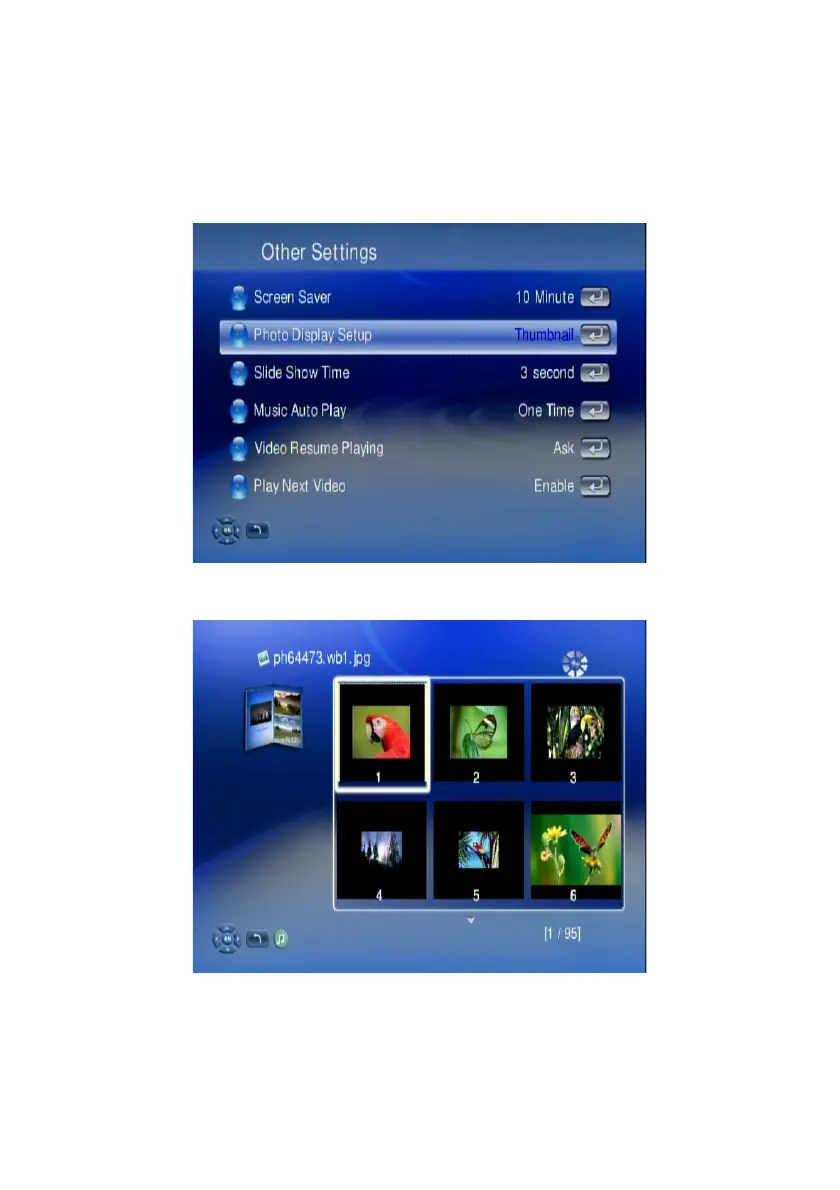
View Photo in Thumbnails Mode
You can view thumnails of several photos at a time. To enable the thumbnail mode,
please do the following:
1. Go to “Setup Main Menu”.
2. Select “Other Settings”.
3. Choose “Thumnail” on “Photo Display Setup” Menu.
4. After go back to the folder, you will now view several photos displayed at a
time.
43



 To Next Page