BitTorrent Downloader
The model WAP-V6000 incorporates the BitTorrent download function. Make sure
the local 3.5” HDD is already installed before enabling this feature. (Please refer to
HDD Installation as mentioned in this operation manual).
Enabling the BitTorrent Function
After the HDD is installed, follow below steps to start the download.
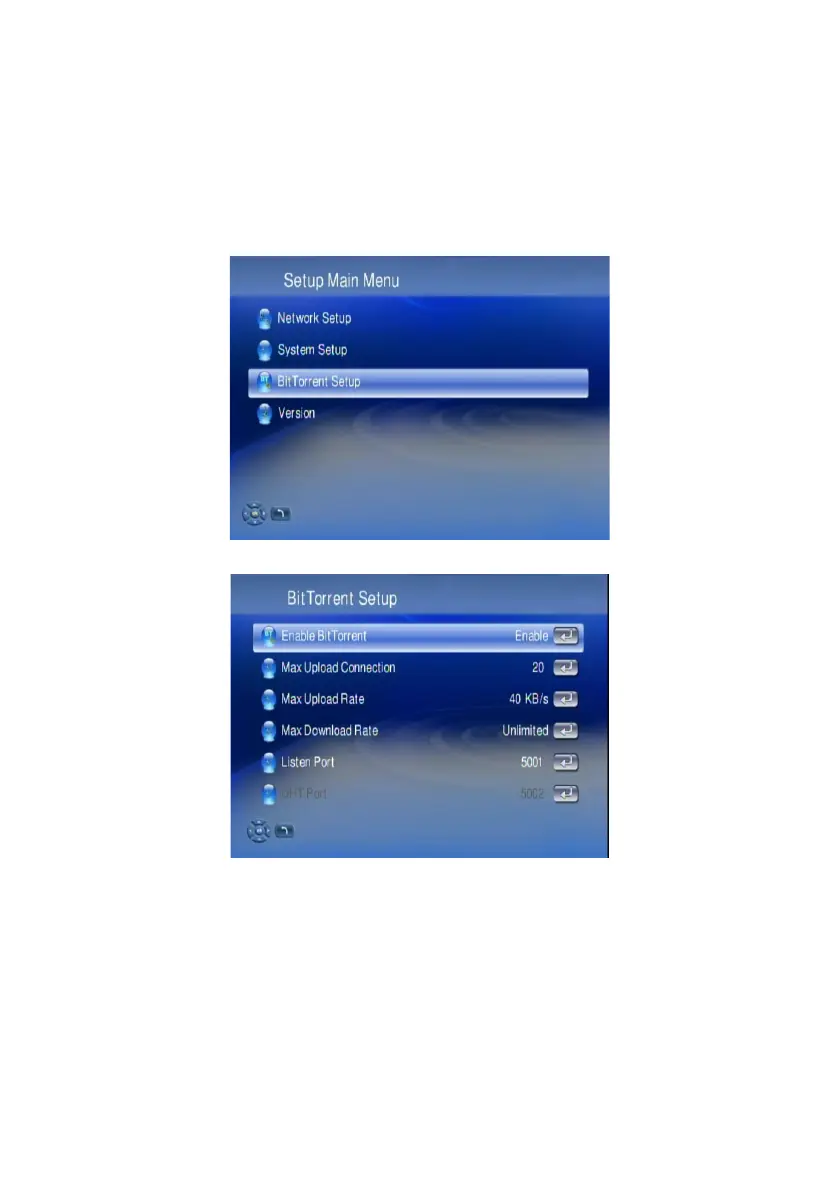
1. Go to the “Setup Main Menu”, and highlight “BitTorrent Setup”
2. Select “Enable BitTorrent”.
3. The option, Max Upload Connection, is to prevent the traffic of your outgoing
network from being too heavy, and keep a high CPU efficiency of the device.
4. The option, Max Upload Rate and Max Download Rate, is for users to utilize
available bandwidth according to individual network management.
5. The option, Listen Port and DHT Port, is for users to configure the maximum
network efficiency, which are correspondent to the configuration of local NAT
and Routers.
64



 To Next Page