149
Parameter Function
Enable tour
Check the box here to enable tour function.
Interval
Here is for you to adjust transparency. The value ranges from 5 to
120s. The default setup is 5s.
Split
Here you can set window mode and channel group. System can
support 1/4/8-window according to device channel amount.
Motion
tour/Alarm
tour
Here you can set motion detect tour/alarm tour window mode.
System supports 1/8-window now.
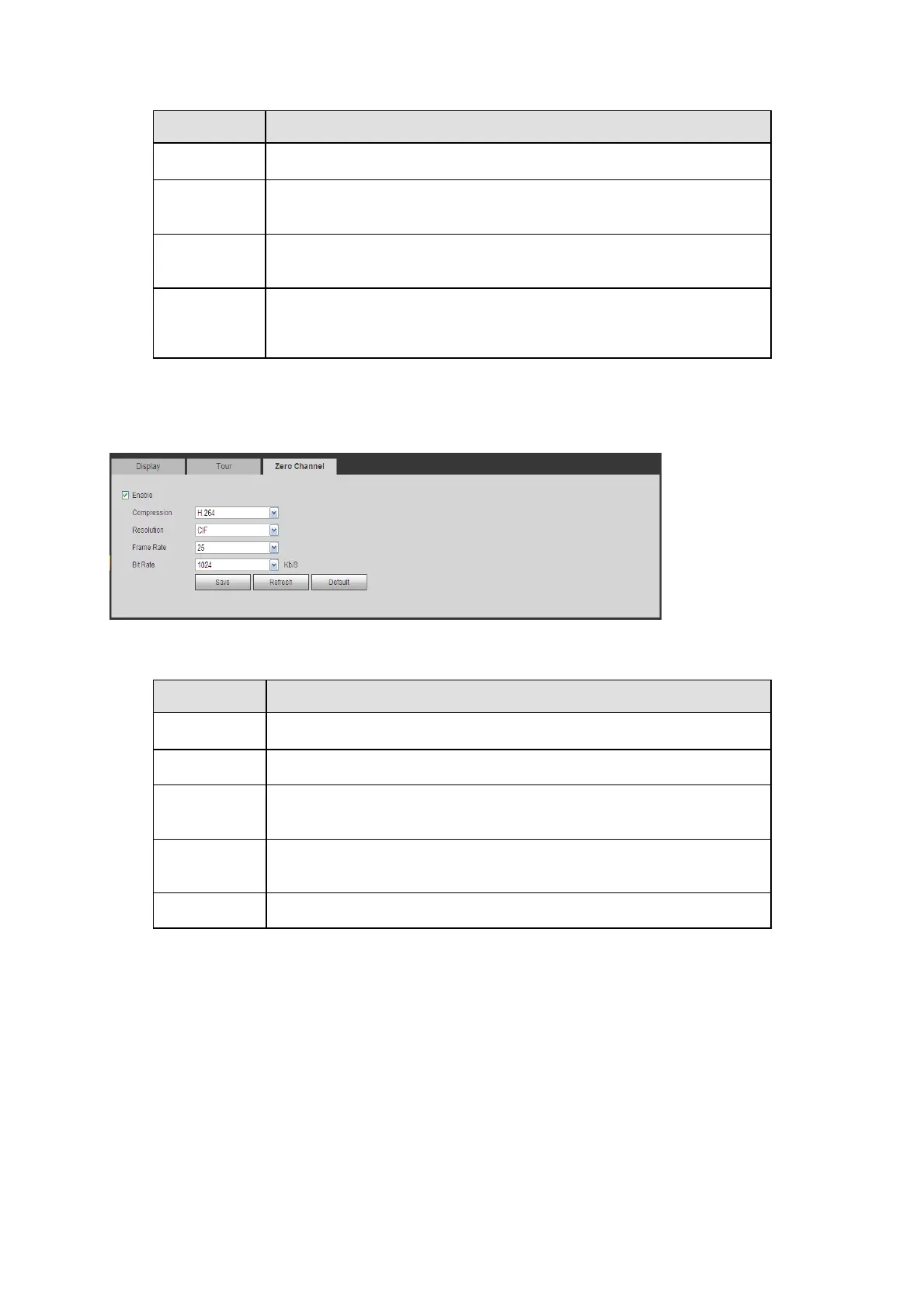
5.8.5.2.3 Zero Channel
The zero-channel interface is shown as in Figure 5-73. Here you can enable zero-channel
function and set corresponding information.
Figure5‐73
Refer to the following sheet for detailed information.
Parameter Function
Enable
Check the box here to enable zero-channel function.
Compression
System supports H.264.
Resolution
Select from the dropdown list. System supports D1/CIF/QCIF and
etc.
Frame rate
Select from the dropdown list. The value ranges from 1-25(PAL) or
1-30(NTSC).
Bit rate
Select from the dropdown list.
5.8.5.3 PTZ
The PTZ interface is shown as in Figure 5-74.
Before setup, Check the following connections are right:
PTZ and decoder connection is right. Decoder address setup is right.
Decoder A (B) line connects with DVR A (B) line.
Click Save button after you complete setup, you can go back to the monitor interface to control
speed dome.


 To Next Page