This section describes how to operate ZIPLEVEL’s labeled functions.
Glance through all the functions and illustrations then try each function on
the ZIPLEVEL
®
.
ON/OFF
Momentarily press to turn ZIPLEVEL
®
on or off. Without a key press or
movement within 3 minutes, two long warning beeps will sound followed by
automatic turn off at 4 minutes. All settings and data are retained.
HOLD
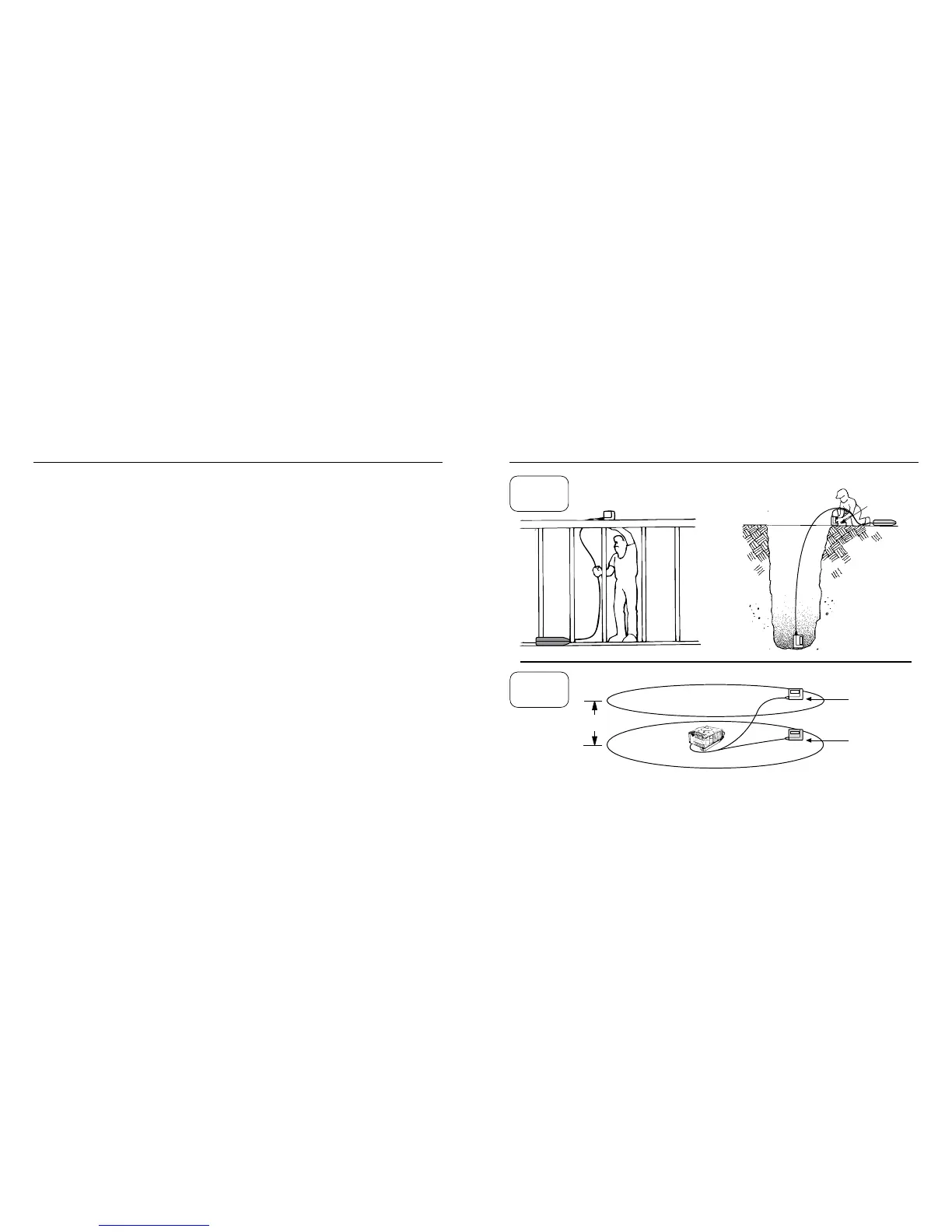
Momentarily press to freeze an elevation on the display. Press again to re-
lease. Use when the display is not visible, when measuring ceiling sag with
the Unipod, in dimly lit areas, etc.
ZERO
Press for 2 seconds to make the current elevation a reference or benchmark
plane. Re-zero at new elevations like large level steps, pool bottoms or block
courses to let ZIPLEVEL
®
do the high/low math.
9 ▪ LABELED FUNCTIONS
When zeroed
above…
Will read
-10.00’ below
HOLD & ZERO ▪ 10
Press HOLD before the Module is in position - the reading
will lock on the display when movement stops.
Display not visible
ZERO
here rst
Deep, dark trench
Framing
-10.00’
New reference plane
Original reference plane (set during calibration)
HOLD
ZERO


 To Next Page