C
Copyright Technolog Ltd. 2017. All rights reserved.
Information contained in this document subject to
change without prior notice.
Sheet 23 of 41
Technolog Limited,
Ravenstor Road,
Wirksworth,
DE4 4FY,
United Kingdom
T: +44 (0) 1629 823611
E: technolog@technolog.com
www.technolog.com
DMR No.: 7311
2137PM9001 Rev. A
Installation: Commissioning
- Cello 6 Wizard: Alarm settings - General
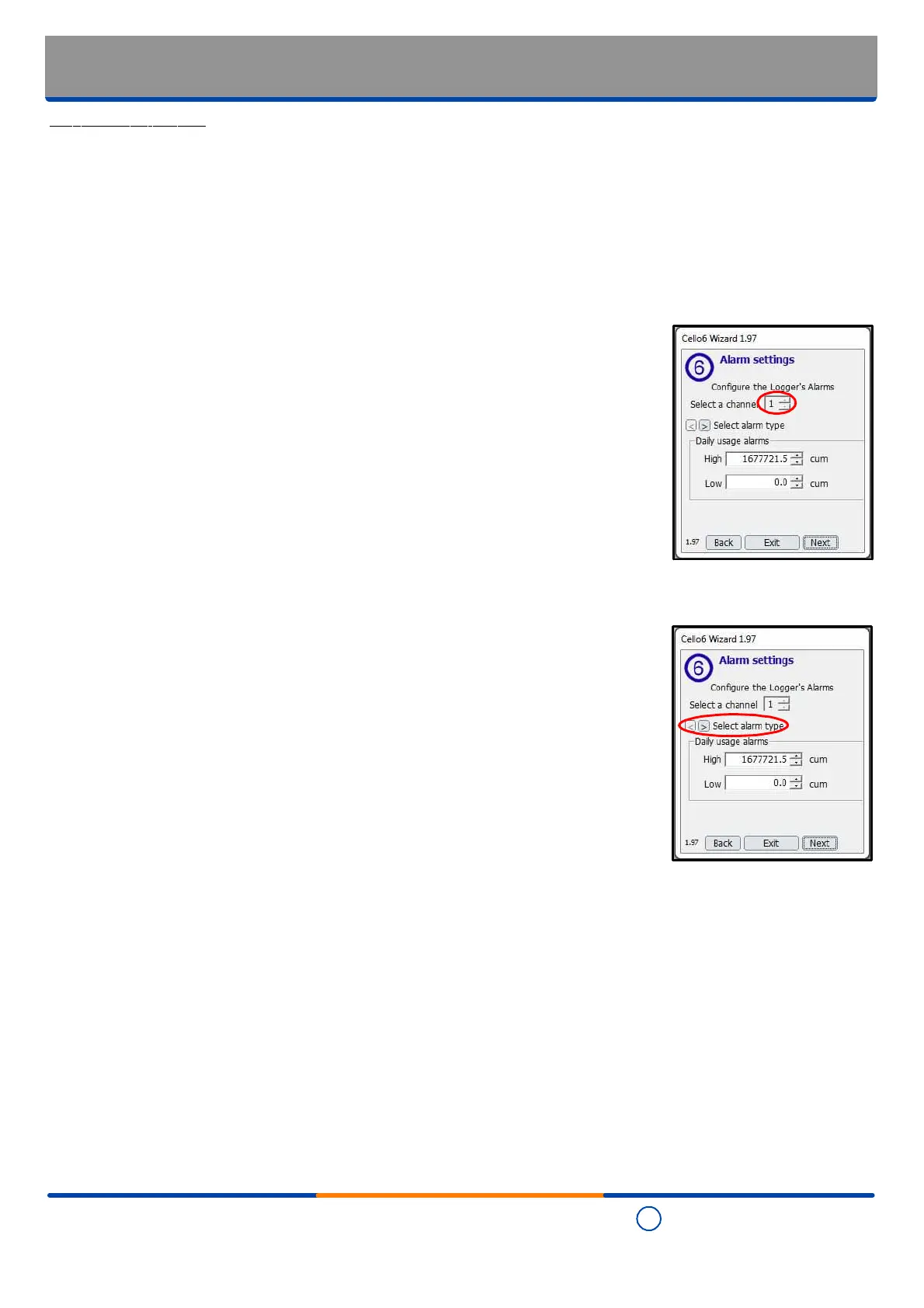
Step 9 - Alarm settings
- The Cello 6S has a choice of two different alarm types:
"Flow" (high / low) alarms
"Daily usage" (high / low) alarms
- Any channel(s) enabled at the "Installation: Commissioning - Cello 6 Wizard: Channel
configuration" section of this manual may be configured for either alarm type.
Alternatively both alarm types may be configured on the same channel at the same time.
- Select the channel for which the alarm settings are to be configured using the up / down
arrows.
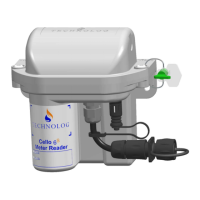
- Select the alarm type required for the channel selected above using the left / right
arrows.


 To Next Page