C
Copyright Technolog Ltd. 2017. All rights reserved.
Information contained in this document subject to
change without prior notice.
Sheet 24 of 41
Technolog Limited,
Ravenstor Road,
Wirksworth,
DE4 4FY,
United Kingdom
T: +44 (0) 1629 823611
E: technolog@technolog.com
www.technolog.com
DMR No.: 7311
2137PM9001 Rev. A
Installation: Commissioning
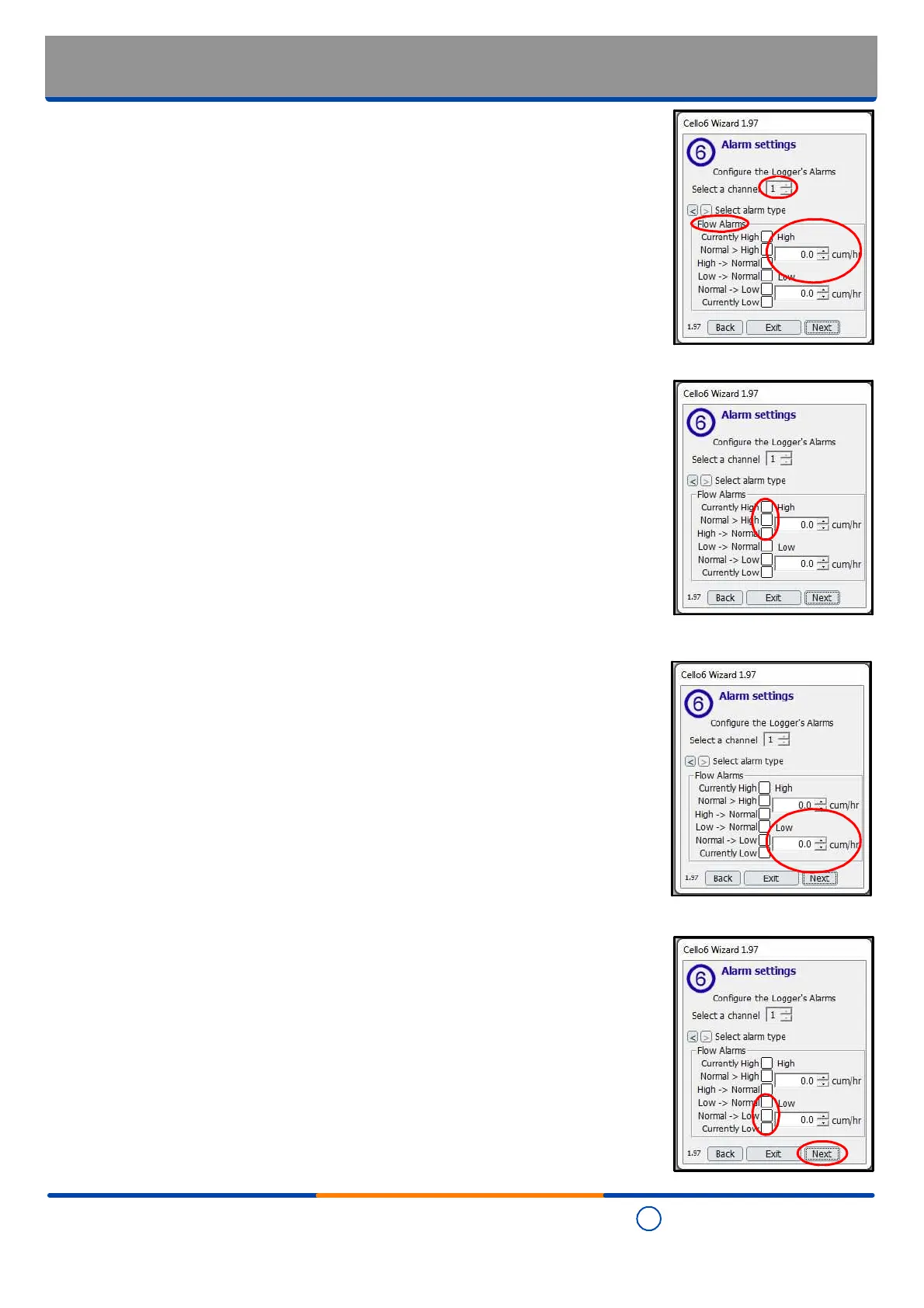
- Cello 6 Wizard: Alarm settings - Flow
- Where the "Flow" alarm type is selected for channel 1, first type the required high flow
rate alarm value in the 'High' text box (note the values can also be increased /
decreased using the up / down arrows next to each box).
- Tick the appropriate box(es) to determine whether an alarm is transmitted whilst ever
the flow rate is exceeded. A set high value ('Currently High') and / or where there is a
normal to high transition in the flow rate ('Normal > High') and / or where there is a high
to low transition in the flow rate ('High -> Normal').
-
Be aware that any or all of these text boxes may be ticked.
- Type the required low flow rate alarm value in the 'Low' text box (note the values can
also be increased / decreased using the up / down arrows next to each box).
- Tick the appropriate box(es) to determine whether an alarm is sent where there is a low
to normal transition in the flow rate ('Low -> Normal') and / or where there is a normal to
low transition in the flow rate ('Normal -> Low') and / or where an alarm is to be
continually reported on a low flow ('Currently Low') condition.
- Where there is no channel 2, review the alarm settings and when they are are set as
required, select "Next".


 To Next Page