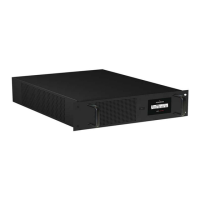
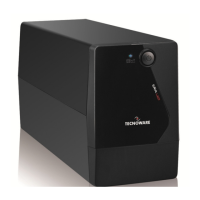
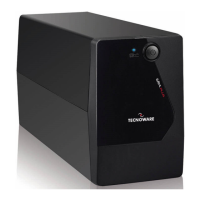
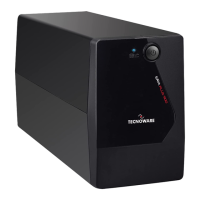
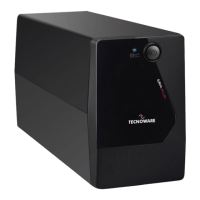
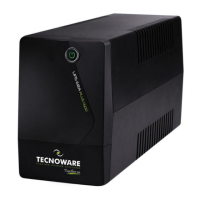
The TECNOWARE ERA PLUS is a Line Interactive Uninterruptible Power Supply (UPS) designed to protect electronic devices, particularly computers, from various AC line irregularities such as black-outs, under-voltages, over-voltages, and micro-interruptions. These power disturbances can often lead to damage to both hardware and software. The UPS ensures continuous power supply to connected equipment and provides output voltage regulation and filtering of electrical disturbances.
Function Description
The primary function of the ERA PLUS UPS is to provide a stable and uninterrupted power supply. In normal operating conditions, when the AC mains power is available and within specified limits, the UPS operates in "Normal Mode." During this mode, it performs output voltage regulation using its Automatic Voltage Regulation (AVR) feature, filters out common electrical disturbances like transients, spikes, and interferences, and optimally recharges its internal batteries. This ensures that all devices connected to the UPS outlets receive clean and stable power.
In the event of an AC line anomaly, such as a black-out, over-voltage, or low-voltage condition, the UPS automatically switches to "Battery Mode." In this mode, it draws power from its internal battery and converts it through its Inverter block to supply the required output power to the connected equipment. This seamless transition ensures that critical loads remain powered without interruption. The UPS is also capable of starting up even if the electrical network is unavailable, providing immediate power when needed.
A key safety feature is the overload protection, which is active in both normal and battery modes. If the output load exceeds the nominal value, the UPS will alert the user with a continuous acoustic alarm, indicating an "Overload condition." The UPS can tolerate an overload between 110% and 130% for approximately 30 seconds before automatically shutting down. If the overload exceeds 130%, the UPS will shut down immediately. Once the load returns to within the acceptable range, the UPS automatically switches back to "Normal Mode." In a "Fault condition," the UPS emits a continuous acoustic alarm and ceases to supply output power, switching off all connected devices.
The ERA PLUS is equipped with a USB Communication Interface (available on ERA Plus 1.100 and ERA Plus 1.500 models). This interface allows the UPS to communicate with a computer, notifying it of power failures or low battery conditions. This functionality enables automatic data saving during extended black-outs, supporting various operating systems like Windows, Mac OS X, and Linux. The USB signals are isolated from the internal dangerous voltages through photo-couplers for safety. Users can download the TecnoManager UPS management software from the TECNOWARE website to utilize this communication feature.
Usage Features
The ERA PLUS UPS is designed for ease of use and reliability, with all functions controlled by a microprocessor.
Installation and First Start-Up:
- Before connecting the UPS, all devices to be supplied should be switched off.
- The UPS input cable is connected to a grounded AC line outlet, ensuring the utility power is within the UPS specifications.
- Pressing the ON/OFF button on the front panel turns on the UPS. It emits a brief acoustic signal, illuminates the LINE/BATTERY LED, and performs a self-test. After a few seconds, it enters "Normal Mode."
- For optimal battery performance, the UPS should remain in "Normal Mode" for at least 4 hours to fully recharge the batteries before normal use. Batteries reach 90% capacity after about 4 hours of recharge.
- After the initial charge, the UPS can be switched off, and the devices to be supplied can be connected to its output receptacles, ensuring their main switches are in the ON position.
- Turning the UPS on again allows verification of correct operation and ensures all connected devices are working properly.
- To test the "Battery Mode," the AC input line can be temporarily disconnected. The UPS will then operate in "Battery Mode," emitting an acoustic signal every 10 seconds.
- Restoring the AC input line will cause the UPS to return to "Normal Mode" after a few seconds.
Operating Modes and Indicators:
- Normal Mode: The LINE/BATTERY LED (blue) is continuously on. The UPS recharges batteries and maintains an optimal charging voltage.
- Battery Mode: The UPS automatically switches to this mode during AC input line voltage anomalies. It emits an acoustic alarm every 10 seconds, and the LINE/BATTERY LED flashes once every 4 seconds.
- Low Battery Condition: When the battery charge level is low (approximately one minute of operation remaining), the UPS indicates a "Low Battery" condition. It emits an acoustic alarm every second, and the LINE/BATTERY LED flashes once every second.
- Automatic Restart: If the AC input does not return within a few minutes during a low battery condition, the UPS automatically shuts down to prevent excessive battery discharge. Once AC input is restored, the UPS restarts automatically and returns to "Normal Mode." The UPS recharges its batteries automatically when in "Normal Mode" or when off but connected to the AC input line.
Front Panel:
The front panel provides visual and audible feedback on the UPS's operating status and alarm conditions.
- ON/OFF Button: Used to turn the UPS on or off.
- LINE/BATTERY LED (blue):
- Continuously on in "Normal Mode."
- Flashes once every 4 seconds in "Battery Mode."
- Flashes once every second in "Low Battery" condition.
Rear Side:
The rear side of the UPS features:
- AC Input Cable: For connecting the UPS to the AC utility line.
- Input Fuse: A replaceable fuse for electrical protection.
- Grounded UPS Output Receptacles: Schuko/Italian type outlets (black color) for connecting critical loads. These outlets continue to supply power during AC line anomalies.
- Computer Interface (USB connector): For communication with a computer (on specific models).
Maintenance Features
Proper maintenance ensures the longevity and reliable operation of the ERA PLUS UPS.
Site Selection:
The UPS should be installed indoors in a protected, clean, and moisture-free environment, away from direct sunlight, liquids, flammable gases, or corrosive substances. Adequate ventilation is crucial; at least 20 cm of unobstructed space should be left around the UPS to dissipate heat. Ventilation slots should not be obstructed, and no objects or liquids should be inserted into them. The UPS should be placed on a properly tiled, flat floor.
Cleaning:
Before any cleaning operation, ensure the AC input voltage is removed, and the UPS is turned OFF. The unit should be cleaned only with a cloth dampened with water. If the UPS operates in a dusty or dirty environment, the ventilation holes should be cleared of debris. Before restarting, ensure the UPS is completely dry. If any liquid enters the UPS, do not start it and contact Technical Service immediately.
Battery Maintenance:
- If the UPS is not used for an extended period, ensure the batteries are fully charged.
- If the UPS has been unused for more than three months, perform the "First Start Up" procedure (as described in the usage features) before using it again.
- Batteries must be recharged at least once a month. This happens automatically if the UPS is in "Normal Mode" or if it is off but connected to the AC input line.
- Battery life is influenced by ambient temperature, charge-discharge cycles, discharge depth, humidity, and altitude. Refer to the "Technical Specifications" for recommended environmental conditions.
Battery Replacement:
Battery replacement must be performed exclusively by qualified and authorized technical personnel.
- Turn off the UPS and disconnect the AC input line.
- Unscrew the 4 screws on the UPS bottom side to remove the case cover and access the battery.
- Disconnect the battery wires and gently extract the old battery.
- The new battery must be of the exact same type as the original.
- Insert the new battery and connect it as the original.
- Reassemble the case cover.
Safety Precautions for Battery Replacement:
- Remove watches, rings, and other metal objects.
- Use tools with insulated handles.
- Wear rubber gloves and boots.
- Do not lay tools or metal parts on top of batteries.
- Disconnect the charging source before connecting or disconnecting battery terminals.
- Determine if the battery is inadvertently grounded; if so, remove the source from the ground.
- Do not dispose of batteries in a fire, as they may explode.
- Do not open or mutilate batteries, as released electrolyte is harmful and toxic to skin and eyes.
Operator Safety:
If the UPS no longer performs according to its original characteristics or shows visible damage or irregular operation, it must be made non-operative, and any unauthorized use must be avoided. In such cases, qualified technical personnel should be consulted. Internal parts of the UPS are at high voltage and are dangerous; only authorized personnel should perform repairs or maintenance. TECNOWARE disclaims responsibility if these warnings are disregarded.



 To Next Page
 General