User’s manual 6 UPS ERA PLUS 600-750-900-1.100-1.500
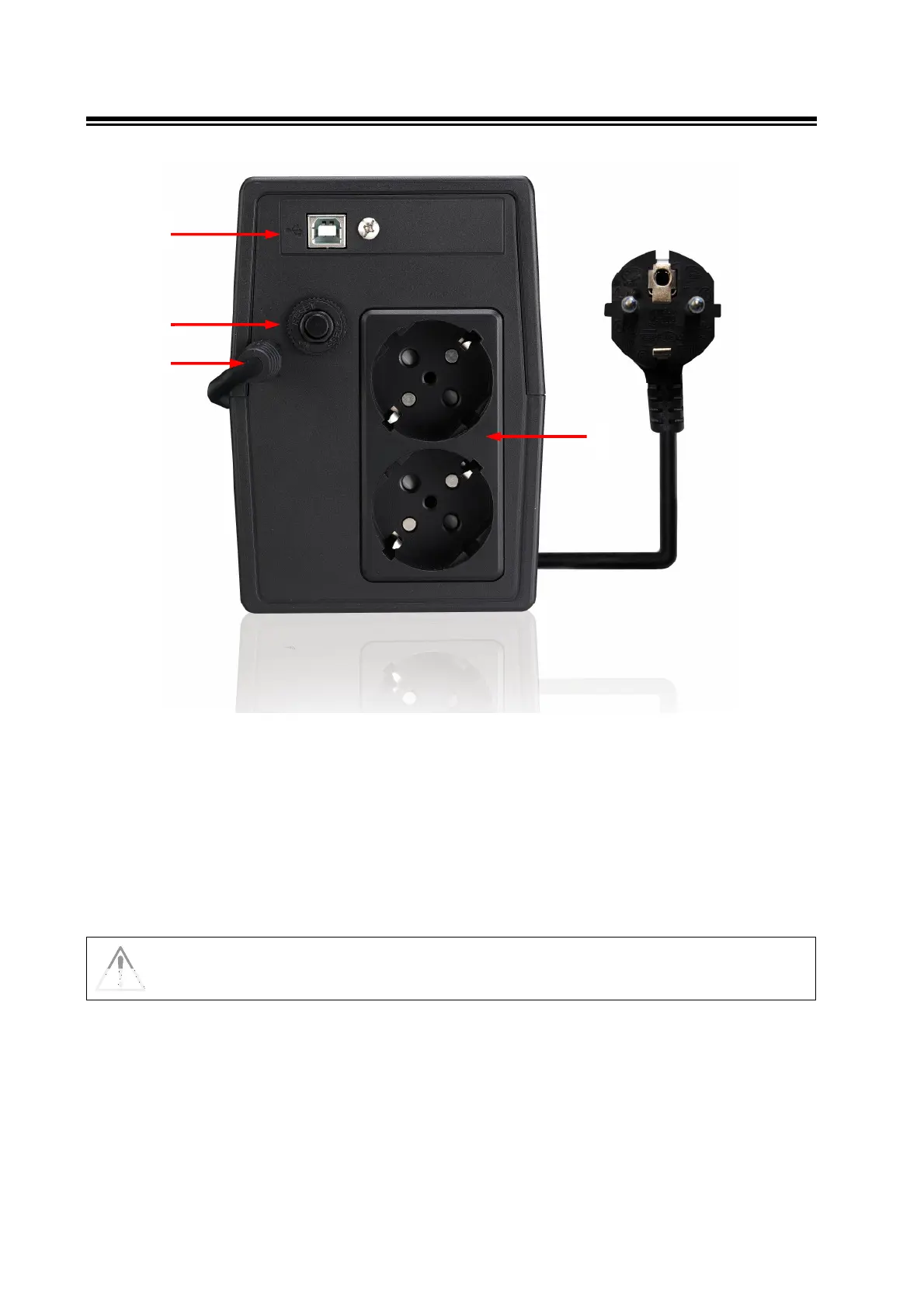
4.2 Rear Side
5
Figure 2 – Rear Side
1. AC Input cable: to connect the UPS to the AC utility line.
2. Input fuse: electrical specification: max current 5 A, voltage 250 V.
3. Grounded UPS Output receptacles: Schuko/Italian type, black colour, to supply critical loads.
4. Computer Interface (USB connector): it is the communication USB port. (Only for UPS ERA Plus 1.100 and
UPS ERA Plus 1.500)
In case of anomaly to the AC line (black-out), the UPS Output receptacles (black colour,
#3) continue supplying the correct power to all connected equipment.
1
3
2
4








 To Next Page