9
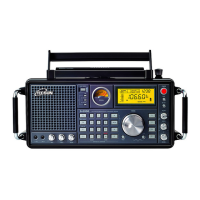
PL-310ET
METHOD 1: Auto Tuning Storage (ATS)
FM ATS:
1. Fully extend the telescopic
antenna and press the [FM]
button to select FM band.
2. Press & hold the [FM] button
until “PRESET ” flashing and the
frequency advancing; now the
unit starts scanning and storing all available stations into
the memories.
When the frequency stops advancing, it means the ATS
operation is done completely. You can rotate the
[TUNING] knob to search for those stored stations.
SLEEP
Timer
WORKING WITH STATION MEMORIES
flashing
MW/LW ATS:
Press the [MW/LW] button to select MW/LW band, then
follow step 2 of FM ATS.
SW ATS:
Fully extend the telescopic antenna and press the SW [ ]
or [ ] button to select SW band. There are two modes for
SW ATS tuning:
Mode A: Press & hold the [ ] button to ATS the stations
within all meter bands
Mode B: Press & hold the [ ] button to ATS the stations
within present meter band.
Notes:
1.During ATS process in FM, MW / LW or SW (mode A),
pre-stored radio stations will be replaced automatically by
the new searched stations.
2.With ATS in SW (mode B), those existing memories will
not be replaced; all the newly found radio stations will be
stored in the blank memory addresses.
There are in total 550 preset memories within the unit. 100
preset memories for each FM, MW, and LW band, and 250
for SW.



 To Next Page