5
Setup Instructions for BoomPilot
®
98-05243 R0
GPS Status
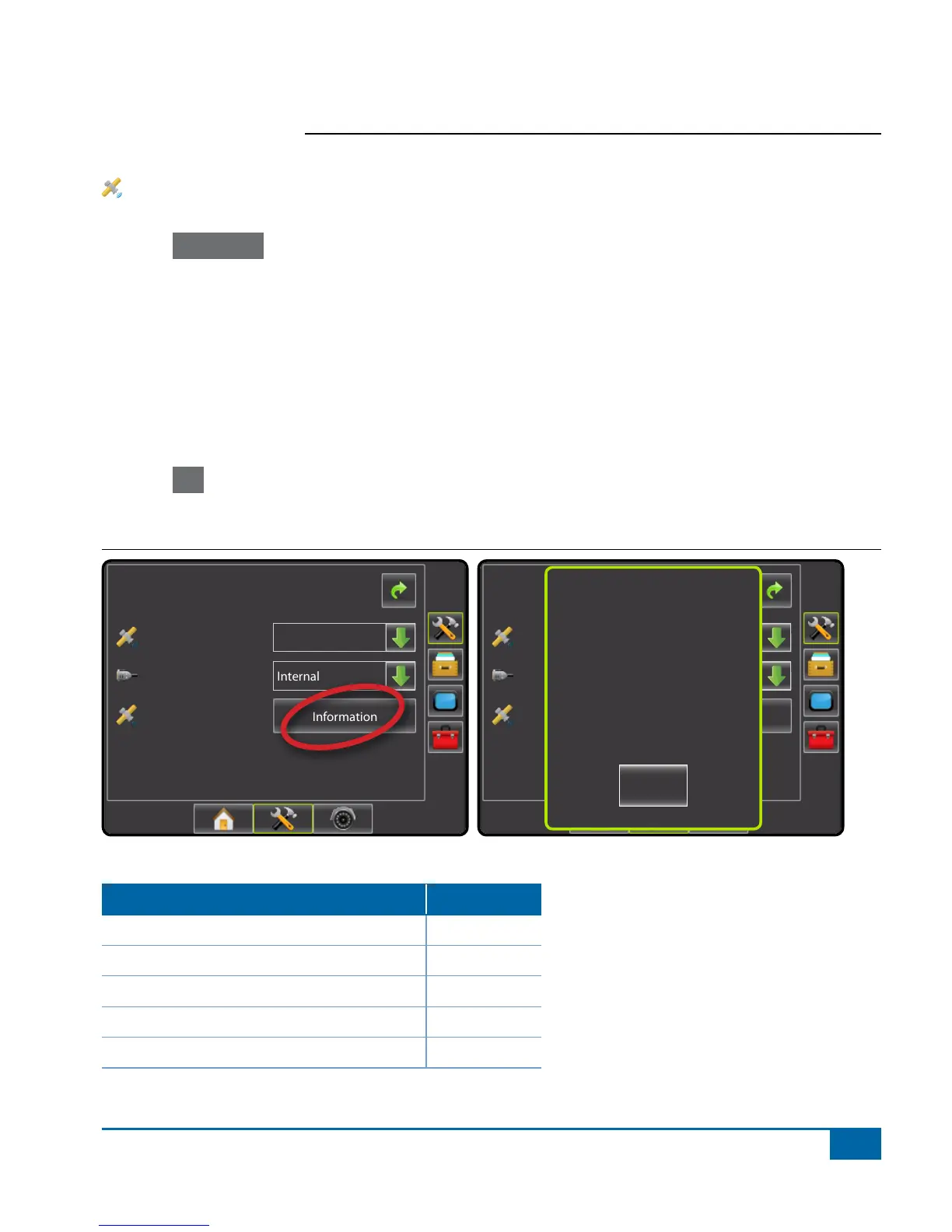
GPS Status displays information regarding data rates, number of satellites in view, and satellite quality and ID.
1. Press Information .
2. View data including:
◄GGA/VTG (Data Rates) – the number of GPS positions per second.
◄Num Sats – the number of GPS satellites in view (minimum of 4 are required for DGPS)
◄HDOP – a measure of satellite geometry strength in the horizontal plane. A HDOP value of less than 2 is
preferred.
◄PRN – the current DGPS satellite ID. (see PRN chart)
◄GGA Quality – the current quality indicator of the GPS signal. (see GGA chart)
◄Receiver – the current indicator of the receiver. (see Receivers chart)
◄Version – the software version installed on the receiver
3. Press OK to return to GPS setup screen
NOTE: If GPS is not available, all entries will be “Invalid”
Figure 1-7: GPS Status
Cong->GPS
GPS Status
GPS Port
GPS Type
Information
Internal
GPS/DGPS
Cong->GPS
GPS Status
GPS Port
GPS Type
Information
Internal
GPS/DGPS
GPS Information
GGA Rate: 5 Hz
VTG Rate: 5 Hz
Num Sats: 10
HDOP: 1
PRN: 135
GGA Quality: 2
Receiver: 1
Version:
OK
PRN
Location PRN
Western US 135
Eastern US 138
Central US 135 or 138
South America N/A
Europe 120 or 124


 To Next Page