1
Setup Instructions for BoomPilot
®
98-05243 R0
GENERAL INFORMATION FOR YOUR MATRIX® PRO
The Matrix Pro is used to congure the vehicle and its implements including auto steering and tilt.
Setup Option Information
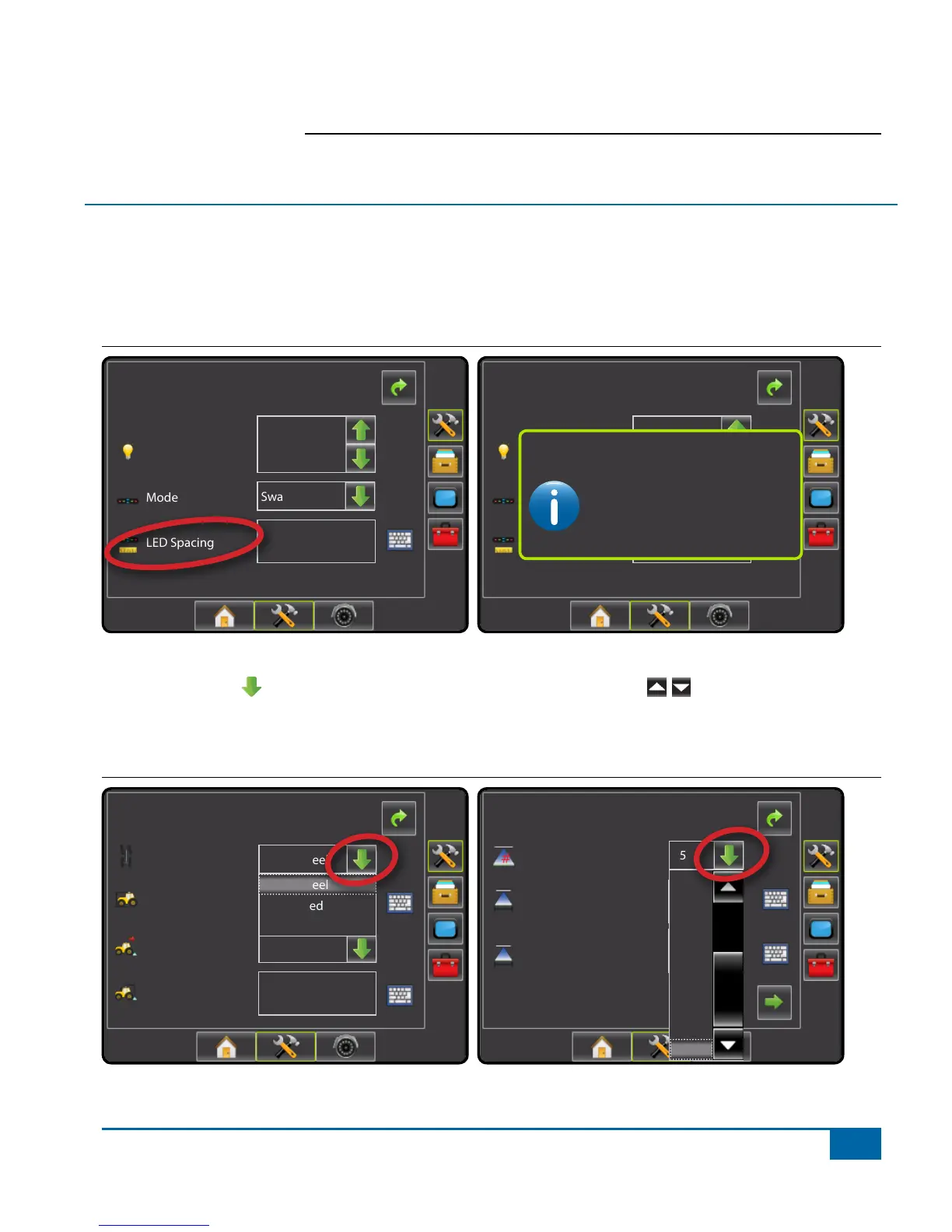
Press the icon of any menu item to display a denition and range values of that item. To
remove the information box, press anywhere on the screen.
Figure 1-1: Example of Information Text Box
Cong-> Lightbar
Brightness
Mode
LED Spacing
1.50 ft
Swath
50%
Cong-> Lightbar
Brightness
Mode
LED Spacing
3,50 m
Swath
50%
The distance illustrated by the
illuminated LED’s can be customized.
Input the desired spacing as required or
individual preference.
LED Spacing
Drop Down Menu Selections
Press DOWN arrow to access the list of options. Use the UP/DOWN arrows or slide
bar if necessary to scroll through the extended list. Select the appropriate option. To close the
list without selecting an option, press anywhere on the screen outside the drop down menu.
Figure 1-2: Example of Drop Down Menu
Cong-> Vehicle
12.50 ft
0.00 ft
Backward
Vehicle Type
Ant Height
Dir to Boom
Dist to Boom
Front Wheel
Front Wheel
Articulated
Tracked
Cong->Implement
Num Sections
Spray Width
Guidance Width
75.00 ft
75.00 ft
15
7
8
9
10
11
12
13
14
15


 To Next Page