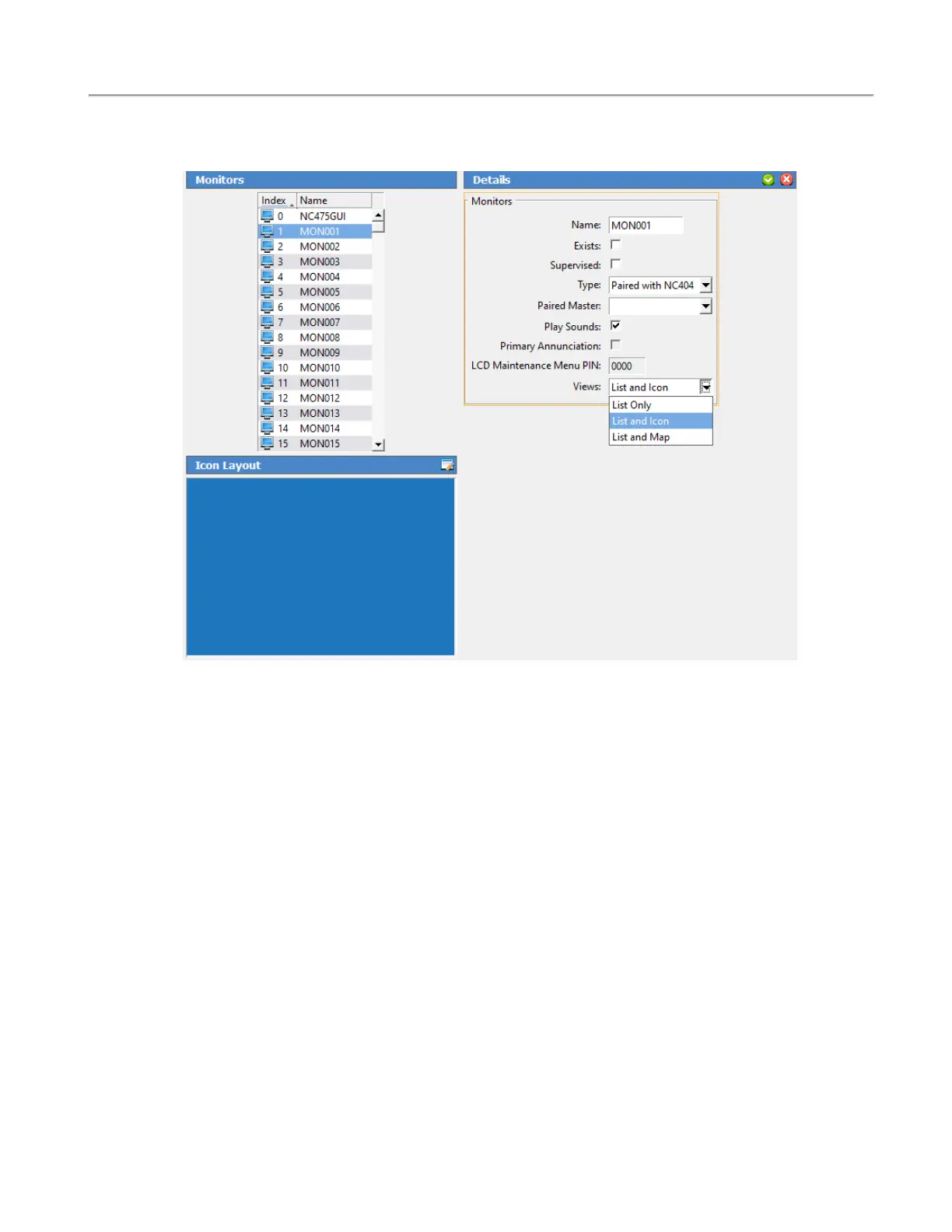
The List and Icon view will give an icon layout.
Click Edit next to Icon Layout. Under the appropriate tab, select the station or master and click Add at
the bottom right. Once all of the appropriate icons show on the grid, drag and drop the icons to con-
figure the layout. Click OK once the icon layout is complete.
Copyright
©
TekTone Sound and Signal Mfg., Inc. All Rights Reserved
IL1052 NC403TS and NC404TS Installation Manual | 9
Configuring the NC403TS Monitor and NC404TS Master Station


 To Next Page