Disassembly
Removing the O
uter Case and Internal Covers
To replace internal components, you need to remove the outer case and internal
covers. You may also want to remove the case and covers to access the internal
adjustments
. The following procedures describe the removal process:
1. Disconnect the AC cord and any probes or cables from the amplifier.
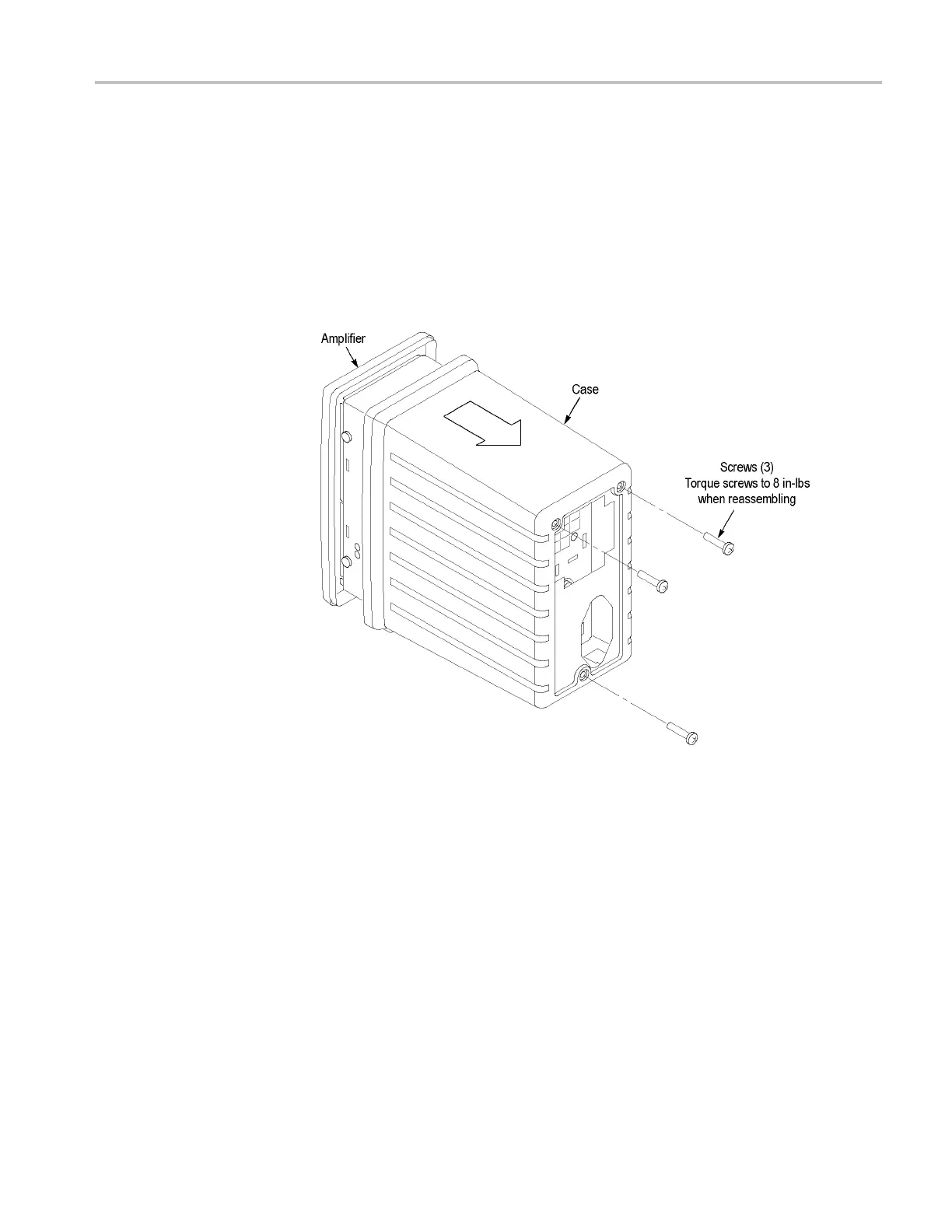
2. Remove the 3 screws from the rear of the amplifier and slide the case off the
rear side of the amplifier as shown.
Figure 20: Removing the case from the amplifier
TCPA300/400 Amplifiers and TCP300/400 Series Current Probes Service Manual 63



 To Next Page