Disassembly
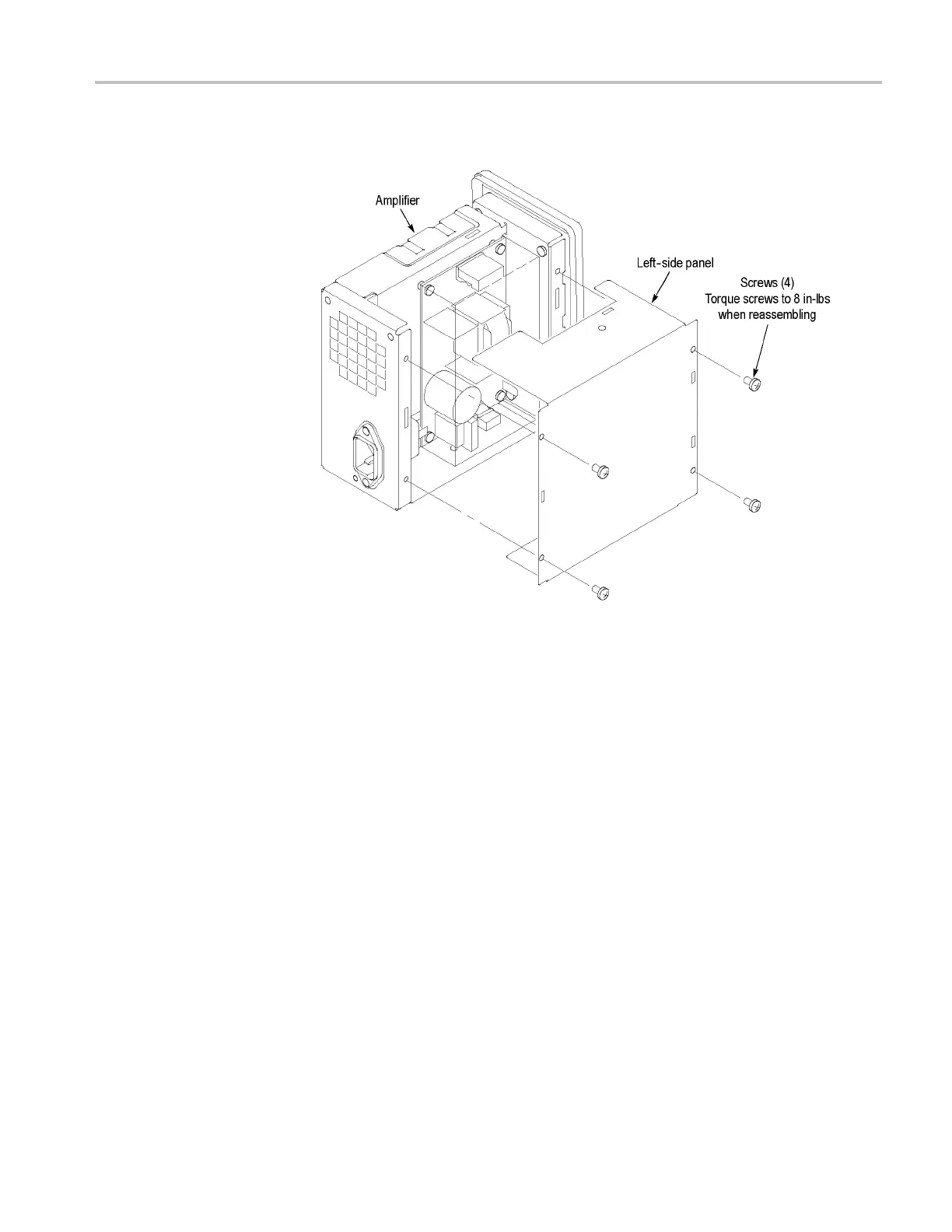
4. Remove the 4 scr
ews that secure the left-side inner panel to the chassis.
Figure
22: Removing the left-side inner panel
You now
have exposed access to the amplifier adjustments. If you need to replace
any of the internal components, refer to the following instructions.
TCPA300/400 Amplifiers and TCP300/400 Series Current Probes Service Manual 65



 To Next Page