AFA4000/E VAV Airflow Controller / p.147
Note: If the output needs to be reversed, enter 100% for the first calibration point and 0%
for the second calibration point during the Auto setting calibration.
If the output needs to be trimmed or limited, the Max and Min output parameters in the
Bleed Damper sub-menu can be adjusted without having to recalibrate the Auto setting:
Adjust the minimum output voltage in %. If the Econ Output
1 is set to 2 – 10V, then 0% = 2V, 50% = 6V and 100% = 10V.
Adjust the maximum output voltage in %. If the Econ Output
1 is set to 2 – 10V, then 0% = 2V, 50% = 6V and 100% = 10V.
The bleed damper output is 0 – 10V and does not consider the Econ Low Limit and Output
range values. If the Dual Output needs to be 2 – 10V, set the Min Output to 20%.
Note: Econ Output 1 is active while the Bleed Damper Auto calibration menu is in use, so
wait a few seconds for the damper to settle once the sash has been moved to enter
the first and second calibration values.
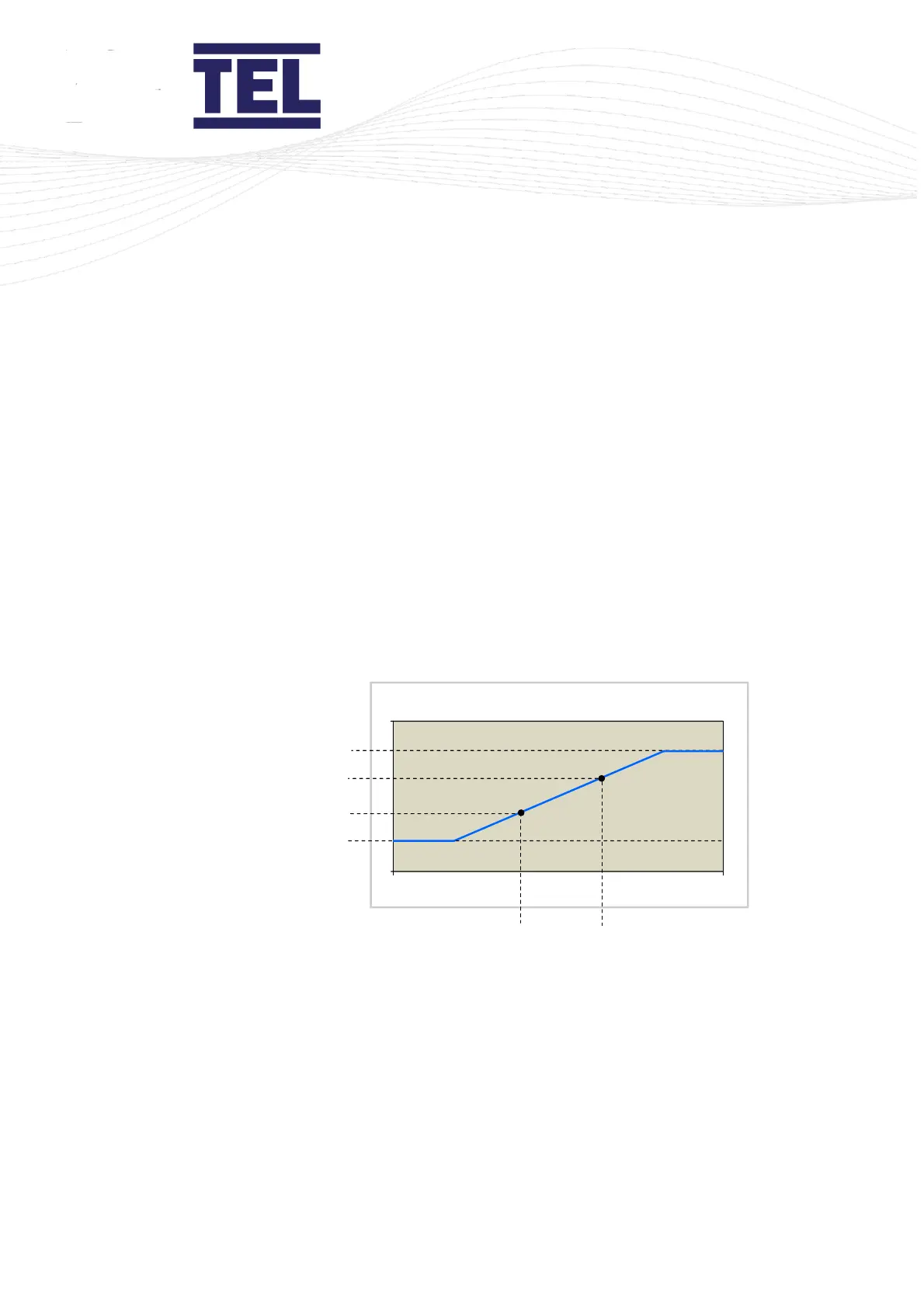
Figure 67: Dual Output Calibration to give Direct Output (same as Econ output 1 direction)
Second Bleed Cal
Point e.g. 100%
First Bleed Cal
Point e.g. 0%
First Bleed Cal
Sash Position
e.g.500mm
Second Bleed Cal
Sash Position
e.g.100mm



 To Next Page