AFA4000/E VAV Airflow Controller / p.183
11. Operation: Airflow Monitor
11.1 Run screen
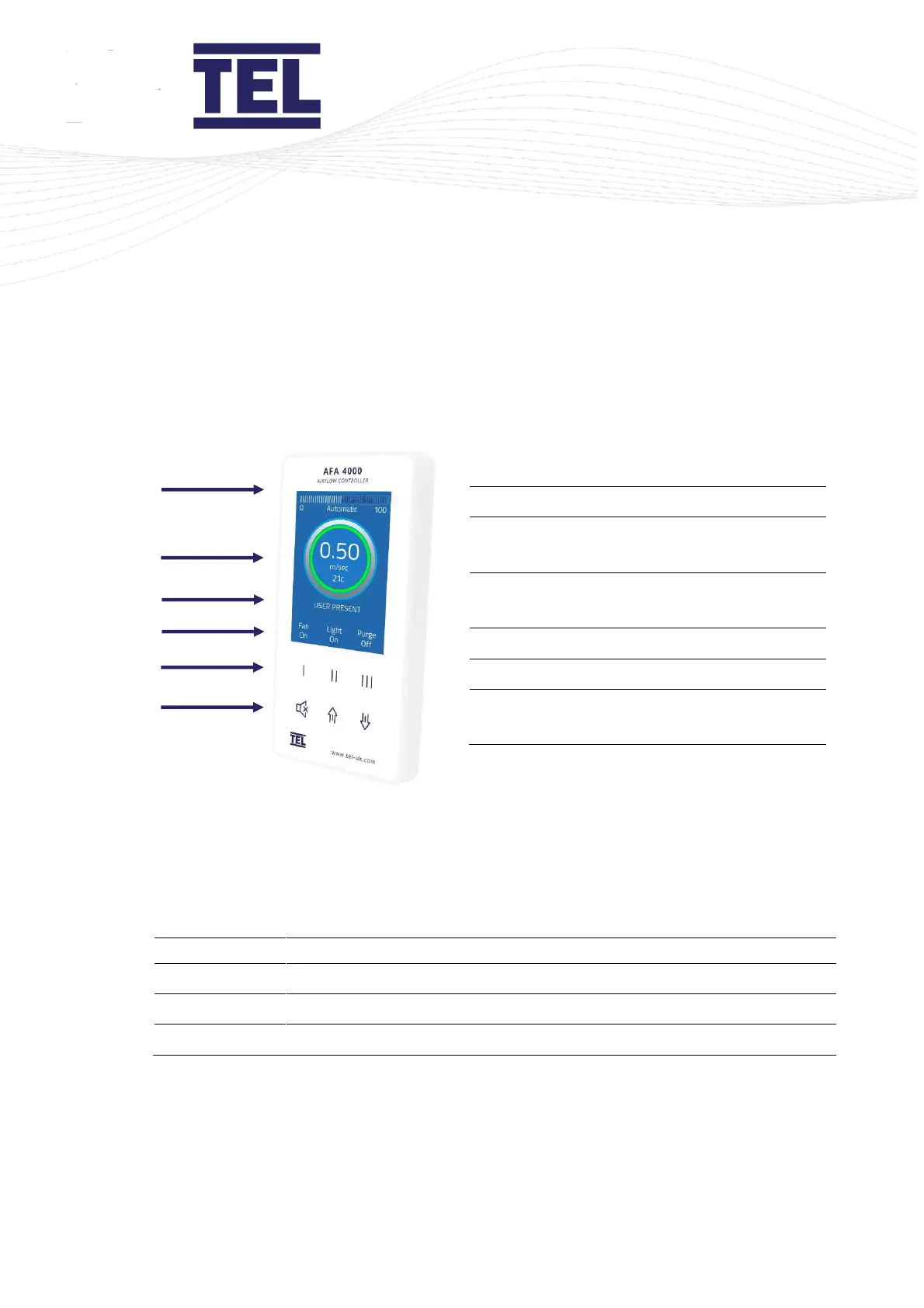
Airflow bargraph or timeline display
Airflow velocity display with LED halo
(red/amber/green)
Status window, airflow alarm status Auto
Sash status
Airflow monitor pushbutton icons
Airflow monitor pushbuttons
Menu pushbuttons and alarm mute Auto
Sash Up/Down/Cancel buttons
Figure 80: Operator display panel showing the Run screen
The Run screen displays when the AFA4000/E is switched on and shows the real-time status of
the system.
The colour of the LED halo, text and status message is important:
LED halo, text and status message
Airflow velocity is marginal
LED halo, text status message



 To Next Page