AFA4000/E VAV Airflow Controller / p.150
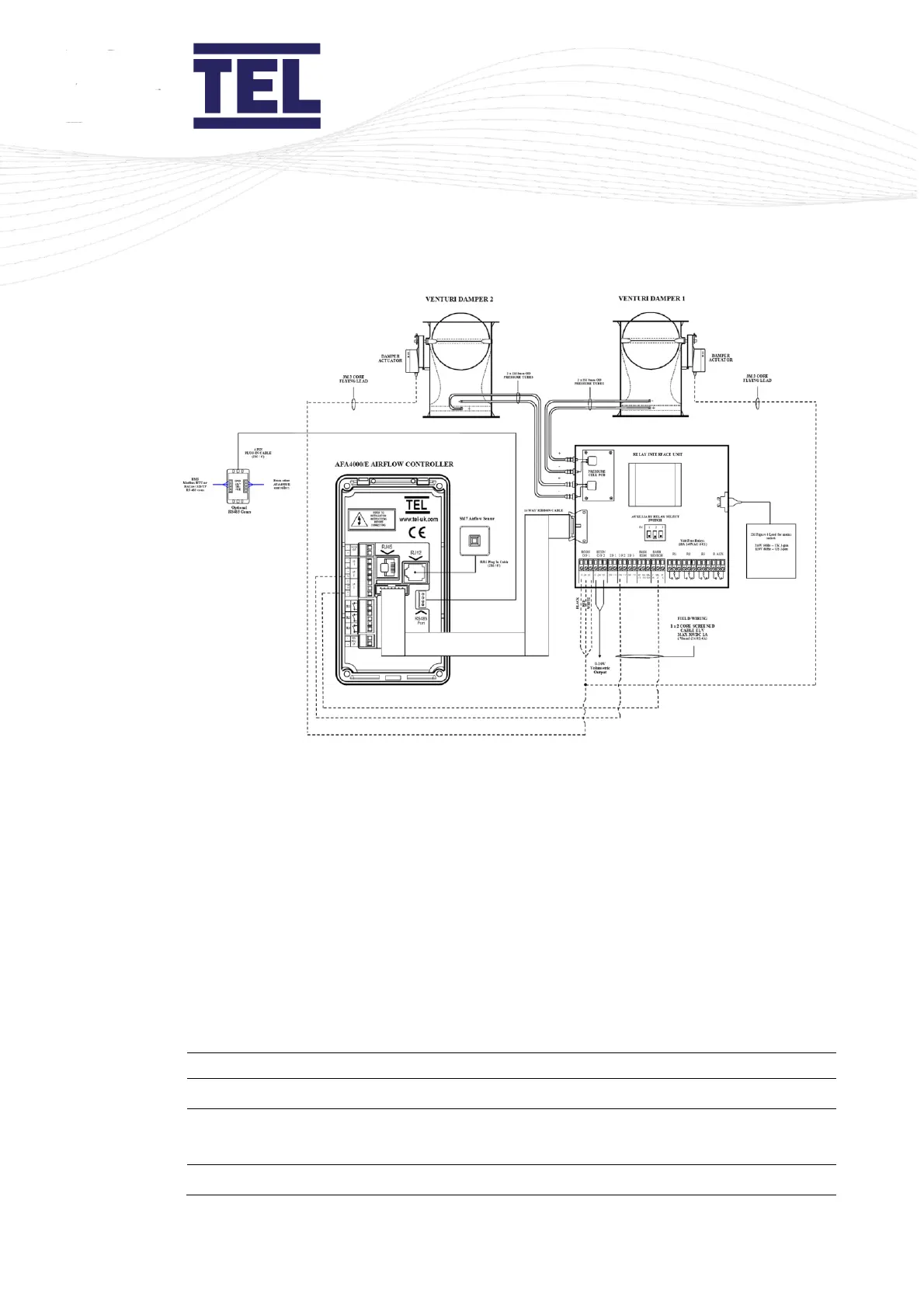
Figure 70: Connection diagram – Wide fume cupboard
To set up the Volume Pressure output using the pushbutton menus:
1. Navigate to Main Menu > Set up Monitor > Configure.
Note: The Configure menu is password protected. The default password is 0 0 0 0.
Press the ↑ and ↓ arrows to scroll through the menu list and press Mute to select the
required option.
2. Select Input 2 > Analogue > Volume Pressure.
3. Select Dual Output > Volume Pressure.
4. Use the ↑ and ↓ arrows to select the Volume Pressure parameter and press Mute. The
Volume Pressure settings sub-menu displays:



 To Next Page