AFA4000/E VAV Airflow Controller / p.169
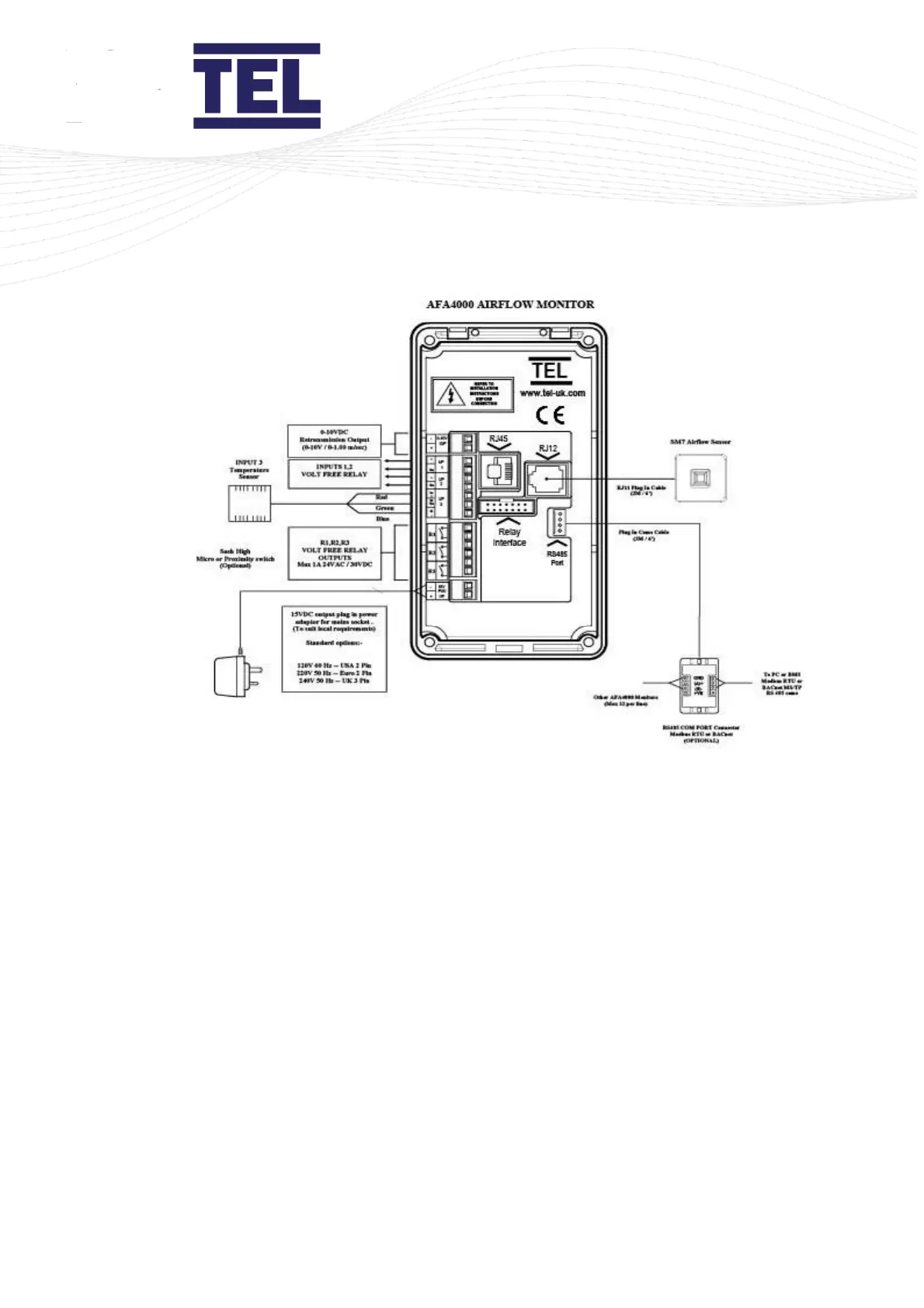
Figure 74: Typical connection diagram
Press the ↑ and ↓ arrows to scroll through the menu list and press Mute to select the required
option.
Setting up the temperature input:
1. From the Requires set up screen, press Mute, or from the Run Screen press and hold
the Mute button for 5 seconds until the Main Menu is displayed.
2. Select Set Up Monitor > Configure.
3. Enter the password (the factory default password is 0-0-0-0) and press Mute to continue.
4. Select Input 3 > Analog > Temperature. The Temperature sub-menu displays:



 To Next Page