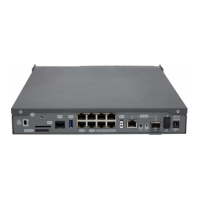
Rear panel elements
Item Description
A SIM Card. Slot where you can insert the SIM card for the external 3G module.
B SD. Slot where you can insert a SD card.
C Aux. Provides access to the Teldat iM8 local console for configuring and monitor-
ing purposes.
D USB. Slot where you can insert a 3G USB modem.
E 8-port Gigabit Ethernet Switch.
F PoE. Connector for power supply through Ethernet (Power over Ethernet).
G Eth WAN Base-T. WAN Gigabit Ethernet.
H Eth WAN SFP.
I WPS (Wireless Protected Setup). Makes it possible to configure the WiFi network
parameters easily and securely.
J RST. Reset button. For further information on how the reset button works, please
see RST Button on page 16.
K On/Off switch.
L Power source connection (PSU).
M Functional earthing. Usually disconnected.
3.1.3 Side Panels
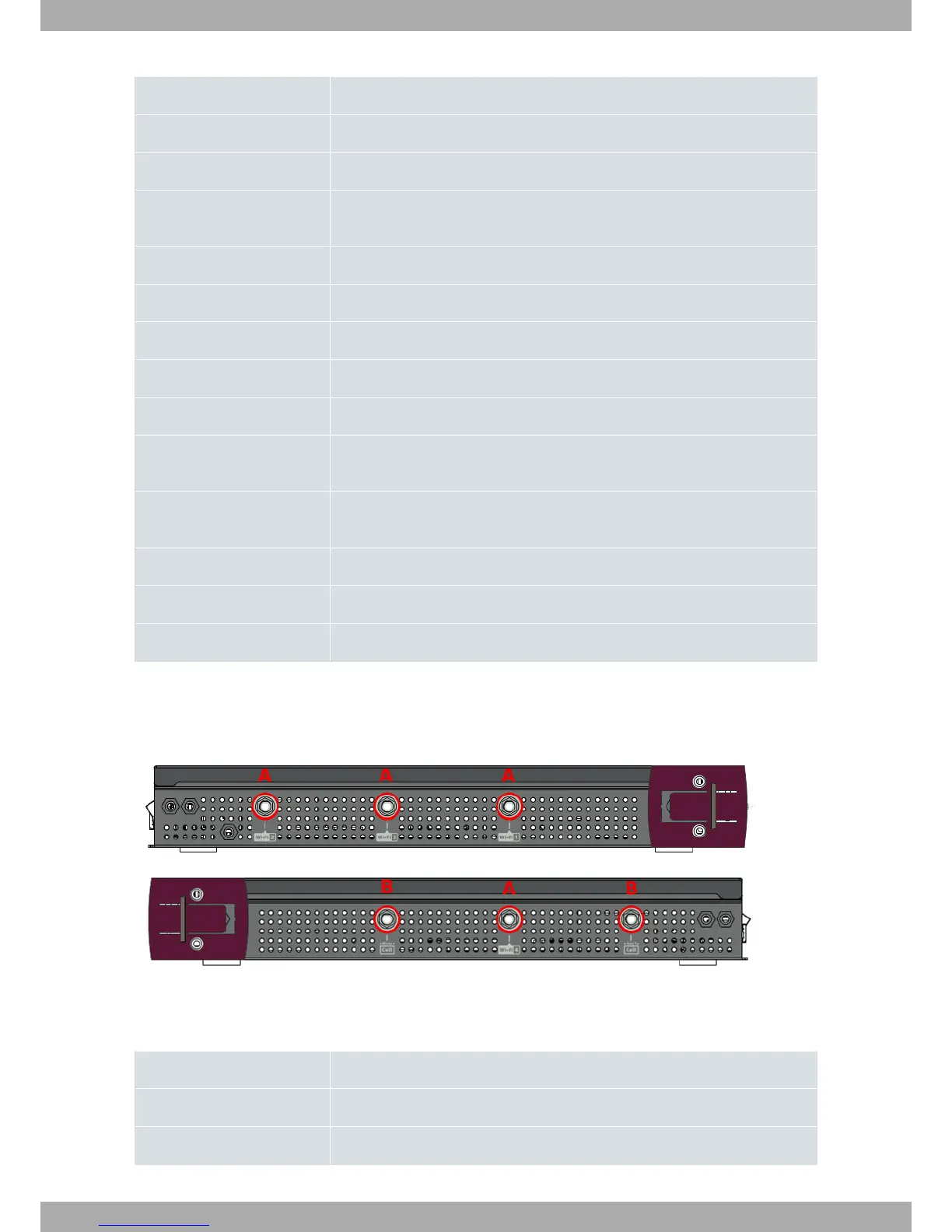
Four Wi-Fi and two 3G antenna connectors are located on the side panels.
Fig. 4: Left and right side panels
The connectors are as follows:
Side panel connectors
Item Description
A Wi-Fi antenna connectors.
B 3G antenna connectors.
Teldat S.A.
3 Components and Power Supply
Teldat Router iM8 7


 To Next Page