SIM Green -> External SIM active.
Amber -> Internal SIM active.
Storage
(HD/SD)
HDD / SDD Status Off -> Hard disk or SD card is not connected or is inactive.
Green -> Detected hard disk or SD card.
Amber -> Testing hard disk or SD card.
Red -> Error.
Apps Apps Information Off -> no applications detected.
Green -> applications detected.
Amber -> testing application.
Red -> application error.
Slot Expansion Slot Information Off -> There is no card in the expansion slot.
Red -> interface down.
Amber -> auto test.
Green -> interface up (blinking, in some cards, when there is con-
nection data activity).
In addition to the LEDs previously described, the front panel also has LEDs linked to the Switch Ethernet interfaces.
Fig. 2: Ethernet interface LEDs
The table below provides information on the LEDs associated to the Switch Ethernet interface:
Switch Ethernet interface LEDs table
LED Description State
Orange PoE activity. Please see manual Teldat Dm776-I
Power Over Ethernet .
Green Ethernet (link) connection estab-
lished.
Off -> Link has not been detected.
Green -> Link detected. Blinking: con-
nection data activity.
3.1.2 Rear Panel
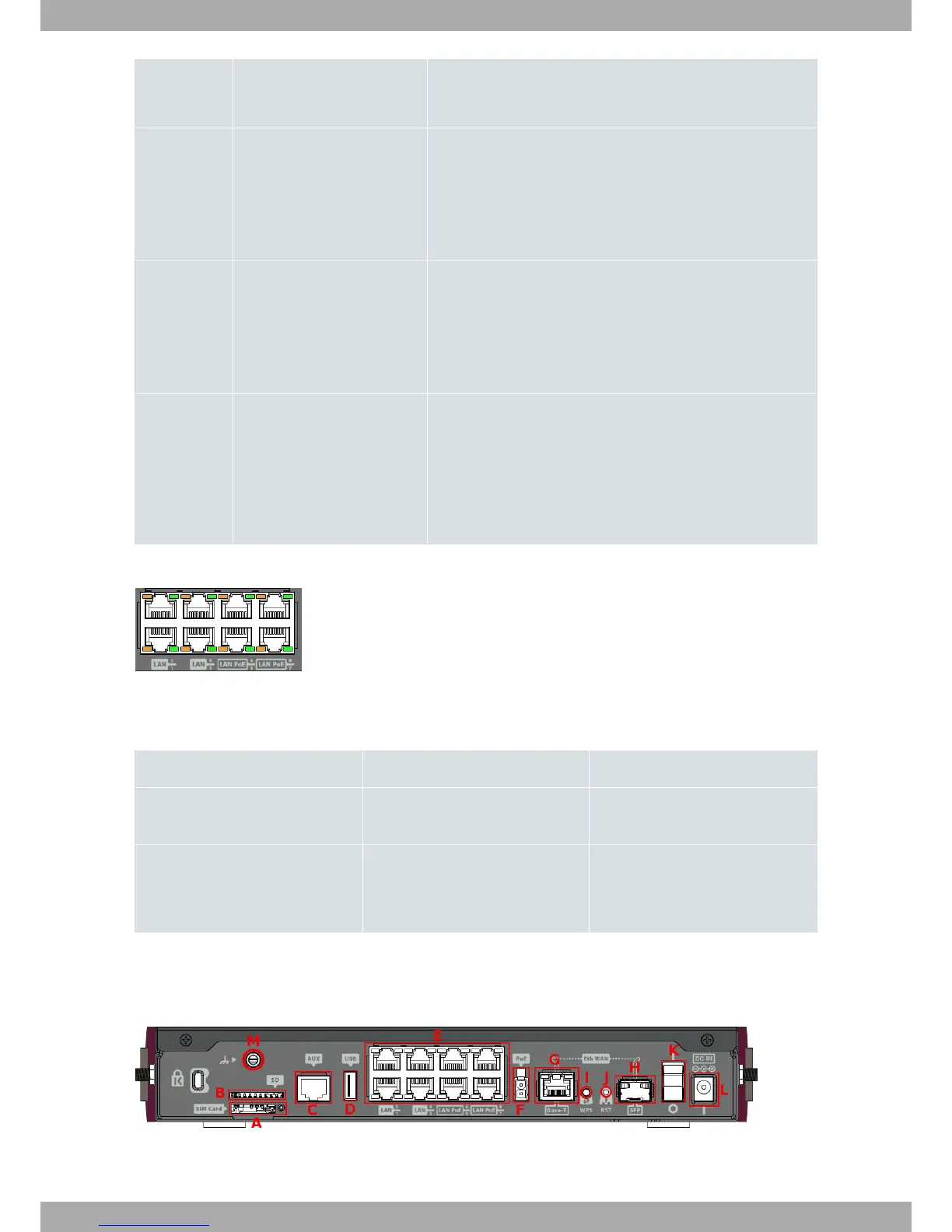
The following figure shows the rear panel. Here you will find the majority of the Teldat iM8 router connectors.
Fig. 3: Rear panel
The following table provides information on each connector, as well as a description:
3 Components and Power Supply Teldat S.A.
6 Teldat Router iM8


 To Next Page