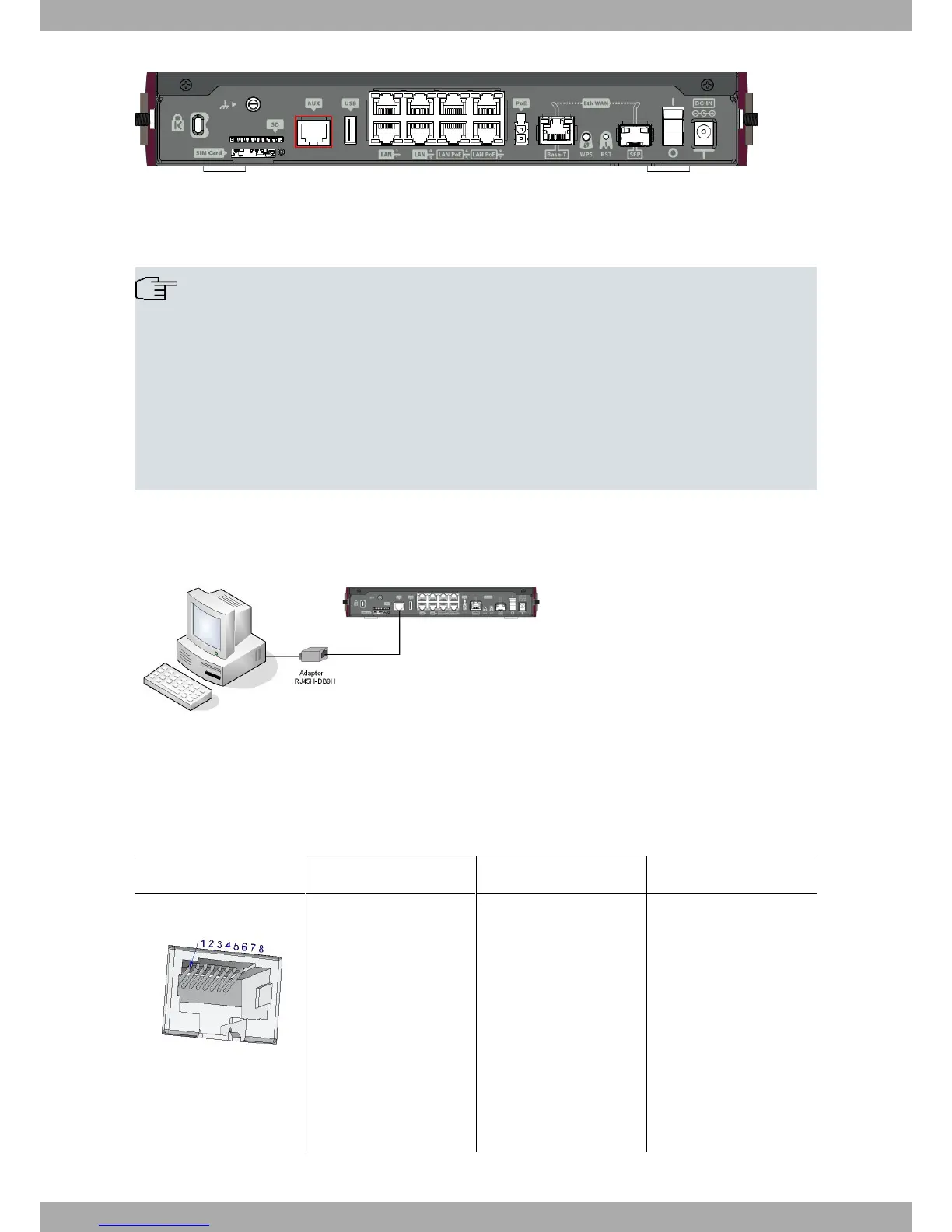
Fig. 40: Aux Connector
To configure this, you must connect the “ Aux .” port to an asynchronous terminal (or to a PC with terminal emula-
tion).
Note
The configuration for the terminal must be:
- Speed: 9600 bps.
- Eight data bits.
- One stop bit.
- No parity bit.
- No type of flow control.
Connection to the configuration port can be done through the the RJ45 connector cable, supplied with the device,
and an RJ45 female-DB9 female adapter (also provided).
Fig. 41: Connecting for Configuration
A.4 Connectors
A.4.1 LAN Connector (Switch)
RJ45 LAN RJ45 PIN FE Signals GE Signals
1
2
3
4
5
6
7
8
BI-DA+ [PoE+]
BI-DA- [PoE+]
BI-DB+ [PoE-]
--
--
BI-DB- [PoE-]
--
--
BI-DA+
BI-DA-
BI-DB+
BI-DC+
BI-DC-
BI-DB-
BI-DD+
BI-DD-
Technical Information Teldat S.A.
30 Teldat Router iM8


 To Next Page