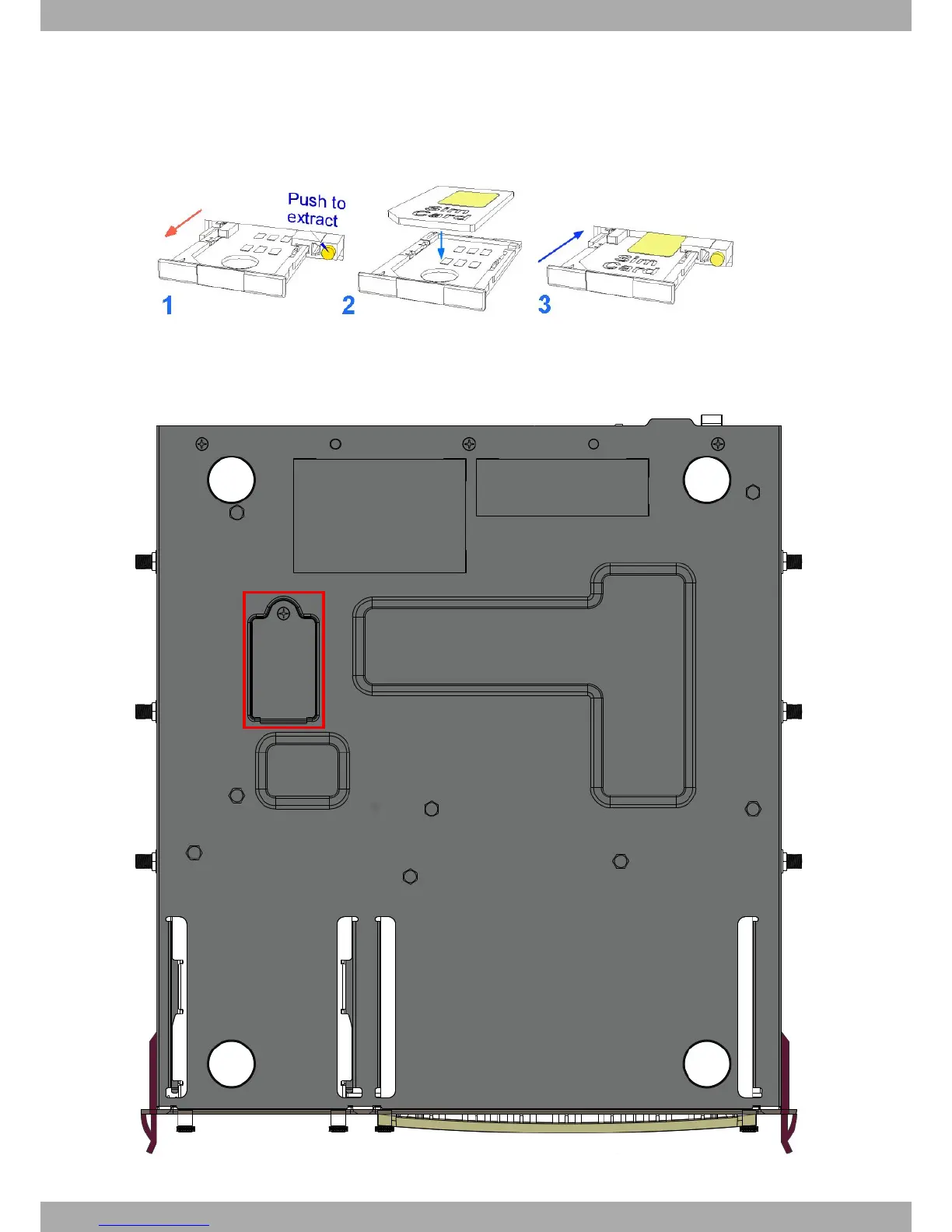
out the following steps:
(1) Press the button until the SIM tray comes out.
(2) Place the SIM on the tray.
(3) Insert the tray in the slot and return the tray to its original position.
Fig. 29: Inserting the SIM in the external module
The other SIM tray is internal. To access it, you need to access the underside of the router, open the flap (shown in
the following figure) and insert the SIM card.
Fig. 30: Internal module SIM tray
3 Components and Power Supply Teldat S.A.
20 Teldat Router iM8


 To Next Page