3.7.4 Wireless LAN Antenna Connection (Wi-Fi connectors)
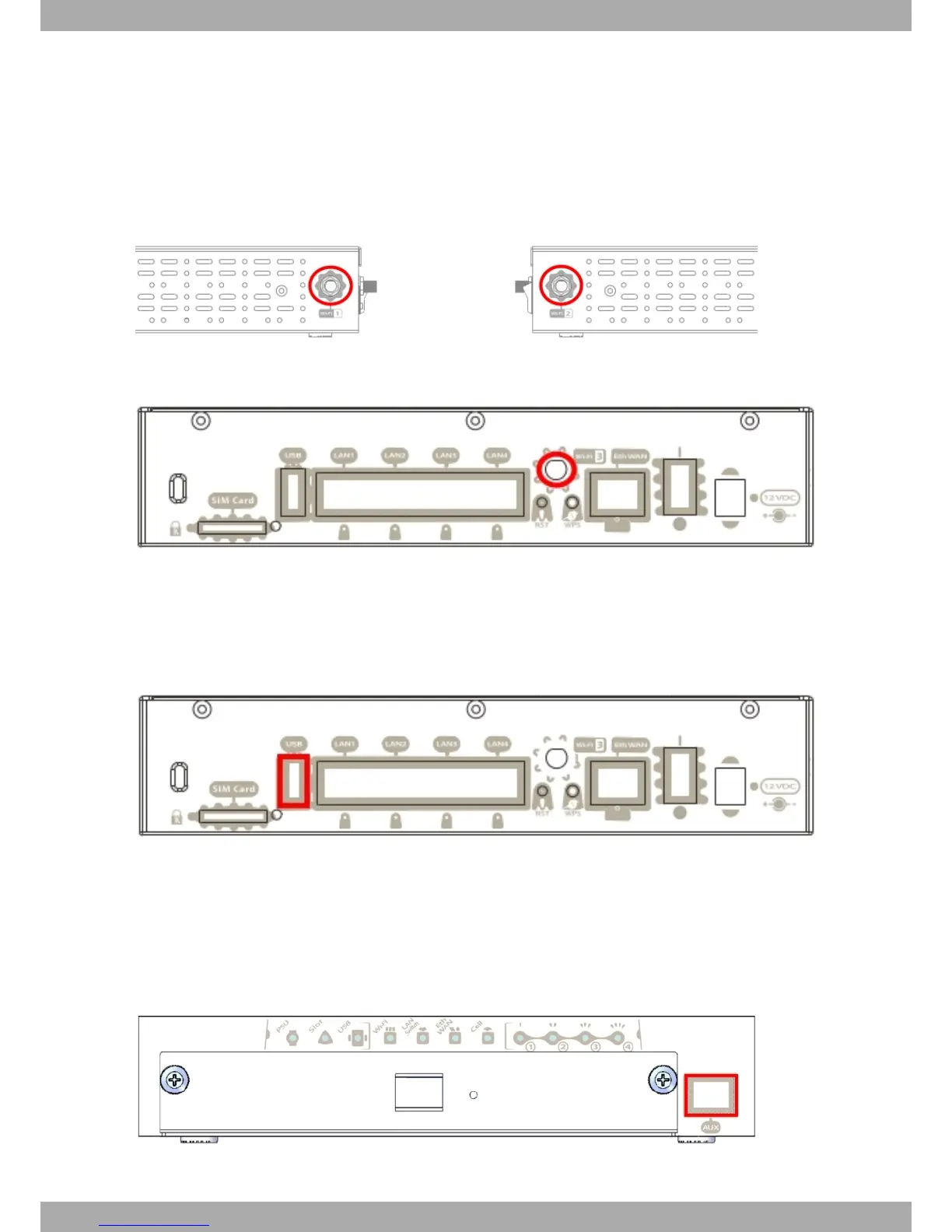
The Teldat M1 router family has three RF antenna connectors to connect an external antenna and improve the qual-
ity of the signal received and transmitted by the Wireless LAN module.
This module is internal and can be activated by purchasing the corresponding software license. To assemble and
disassemble the antennas provided with the device, just screw them into the connectors, labeled Wi-Fi, which are
located on the rear and on both lateral panels of the router.
Fig. 18: Wi-Fi 1 Antenna and Fig. 19: Wi-Fi 2 Antenna
Fig. 20: Wi-Fi 3 Antenna
3.7.5 Connecting a 3G USB device (USB connector)
The Teldat M1 family has a USB HOST 2.0 Type A connector interface, which allows 3G USB modems to be con-
nected. The interface can be activated by purchasing the corresponding software license.
Fig. 21: 3G USB Connector
3.7.6 Connecting for Configuration
The Teldat M1 router has an RJ45 female connector on the front panel known as “Aux .”, which provides access to
the device local console.
For further information, please see Connecting to the device on page 27.
Fig. 22: Aux. Connector
3 Components and Power Supply Teldat S.A.
16 Teldat Router M1/M1L



 To Next Page