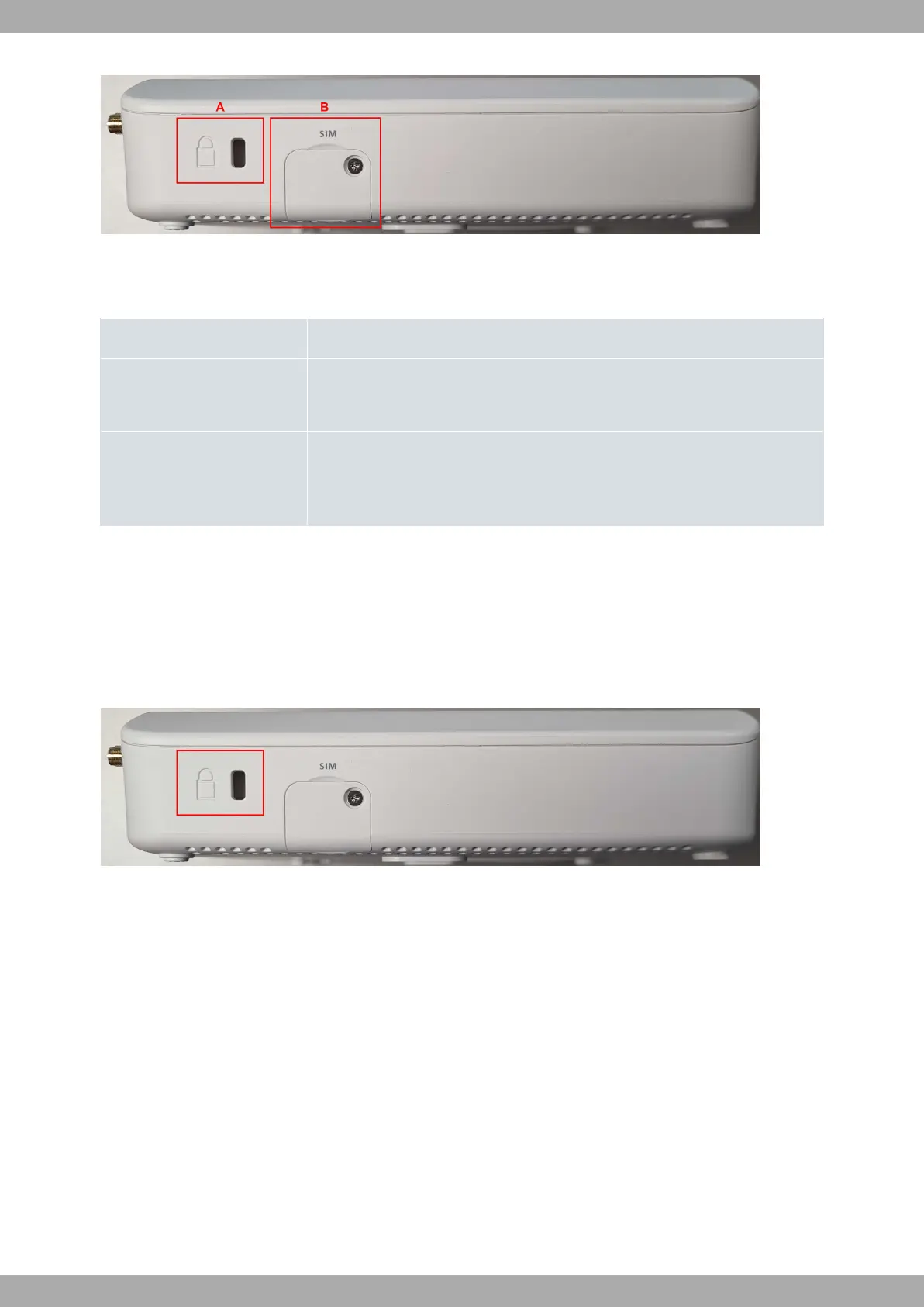
Fig. 6: Right side panels
The connectors are as follows:
Side panel connectors
Item Description
A Kensington security slot
For further information, please see on page .
B
SIM Card. Slot where you can insert the SIM card.
Refer to Installing the SIM card on page 16 for more information on SIM installa-
tion.
3.2 Mounting an anti-theft security cable
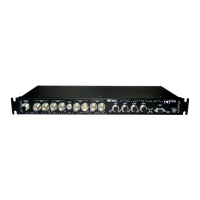
M10-Smart devices have been equipped with a standard Kensington security slot to which a security cable can be
attached. The T-bar lock of the security cable allows the device to be attached to an anchor point, thus preventing
potential thefts.
The security slot is located on the rear panel of the housing, as shown in the following figure:
Fig. 7: Security Slot
3.3 Installation
3.3.1 Standalone
M10-Smart devices can be placed as standalone on a flat, stable surface.
Make sure there is enough space around the router (for ventilation purposes) and check that the power cord and
data cables can easily reach it.
Workplace conditions. Main characteristics
• Avoid humid and/or dusty locations.
• Direct exposure to sunlight and other heat sources should be avoided. The device should not be placed amongst
papers, magazines or other elements that could hinder natural air circulation.
• The device should not be placed close to strong electromagnetic fields (such as speakers, engines, etc.).
• Knocks and/or strong vibrations should be avoided during transport, operation and storage.
Teldat S.A.
3 Components and Power Supply
M10-Smart 9


 To Next Page