Note
Some devices leave the factory with customized settings. This personalization means your router's de-
fault configuration (and that of the embedded access point, where applicable) may be different from the
one shown above.
3.7 Data connections
The M10-Smart router has the following data connections.
3.7.1 4-port Ethernet LAN connections
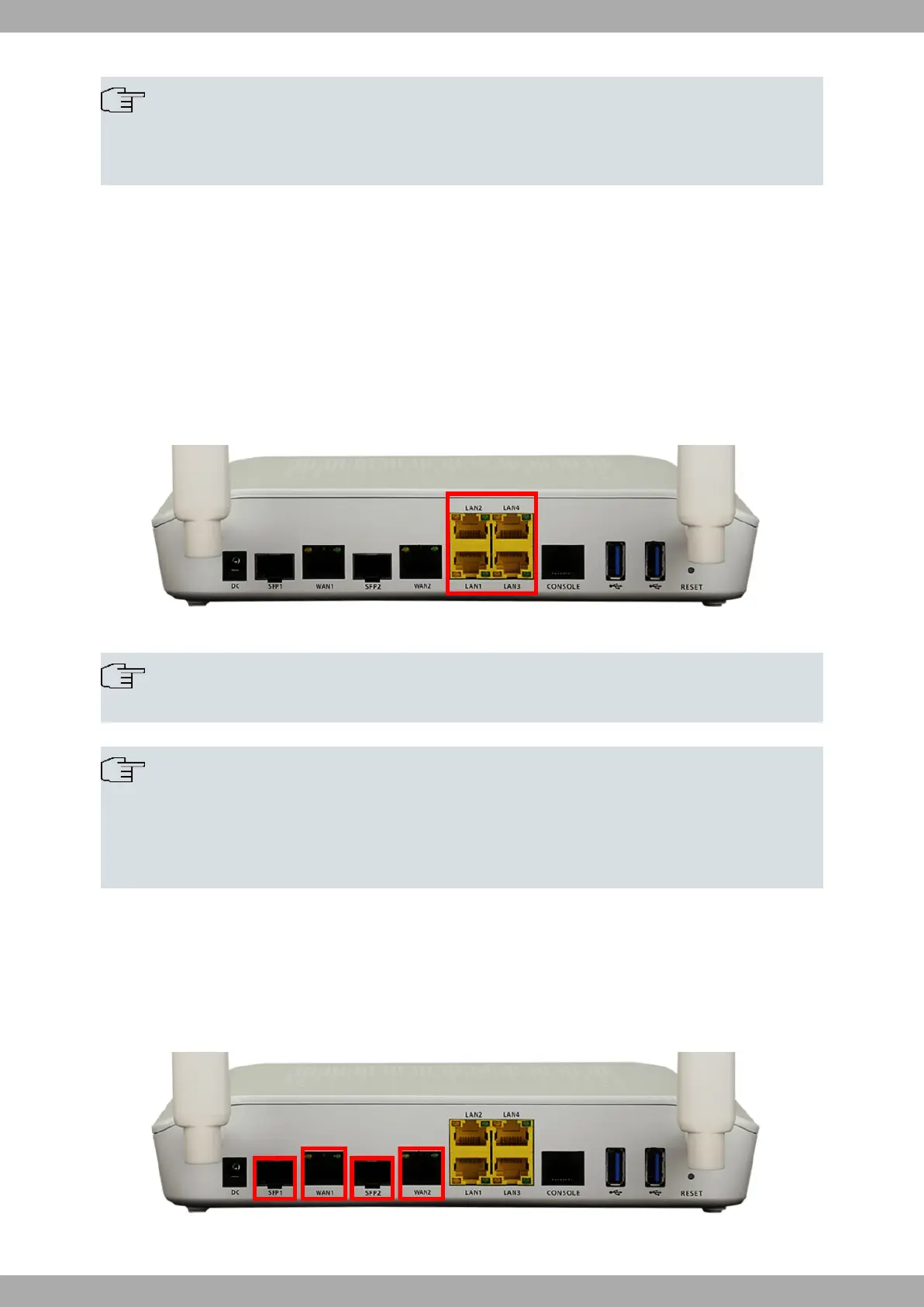
The M10-Smart router incorporates 4 10/100/1000 Base-T ports with automatic MDI/MDIX to connect to a local area
network (LAN).
Please pay careful attention to the labeling to avoid mistaking this switch for other types of ports:
Fig. 13: LAN ports
Note
Only the LAN 1 connector is available during booting and in BIOS mode.
Note
By default, the LAN ports are configured as independent and have their own MAC address. They are
identified as ethenet0/0/0 (LAN1) to ethernet0/0/3 (LAN4).
If you need them to belong to a bridge, please see manual: “Teldat Dm717-I Bridge ” for more informa-
tion.
3.7.2 WAN connections
The M10-Smart has 2 Gigabit Ethernet interfaces for WAN connection. These ports have 2 connectors - SFP for an
optical link and RJ45 for a 10/100/1000 Base-T link - but they cannot work simultaneously.
Please pay careful attention to the labeling to avoid mistaking these ports for other types of ports:
Fig. 14: WAN connectors
Teldat S.A.
3 Components and Power Supply
M10-Smart 13


 To Next Page