A.3.1 Connecting using the local console (CONSOLE connector)
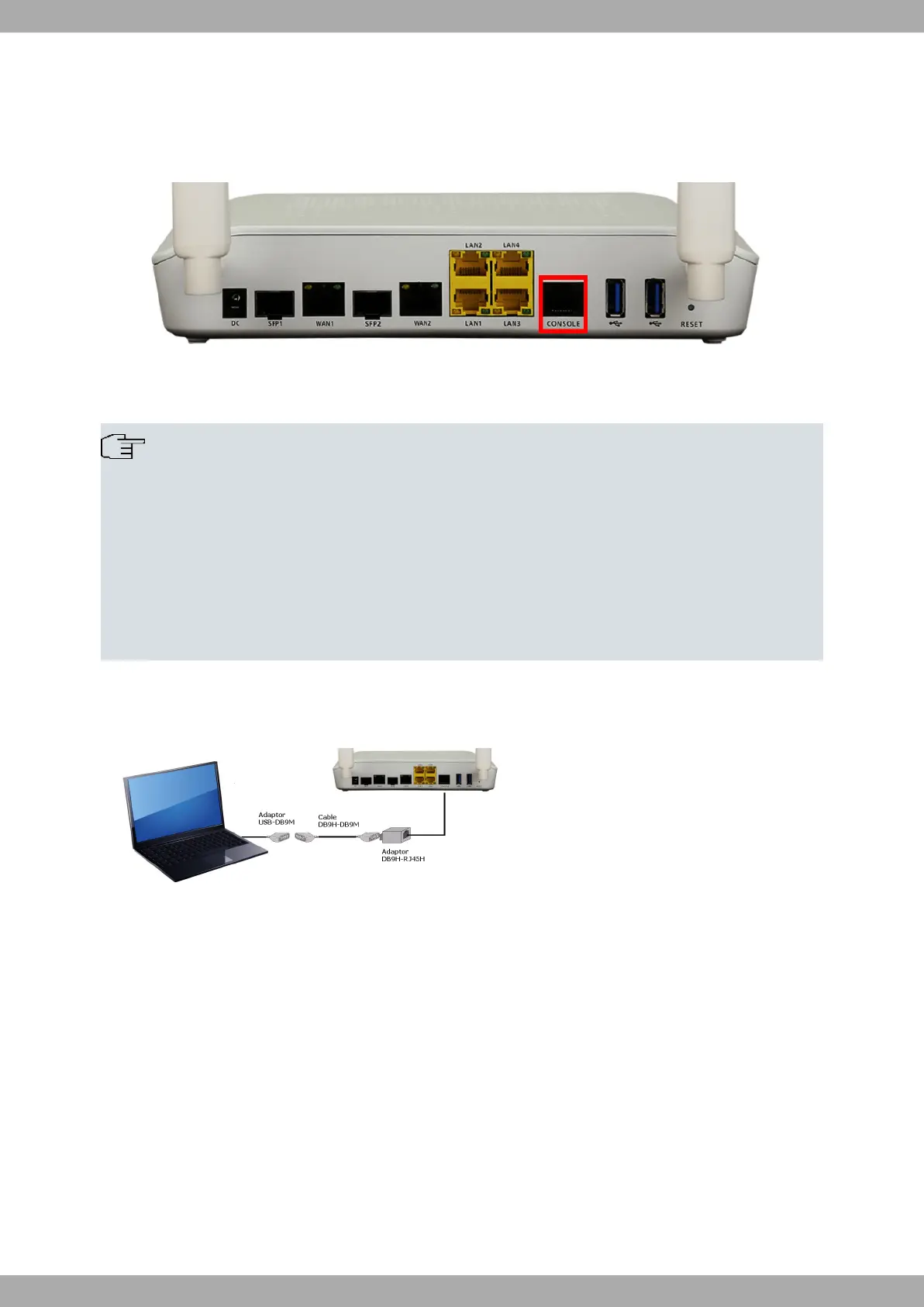
The M10-Smart router has a RJ45 female connector on the front panel, known as CONSOLE, which provides ac-
cess to the device's local console.
Fig. 18: CONSOLE Connector
To configure this, you must connect the Aux port to an asynchronous terminal (or to a PC with terminal emulation).
Note
The configuration for the terminal must be:
- Speed: 115200 bps.
- Eight data bits.
- One stop bit.
- No parity bit.
- No type of flow control.
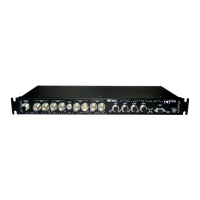
Connection to the configuration port can be carried out using the the RJ45 connector cable, supplied with the device,
and an RJ45 female-DB9 female adapter (also provided).
Fig. 19: Connecting for Configuration
For further information, please see manual: “Teldat Dm704-I Configuration and Monitoring”.
A.4 Connectors
Technical Information Teldat S.A.
24 M10-Smart


 To Next Page