GETTING STARTED 6
4.2 Removing or inserting the battery
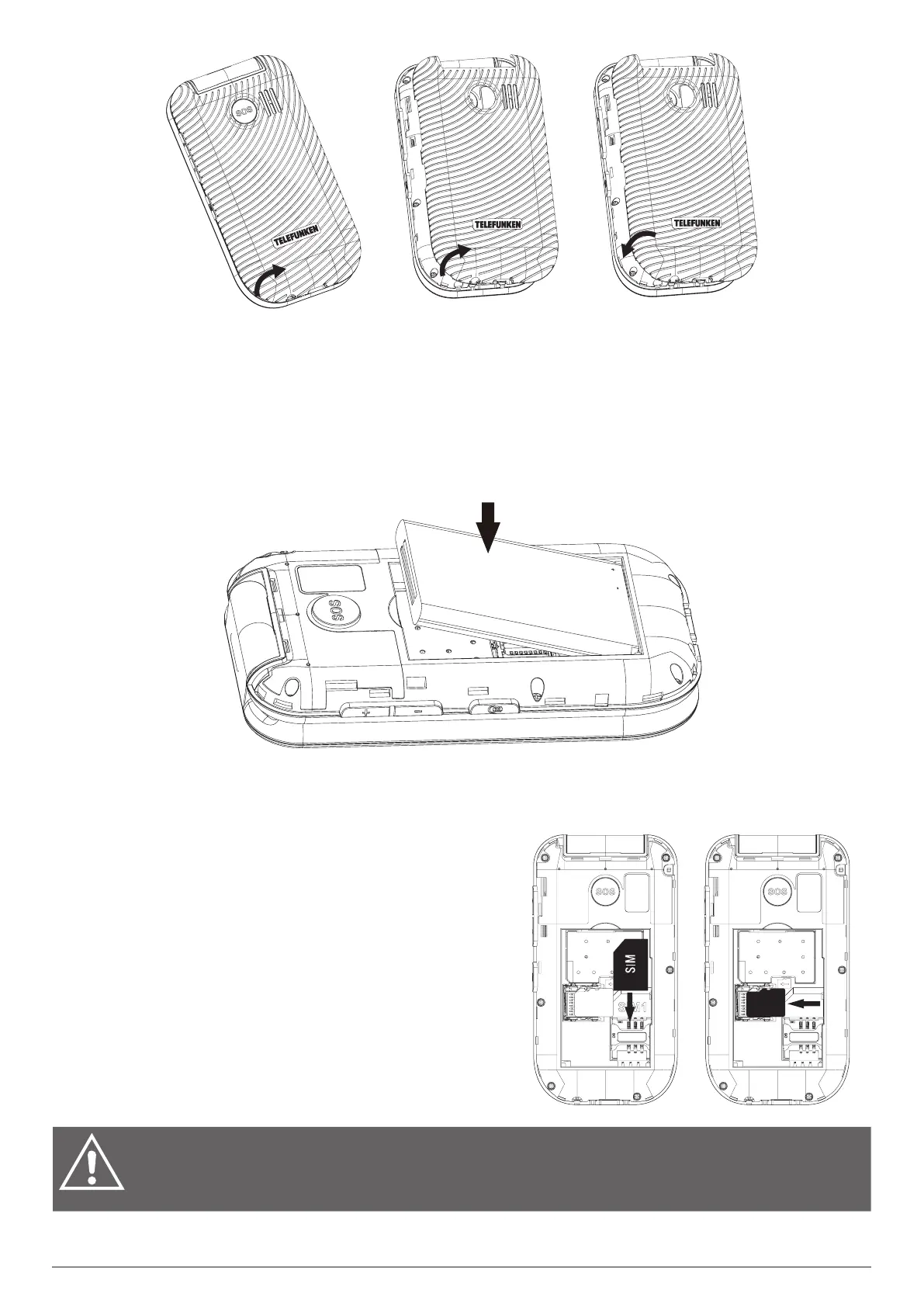
Remove the back cover before removing or inserting the battery.
To remove the battery, insert a fingernail or an opening tool into the gap on top of the battery and
lift the battery.
To insert the battery, point the battery contacts downwards towards the contact points of the
battery compartment. Click the battery into place and attach the back cover.
Note: This mobile phone is intended to be used with the supplied battery only.
4.3 Inserting or removing the mini-SIM card and microSD card
To use all your mobile phone services you must subscribe to a mobile network that will provide you
with a mini-SIM card assigned with a unique mobile number. To make phone calls, a valid mini-SIM
card must be inserted.
Power o the phone and remove the back cover and
battery before inserting or removing the mini-SIM card
or microSD card.
To insert a mini-SIM card into the card slot, slide it in
with the gold-coloured contacts facing down and the
bevelled edge pointing at the left side.
To insert a microSD card, with a ngernail, slide the
metal cover to the left to unlock and pull it up. Put a
microSD card into the card slot. Finally, close the metal
cover and slide it to the right to lock it.
WARNING: Do not bend or scratch your mini-SIM card. Avoid exposing your mini-
SIM card to static electricity, water, or dirt. If you lose the card, contact your network
operator immediately.
SD
CARD



 To Next Page