INITIAL SETUP 7
4.4 Charging the battery
For the first and subsequent uses, charge the phone battery until it
is fully charged. The icon is displayed in the upper-right corner
of the main screen. The icon means that the battery is low.
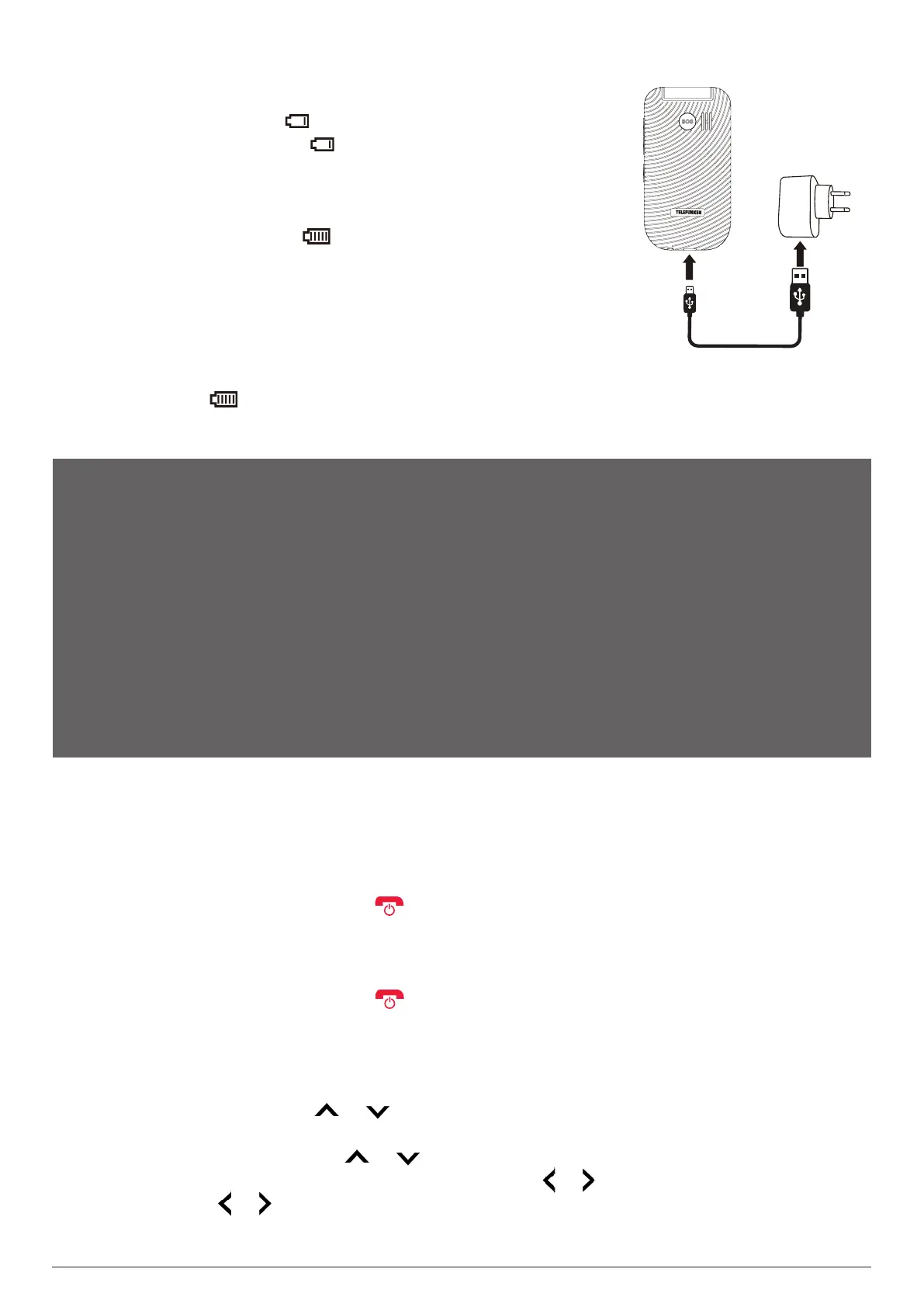
Insert the small plug of the charging cable into the charging port at
the bottom of the phone. Insert the big plug into the USB port of the
supplied adaptor, a power bank, or a powered computer. Charging will
start automatically. The icon will be displayed once the battery is
fully charged. Unplug the adapter and disconnect it from the phone
when you see this icon.
You can also charge your phone using the charging cradle. Insert the
small plug of the charging cable into the charging port on the back
of the cradle. Insert the power plug into a power socket. Place the
closed phone in the cradle and ensure the phone's LED indicators face towards the front of the
cradle. The icon will be displayed once the battery is fully charged. Remove the phone from
the cradle and unplug the adapter when you see this icon.
NOTES:
When a travel charger and its accessories are used to charge the battery, please check if they are
original or recognised by the original manufacturer. Using other accessories can damage your
mobile phone and present a risk.
Always use the accessories indoors and in a dry place.
Do not throw the battery into a fire. Damaged batteries can cause an explosion.
Refer to the detailed safety instructions concerning the precautions for use of the battery.
Do not leave the battery connected to a charger for longer than 12 hours. Overcharging may
shorten its life.
5. INITIAL SETUP
5.1 Powering On / O your phone
Before powering on your phone, make sure you have charged its battery.
To power on your phone, long press until the main screen turns on. If passwords are
required to unlock the phone and/or mini-SIM card, enter them correctly using the keypad. Once
unlocked, the phone shows you the home screen. If no SIM card is inserted or if the SIM card is
damaged, the screen indicates “Insert SIM”.
To power off your phone, long press .
5.2 First time setup
When you power on your phone for the rst time with a SIM card installed, you will be prompted
to complete the following steps.
1. Select a language: Press the or key to select your preferred display language, then select
OK to confirm.
2. Set the date and time: Press the or key to select the input fields and use the number
keys to enter values. To select a digit position, press the or key. To turn on or off daylight
saving, press the or key. Select Save to confirm the settings.
3. Enter the PIN code (if required): Use the keypad to input numbers, then select OK to confirm.



 To Next Page