
 Need help?
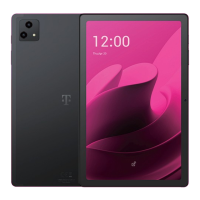
Do you have a question about the Telekom T Tablet and is the answer not in the manual?
Explains physical components, buttons, and ports of the T Tablet.
Guides users through initial setup, including SIM and E-SIM card installation.
Explains the structure and elements of the tablet's home screen for quick access.
Instructions for turning the tablet on, off, and charging the battery.
Procedures for backing up data and performing a factory reset on the device.
Guidelines for safe usage, environmental conditions, and hearing protection.
Specific Absorption Rate (SAR) and radio frequency exposure limits for compliance.
 General
| RAM | 1 GB |
|---|---|
| Internal Storage | 8 GB |
| Rear Camera | 2 MP |
| Front Camera | 0.3 MP |
| Battery | 3000 mAh |
| Display Size | 7 inches |
| Expandable Storage | microSD up to 32 GB |
| Connectivity | Wi-Fi 802.11 b/g/n, Bluetooth 4.0 |
| Display Resolution | 1024 x 600 pixels |

 To Next Page