MCC201/MCC201H User manual
Alarm Output
Operate the alarm device by pressing the number icon.
This camera supports one alarm output. A number icon indicates status of the alarm device.
Snapshot
Capture video images and store them as BMP or JPEG files.
Talk
Transfer audio from PC’s mic to the camera.
File Record
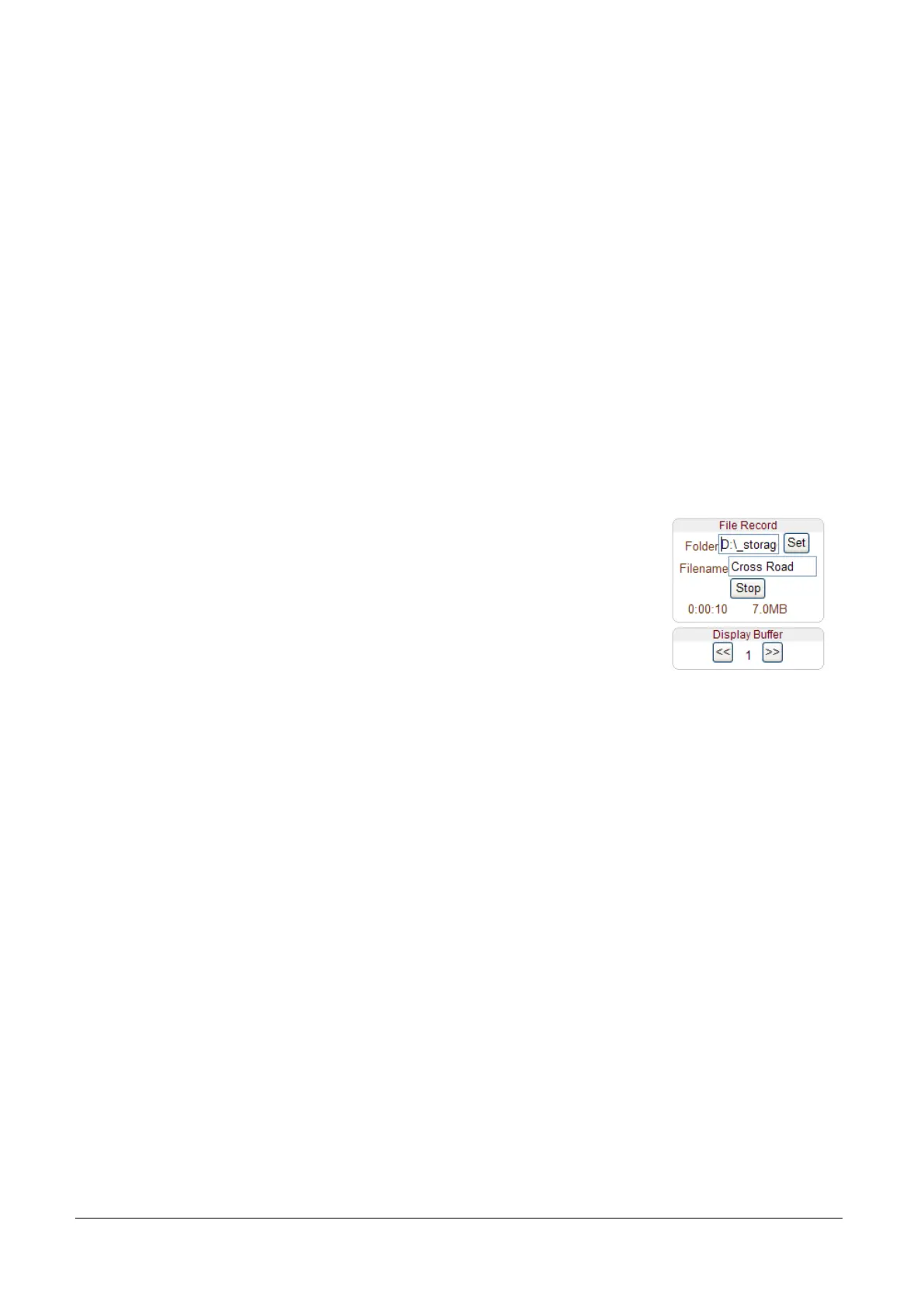
Recording to an AVI file on Live View page is available. AVI files are generated in the specified folder
or in specified file name on the PC where web browser is running.
1. Press “Set” button to select folder or create a new folder. Enter the file name on Filename field.
2. Press “Start” button to start to record.
3. Press “Stop” button to stop to record.
4. AVI file named “IP address_hh_mm_ss” or “File name_IP
address_hh_mm_ss” will be generated in the specified folder depending on
whether the path specified a folder or a prefix of the file name.
Display Buffer
Set the number of video frames to be buffered before being displayed on web browser. Larger value
results in smoother video by sacrificing the latency. A setting of 10 ~ 15 frames can be used generally for
most situations.



 To Next Page