24 • 4. Remote Configuration
MCC201/MCC201H User manual
Motion Detection
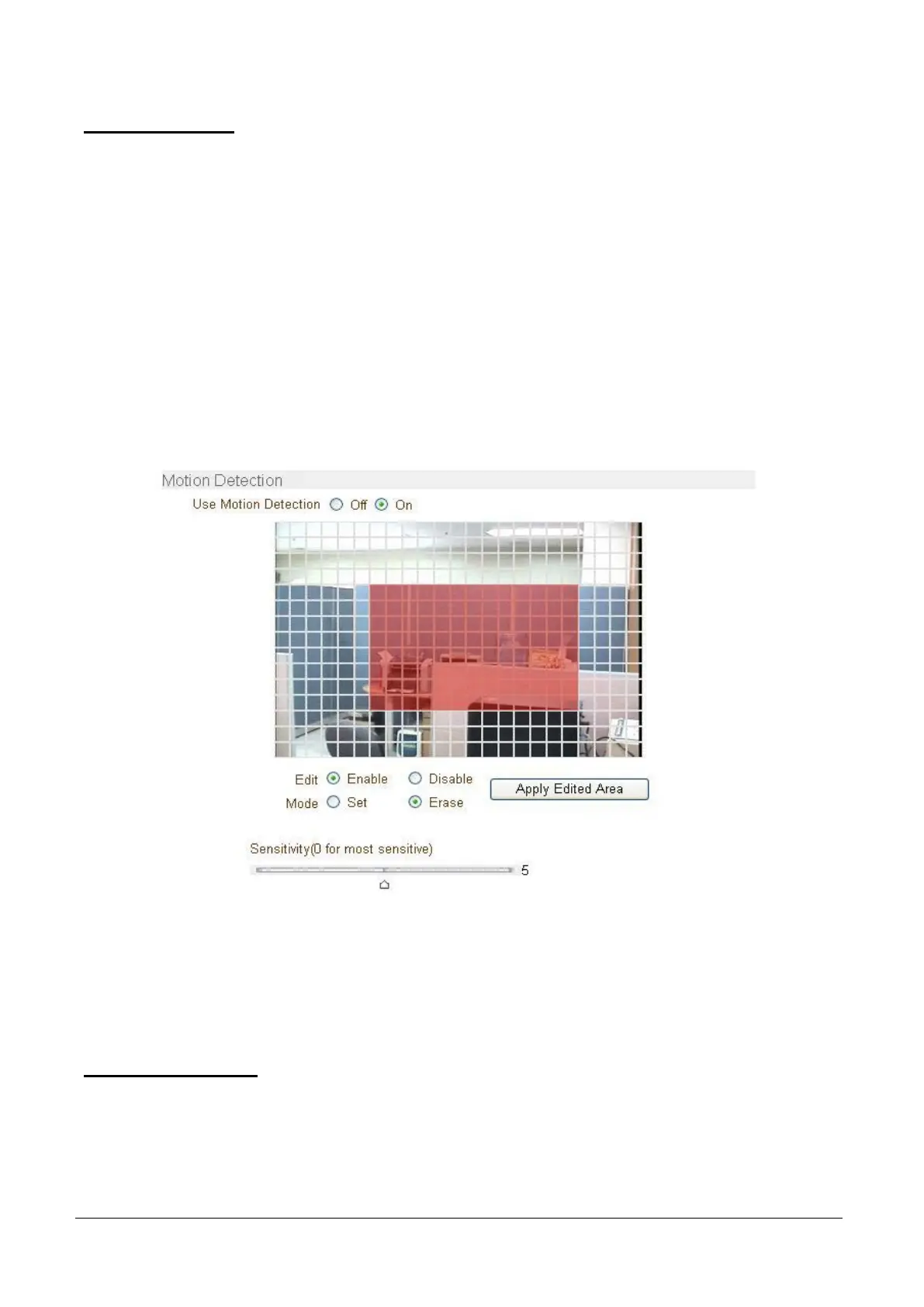
Use Motion Detection
Determine to use Motion Detection function.
Motion Detection Area Editing
Configure regions for motion detection. Regions of arbitrary shape can be configured by
the following steps.
1. Select Enable on Edit tab.
2. Select editing Mode. Set is for including cells to motion detection region and Erase is for excluding.
3. Select cells using the right button of the mouse. Multiple cells can be selected conveniently by press
and dragging.
4. Press Apply Edited Area to save the editing.
Sensitivity
Sensitivity is the condition to trigger an event of motion detection.
The value determines the sensitivity of the motion detection within a block: the smaller, the more sensitive.
It is selectable from 0 to 10.
Information Display
System ID and/or server time can be display over the video window in Internet Explorer. Each item can be
turn on or off separately, and position also can be configured. This information is displayed after the video
is decompressed.



 To Next Page