User manual
“DTR-7287
”
33
ENGLISH
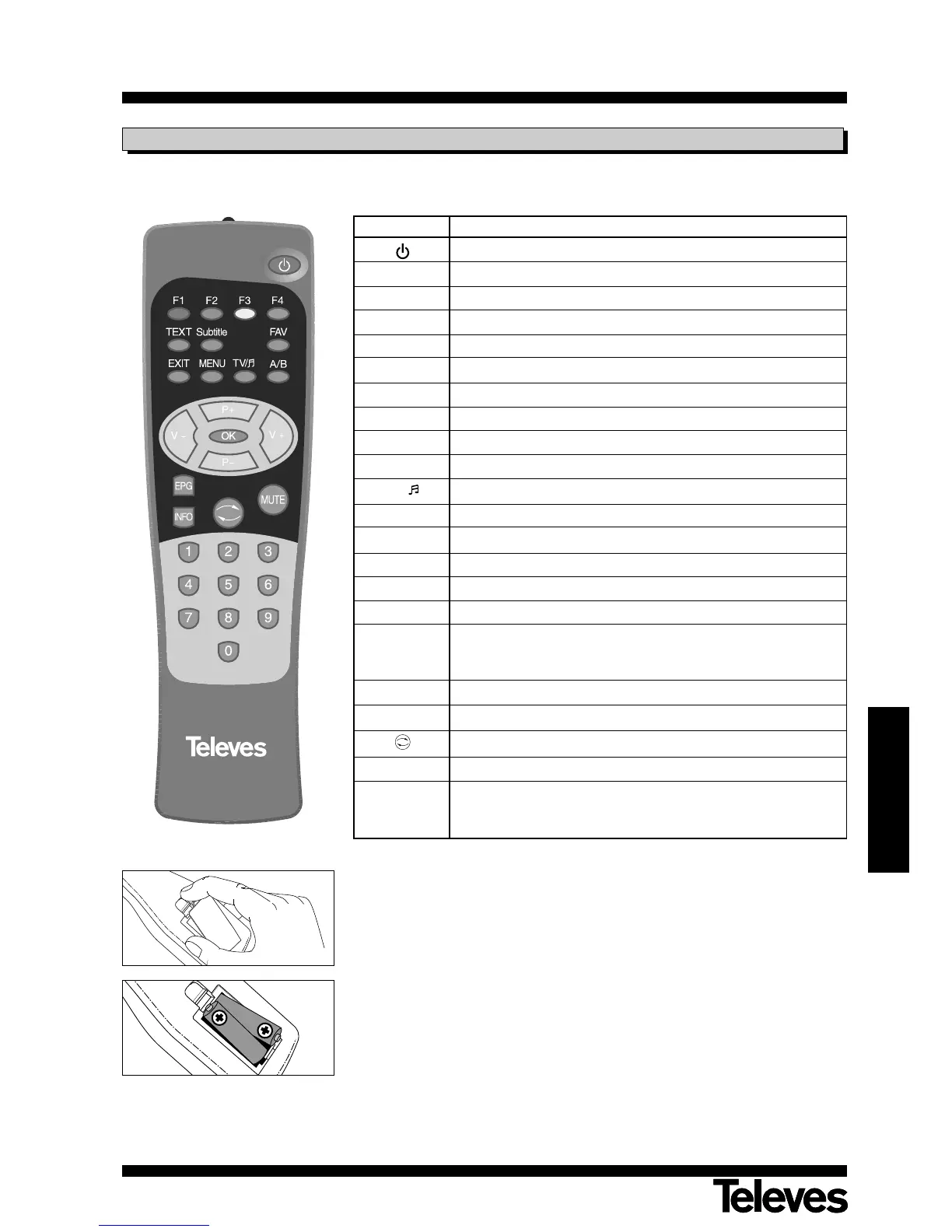
3.1.- Remote Control Command
Button Function
Turns the Adaptor on and off.
F1 Enables Mosaic function
F2 Information access for selected channel
F3 General information on current/next program
F4 Enables Zoom function
TXT Button for viewing Tele-text
Subtitle Enables or disables subtitles
FAV Shows the list of favorite programs
EXIT Returns to previous menu on the menu screen
MENU To enable the main menu or to leave menus.
TV/ Switches between TV and Radio modes.
A/B Selects the different audio languages available.
P + Upward program selection / Button +
P
-
Downward program selection / Button
-
V + Increases sound volume/ Right button
V
-
Lowers sound volume/ Left button
OK
Executes the option selected in the menu, or introduces the
desired value in any input mode.
Enables program listing
EPG Enables EPG (Electronic Program Guide).
INFO Shows updated info on program.
Returns you to previous program
MUTE Suppresses sound
0 ... 9
Selects a program number for viewing.
Direct input of menu data.
Button 0 enables the automatic turnoff function.
Note: The red, green, yellow and blue color buttons have secondary functions that
are not described herein, and may appear on different menus.



 To Next Page