User manual
“DTR-7287
”
44
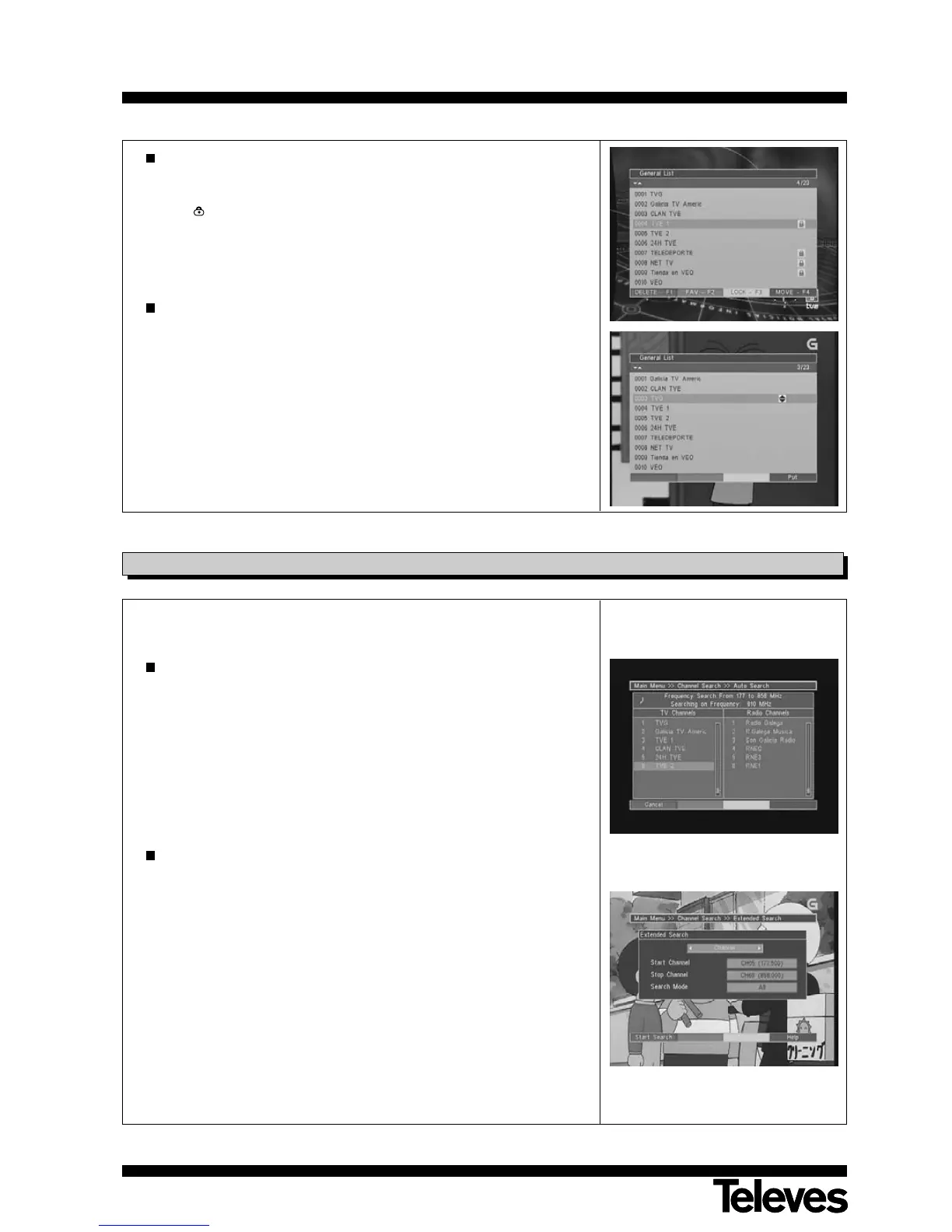
Lock (F3)
This blocks the selected program, which will subsequently require a
password for viewing. The blocked programs appear on the list with the
icon “
”
.
For this option to operate, the “Parental” option must be enabled.
Select the program, and press button F3 to block it. To eliminate this
choice, press the F3 button on the program again.
Move (F4)
The order of programs on the list may be shuffled at will.
Select a program, then press button F4 (blue) and, using buttons P+/P-,
place it in its new position on the list and then press F4 again or OK.
To leave the editing option, press the EXIT button.
If it has made changes in the list, a message will then appear requesting
either confirmation (YES) to continue with the operation, or authorization
(NO) to cancel it.
There are different ways of carrying out a channel search.
Automatic Search:
Select this mode to carry out an automatic search over the whole input
band of the Adaptor.
For the purpose, once you have selected the “Auto Search” option, press
the OK button to start the search. This will be carried out over the whole
input band width of your adaptor.
The complete search may take several minutes.
If you wish to interrupt the search, press button F1 (red).
Extended Search:
By choosing this mode, you can carry out a selective search between
channels.
For the purpose, once you have selected the option “Extended Search”,
press the OK button to accept. You will thus access a sub-menu where
you must indicate whether the selection will be carried out by Channel
(between two channels), or by Frequency (between two frequencies).
Use the P+/P- buttons to indicate the initial and final channel or
frequency.
Select the search type either among All (all the programs found), or
among Free Only (only open broadcasts) by using buttons P+/P-.
Finally, press the F1 (red) button to start the search.
9.3.- Channel search



 To Next Page