User manual
“DTR-7287
”
49
ENGLISH
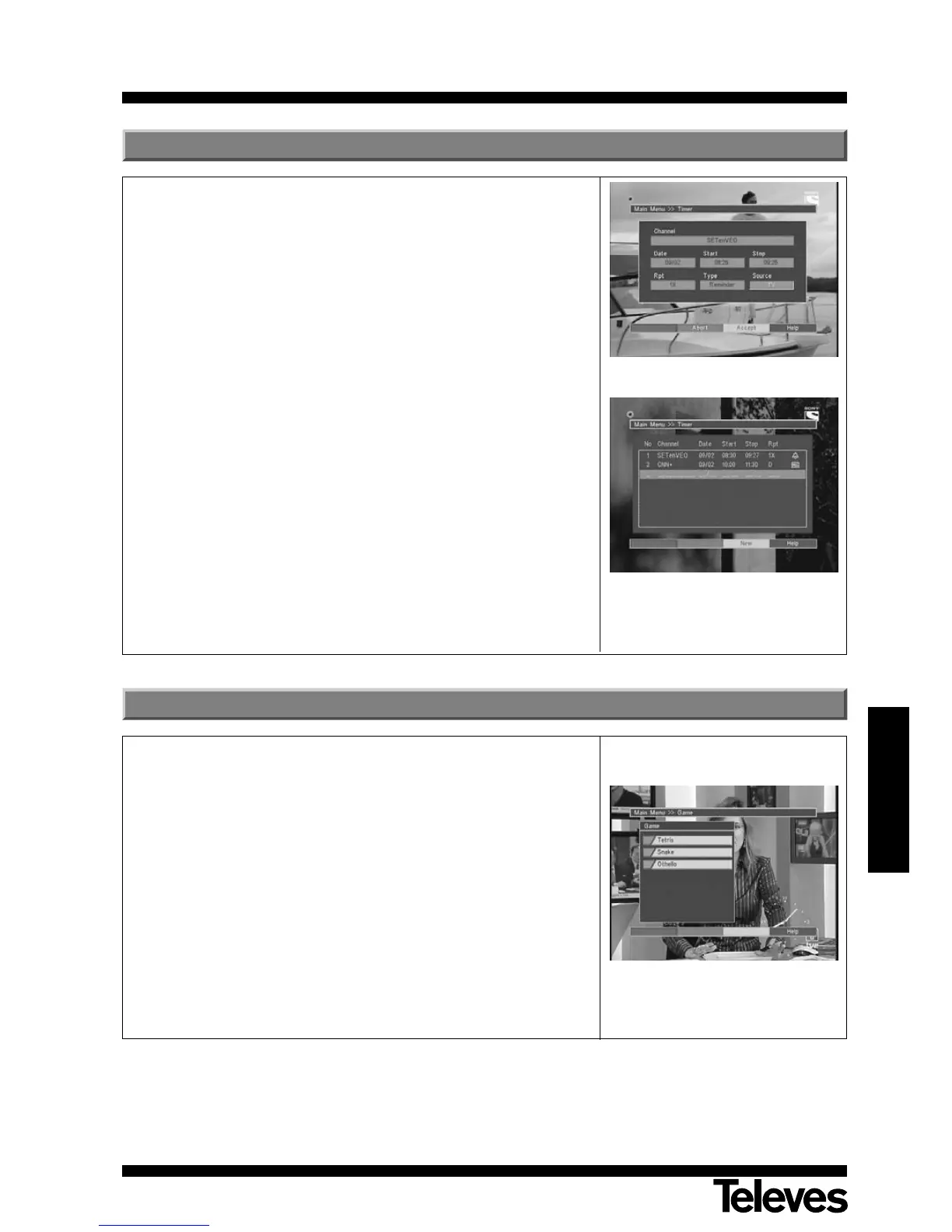
The timer enables you to turn the Adaptor on or off at a programmed time.
You can program several events with different frequencies (one time only,
daily, weekly....).
- Select the option “Timer” on the main menu using the P+/P- buttons,
and press OK to confirm.
- Once the Timer menu is enabled, press the F3 (yellow) button to create
a “new” event. The values to be introduced are:
Channel: To select the program you wish to record, press the OK
button. The program list will appear on an emerging
menu, and you can use the P+/P- buttons to select your
program. Once again, press OK to confirm.
Date: Insert the enabling date for the timer.
Start/Stop: Type in the starting and ending time, using the
numerical keyboard.
Rpt: This signals the frequency of the event (once only, daily,
weekly, during the week, on weekends).
Type: The event may be of the Reminder type (this changes the
current program for that shown on the timer), or of the VCR
type (the Adaptor turns on at a certain time and shows the
chosen program).
Source: This switches between the TV and Radio program lists.
- Press button F3 to memorize inserted data.
10.- Timer
On this menu, you can choose one of the three games available on the
Adaptor.
- Tetris
- Snake
- Othello
- Select one of the available games, using the P+/P- button, and press
OK to confirm.
- To play, follow the instructions that appear on screen.
- To leave the game at any moment, press the EXIT button.
11.- Games



 To Next Page