TP-8/16/24/32/64S User Manual Version No.: V1.2
- 9 -
Network management: It supports OMC (SNMP) network management.
Backup restoration: It supports to export and import the configured files.
Expansion function: Plate loading, device-level stack function
1.2.6 Working environment
Power input: 150~310V AC 47/63Hz
Environment temperature: -40~70℃
Relative humidity: 5~90% RH
1.3 Networking Mode
The next generation network (NGN) is developing and perfecting based on the soft
switch. TP-64S in the access layer is used in extensive fields, including network access,
telephone, fax and other demands of families, phone bars or small-sized companies.
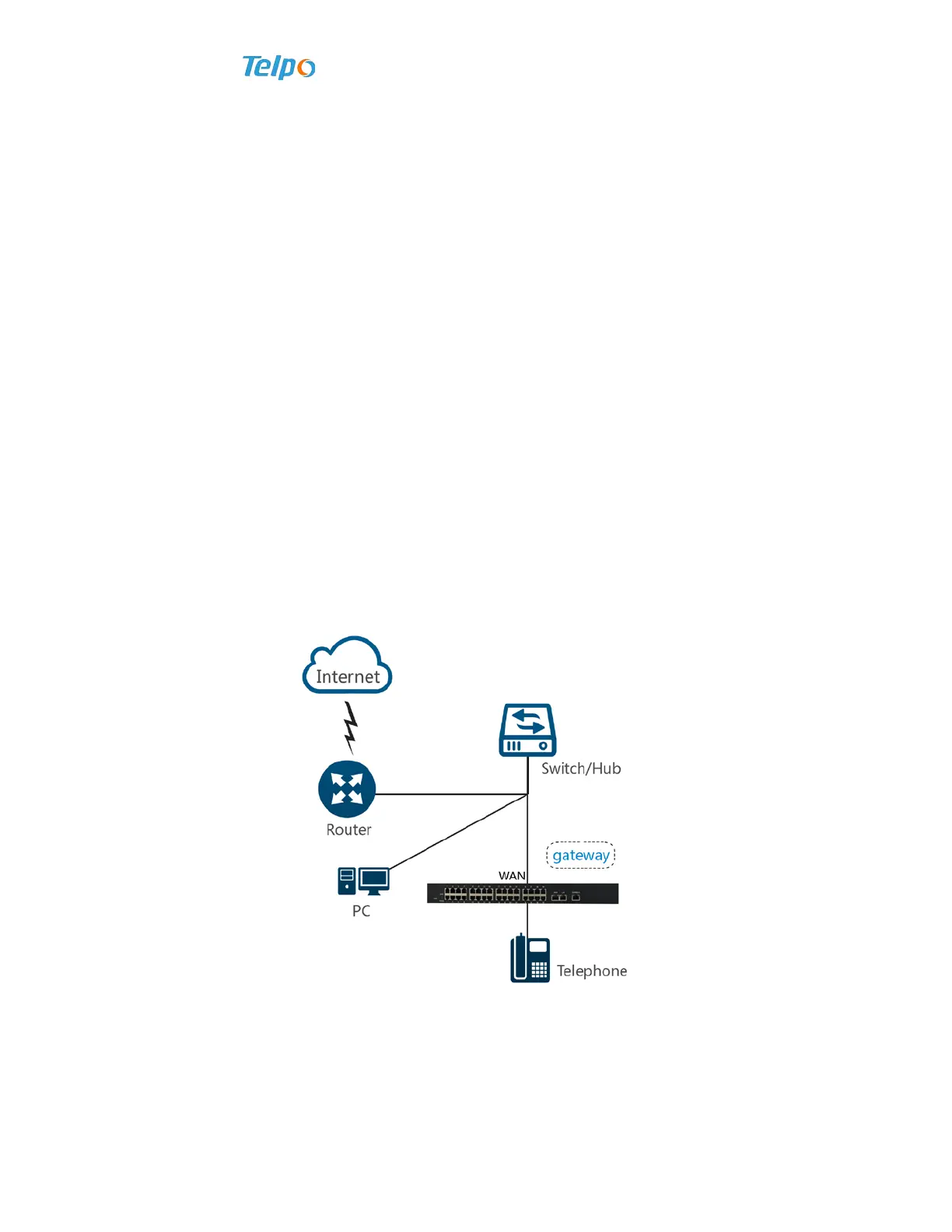
1、Connected in the local area network with dynamic mode or static IP mode.
1)It is applicable to the companies or users built interior local area network;
2)TP-8/16/24/32/64S’s WAN port is connected with the hub or switch;
3)WAN port adopts dynamic IP (DHCP) mode or static IP mode according to
environment of local area network.
Figure 1-1 Connected in the Local Area Network with Dynamic Mode or Static IP
Mode
2、As a proxy server, it is responsible for dial-up access.
1)TP-8/16/24/32/64S’s WAN port is directly connected with xDSL(Cable) Modem.
2)As a proxy server, TP-8/16/24/32/64S is responsible for proxy access.



 To Next Page