TP-8/16/24/32/64S User Manual Version No.: V1.2
- 26 -
determine.]
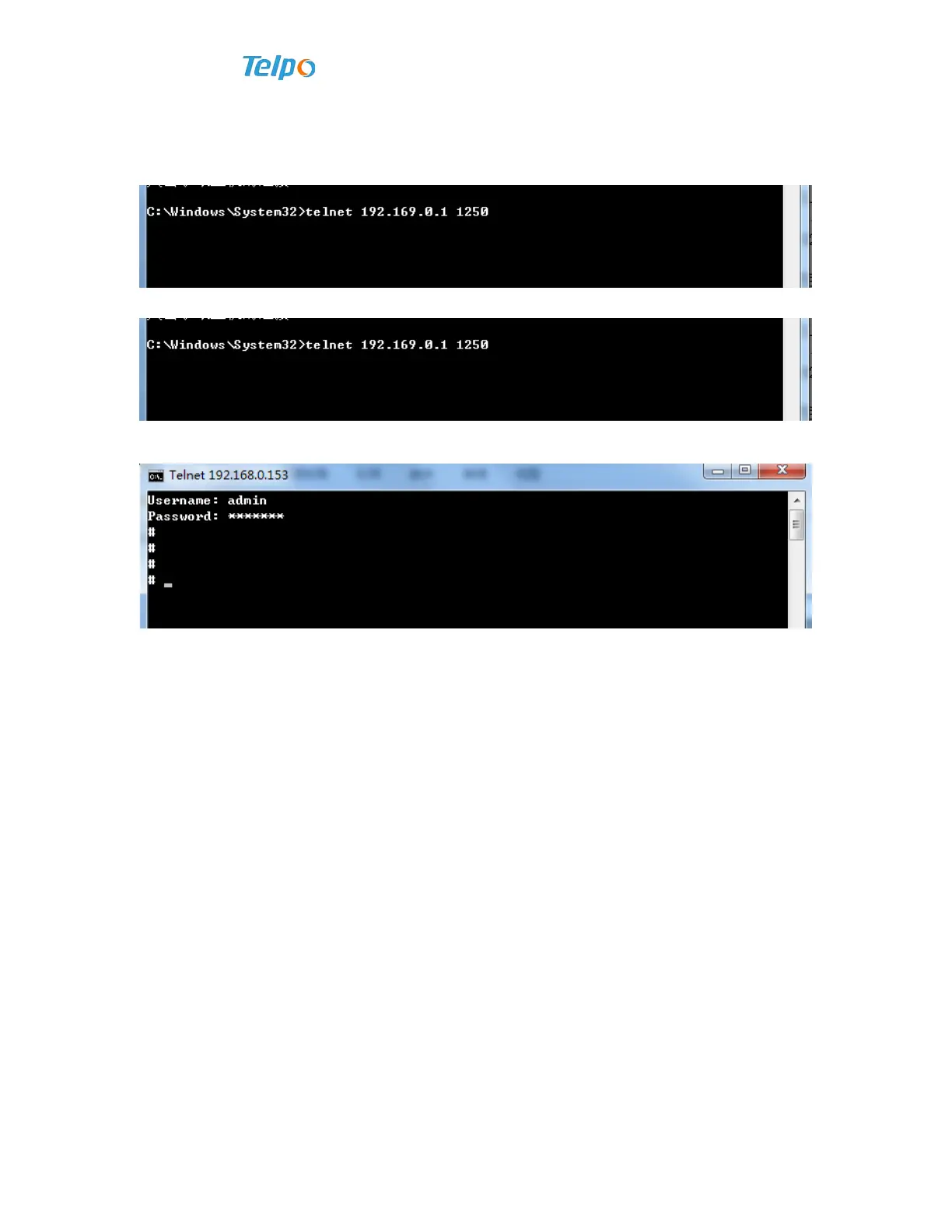
5. Execute the following command in command line’s window, refer to telnet
192.169.0.1 1250 in the following image:
6. Click enter key to go to the device’s telnet login interface, see beow:
7. Input correct username and password, the default username is admin, and default
password is psw.iad.
3.11 HyperTerminal Login
Voice gateway can configure the device by CONSOLE port. Connect one end of
serial port line to Voice gateway’s CONSOLE control port, and another end to any serial
port of the computer. Then follow the sequences of start menu->procedures->appendix
->communication->Hyperterminal to start up Hyperterminal. If no any Hyperterminal
is installed, please install it from control panel. For specific matters, please refer to
Windows.
1. After the Hyperterminal is turned on, a “link description” will appear, requiring to
enter a name and choose icon for this link, shown as follows.



 To Next Page