18
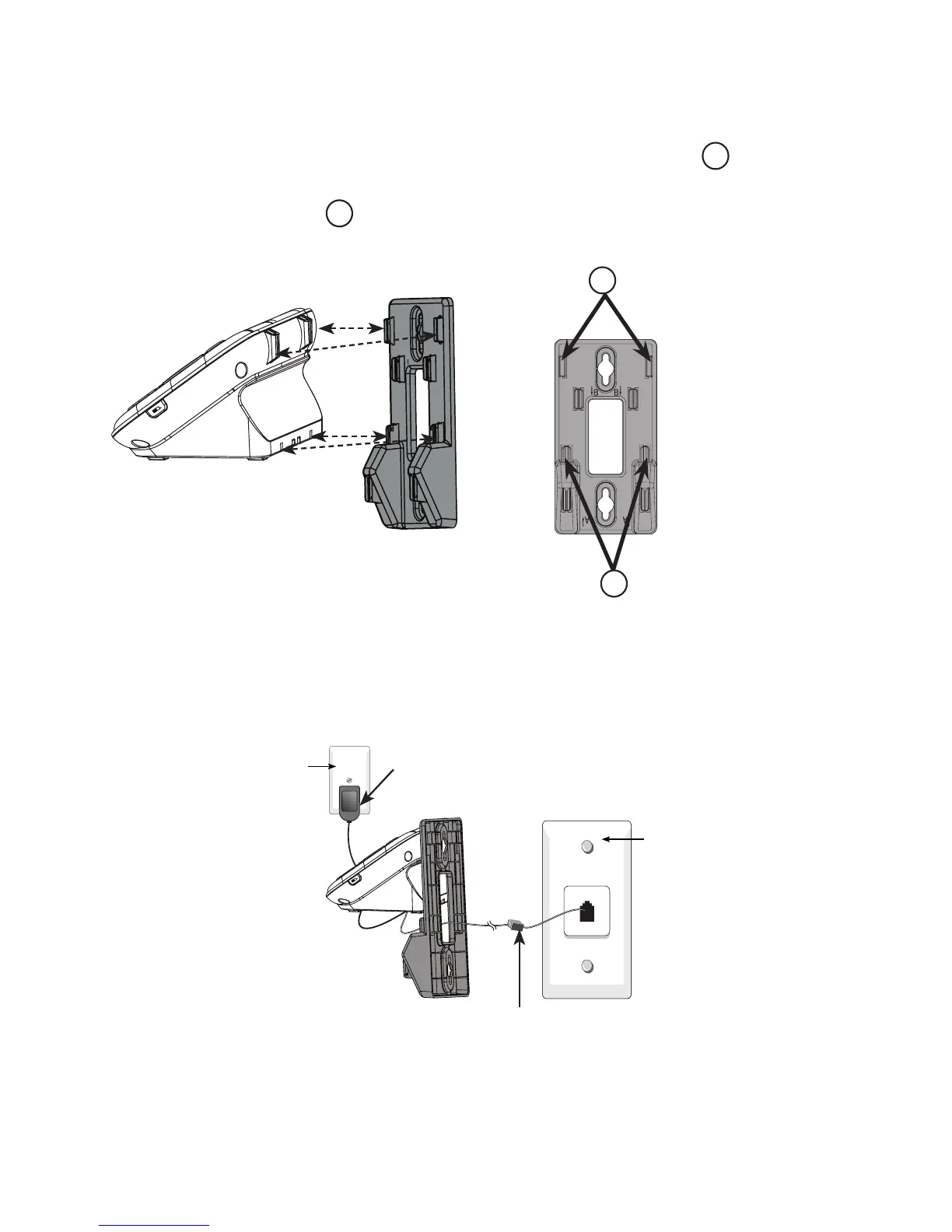
Hold the cords to the side of the telephone base. Align the upper slots on
the back of the telephone base just above the upper tabs
1
of the wall
mount bracket. Make sure the lower slots of the telephone base are aligned
above the lower tabs
2
of the wall mount bracket. Push the telephone
base down until it clicks securely place.
Plug the other end of the telephone line cord into the telephone wall jack (
or DSL lter). Plug the large end of the power adaptor into a mains power
wall socket.
2.
3.
1
2



 To Next Page