20 21
Getting to know your phone
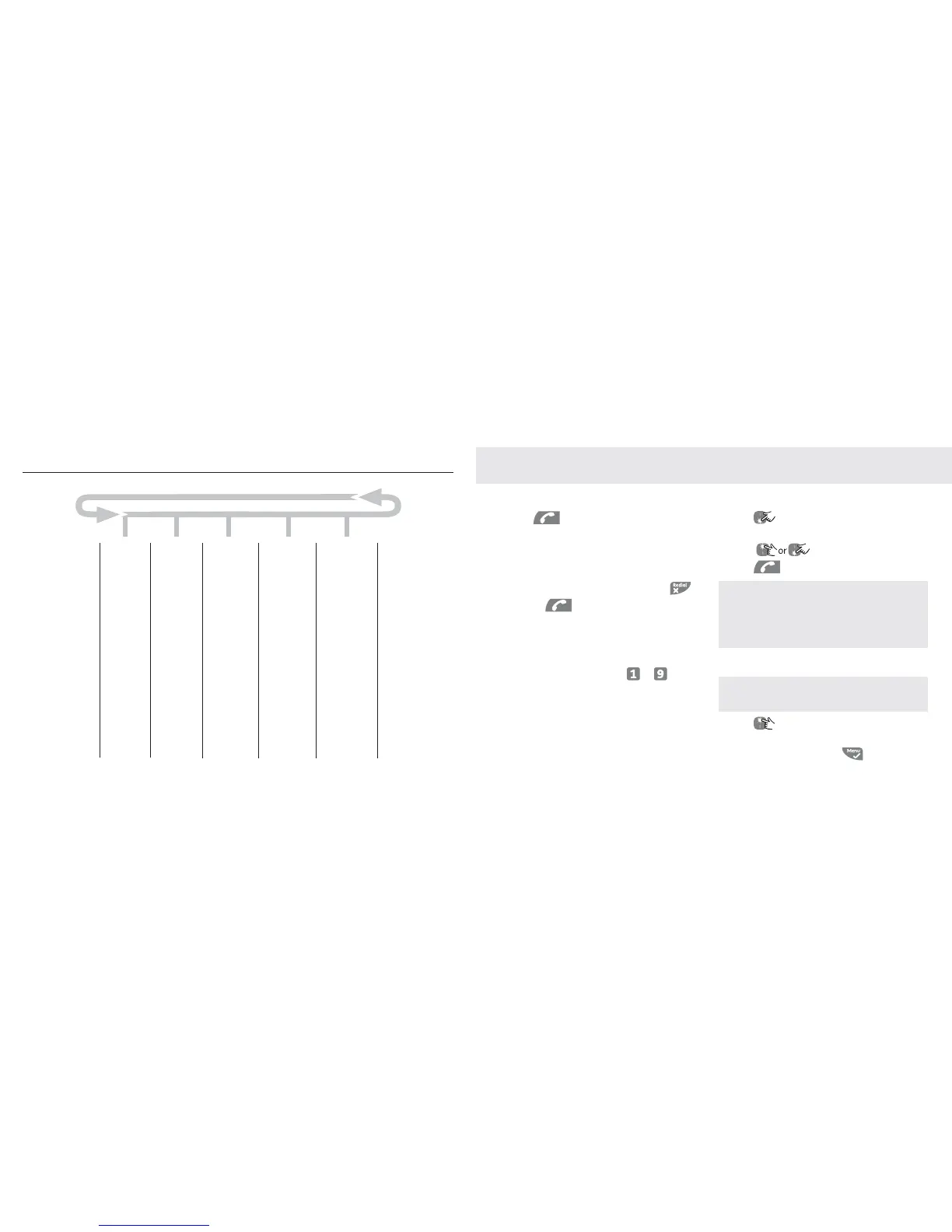
Menu Map
;SZYPMZZV
8OaOX^\c
6S]^OX^\c
8KWO
/NS^OX^\c
.OVO^OOX^\c
.OVO^OKVV
.S\OM^WOW
.WZNVLWL]X
.K^O^SWO
=O^KVK\W
9PP
9XYXMO
9XNKSVc
+VK\W^YXO
;P]^ZYLW^P_
2KXN]O^^YXO
<SXQ`YV_WO
<SXQWOVYNc
1\Y_ZWOVYNc
5Oc^YXO
2KXN]O^XKWO
+_^YZSMU_Z
+_^YRKXQ_Z
6KXQ_KQO
,KLc]S^WYNO
,KMUVSQR^
,OaLYNPO^P_
-KVVLK\\SXQ
,KLcMKVV
<OQS]^\K^SYX
=OVOM^LK]O
<OQS]^LK]O
?X\OQS]^O\
:38
<O]O^_XS^
3X^\_]SYX
,Y^b8LNSTYP
:VKc
.OVO^OKVV
<OMY\NWOWY
+X]aO\WYNO
+X]aO\\OM
:\ONOPSXON
:VKc
:O\]YXKVSdON
:VKc
<OMY\NWO]]
.OVO^O
+X]aO\YXVc
:\ONOPSXON
:VKc
:O\]YXKVSdON
:VKc
<OMY\NWO]]
.OVO^O
+X]aYXYPP
+X]a]O^^SXQ
<SXQNOVKc
<OWY^OKMM
2=]M\OOXSXQ
Using the phone
To make a call
1. Press .
2. Dial the telephone number.
To make a call by pre-dialling
1. Enter the phone number (maximum 24
digits). If you make a mistake press .
2. Press to dial the phone number
entered.
To make a call by speed dial
(keypad 1 to 9)
1. Press and hold a key from to until
the number is displayed and dialled. If no
number is stored, you hear a beep.
Call from the phonebook
1. Press . The first entry in the phonebook
is displayed.
2. Scroll
to the entry you want.
3. Press
to dial the number.
TIP Instead of scrolling to browse the phonebook
entries, press the numeric key corresponding to
the fi rst letter of the entry you wish to locate. For
example, pressing 2 will show the entries starting
with A. Pressing 2 again will show the entries starting
with B and so on.
Call from the calls list
NOTE You need to subscribe to Telstra’s Calling
Number Display service to be able to see the caller’s
number for received calls in the calls list. See page 41.
1. Press to enter
CALL LOG
menu. You
have the options to access
CALL LIST
or
ANSWER MACHINE.
Press to enter



 To Next Page