31
CONNECT VIA
ETHERNET CABLE
CONNECT YOUR DEVICE TO YOUR T-GATEWAY
STEP 1:
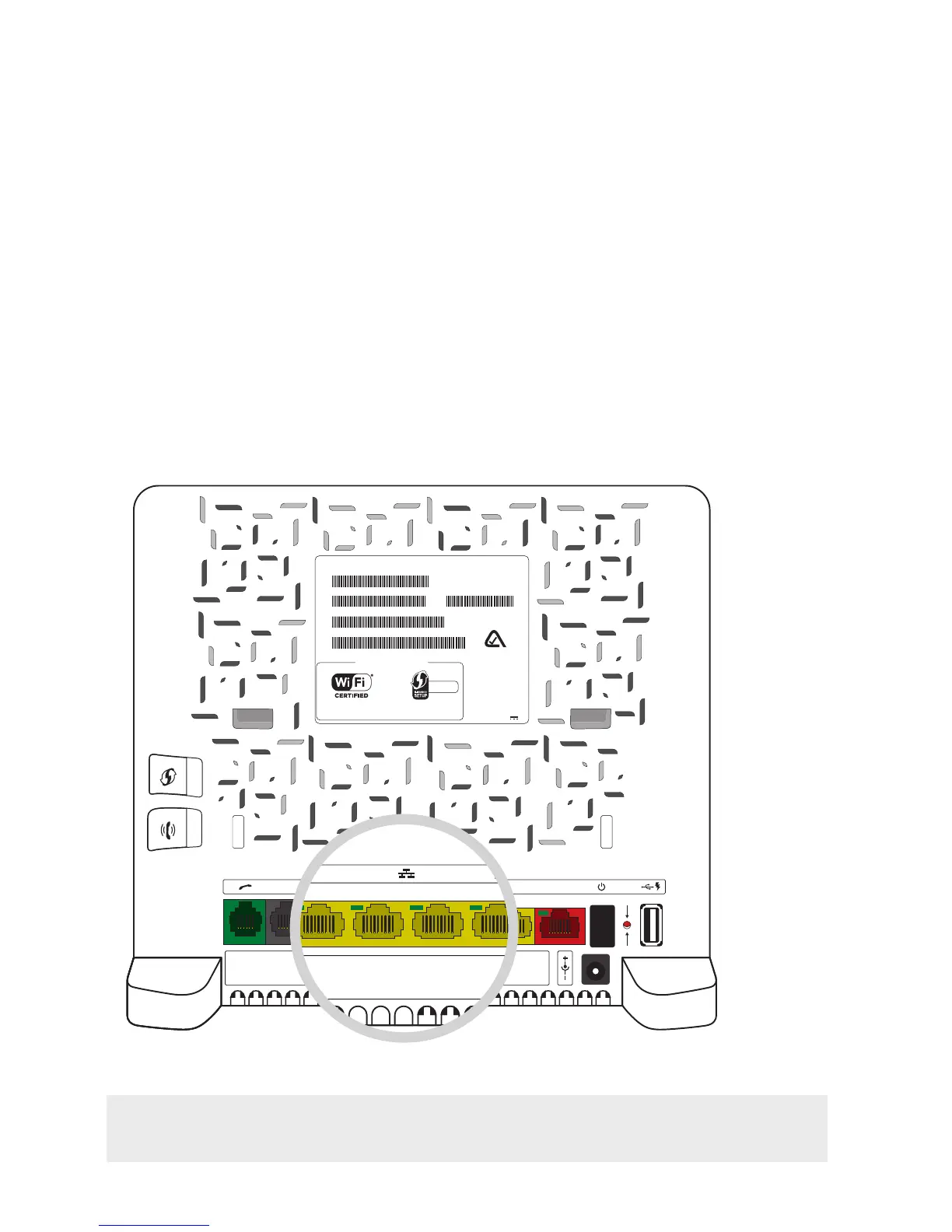
Connect the yellow Ethernet cable from the kit to any of the yellow Ethernet ports
at the back of your T-Gateway.
Note: If your device will be used to share media with other computers, use the Gigabit
Ethernet port number 4.
wireless user codes
Network Name: Wireless Key:
Made in Vietnam
Rated Input: 12V 2A
7353-9124
ACCESS KEY : MCH9Z2P0
technicolor
TG797n v3
MAC : A4B1E9987C42
SN : CP1304RAZYM
GW : DSLCBA649EKV6
OUI - SN : A4B1E9-CP1304RAZYM
N104006
Telstra987C43 C319224D6B
PSTN DSL
WPS
DECT
1 2 3 GbE WAN RESET



 To Next Page