44
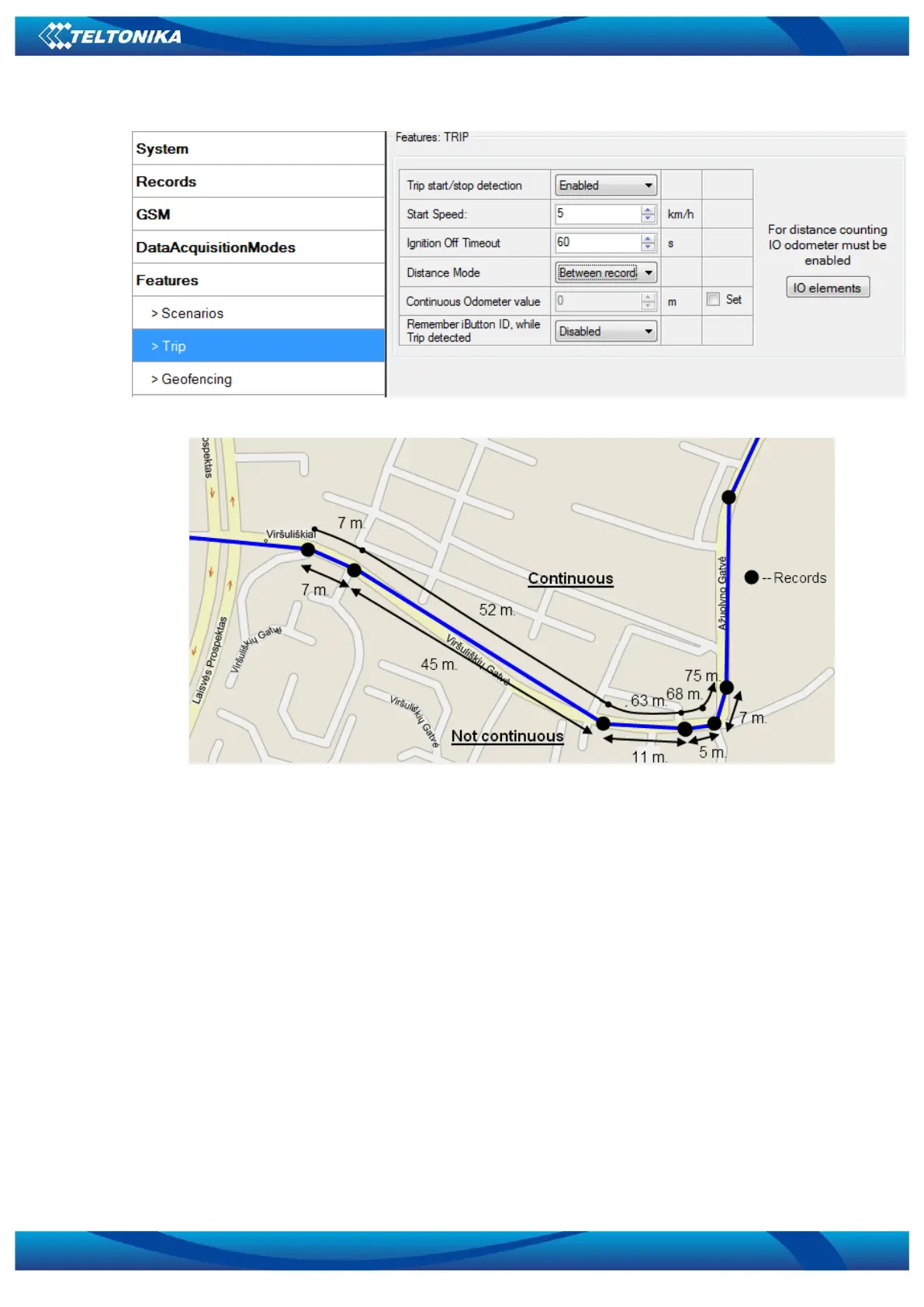
Figure 30. Trip configuration
Figure 31. Trip continuous distance counting parameter example
5.14.3 Geofencing settings
FM3602/FM3612 has 5 configurable Geofence zones and it can generate an event when
defined Geofence zone border is crossed.
Frame border – frame border is an additional border around Geofence zone. It is additional
area around defined zone used to prevent false event recording when object stops on the border
of the area and because of GNSS errors some records are made inside area and some – outside.
Event is generated only when both borders are crossed. See figure 32 for details: track 1 is
considered to have entered the area while track 2 is not.



 To Next Page