6
1 INTRODUCTION
1.1 Attention
Do not disassemble the device. If the device is
damaged, the power supply cables are not isolated or
the isolation is damaged, before unplugging the power
supply, do not touch the device.
All wireless data transferring devices produce
interference that may affect other devices which are
placed nearby.
The device must be connected only by qualified
personnel.
The device must be firmly fastened in the predefined
location.
The programming must be performed using a second
class PC (with autonomic power supply).
The device is susceptible to water and humidity.
Any installation and/or handling during a lightning
storm are prohibited.
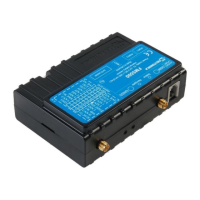
FM3602/FM3612 has USB interface;
Please use cables provided with FM3602/FM3612
device.
Teltonika is not responsible for any harm caused by
using wrong cables for PC <-> FM3602/FM3612
connection.
1.2 Instructions of safety
This chapter contains information on how to operate FM3602/FM3612 safely. By following
these requirements and recommendations, you will avoid dangerous situations. You must read
these instructions carefully and follow them strictly before operating the device!
This device uses SELV limited power source. The device could be supplied with 10 V...30 V
DC power supply. The nominal voltage is 12 V DC. The allowed range of voltage is 10 V...30 V DC.
To avoid mechanical damage, it is advised to transport the FM3602/FM3612 device in an
impact-proof package. Before usage, the device should be placed so that its LED indicators are
visible, which show the status of operation the device is in.
When connecting the connection (2x6) cables to the vehicle, the appropriate jumpers of
the power supply of the vehicle should be disconnected.



 To Next Page