52
I/O events
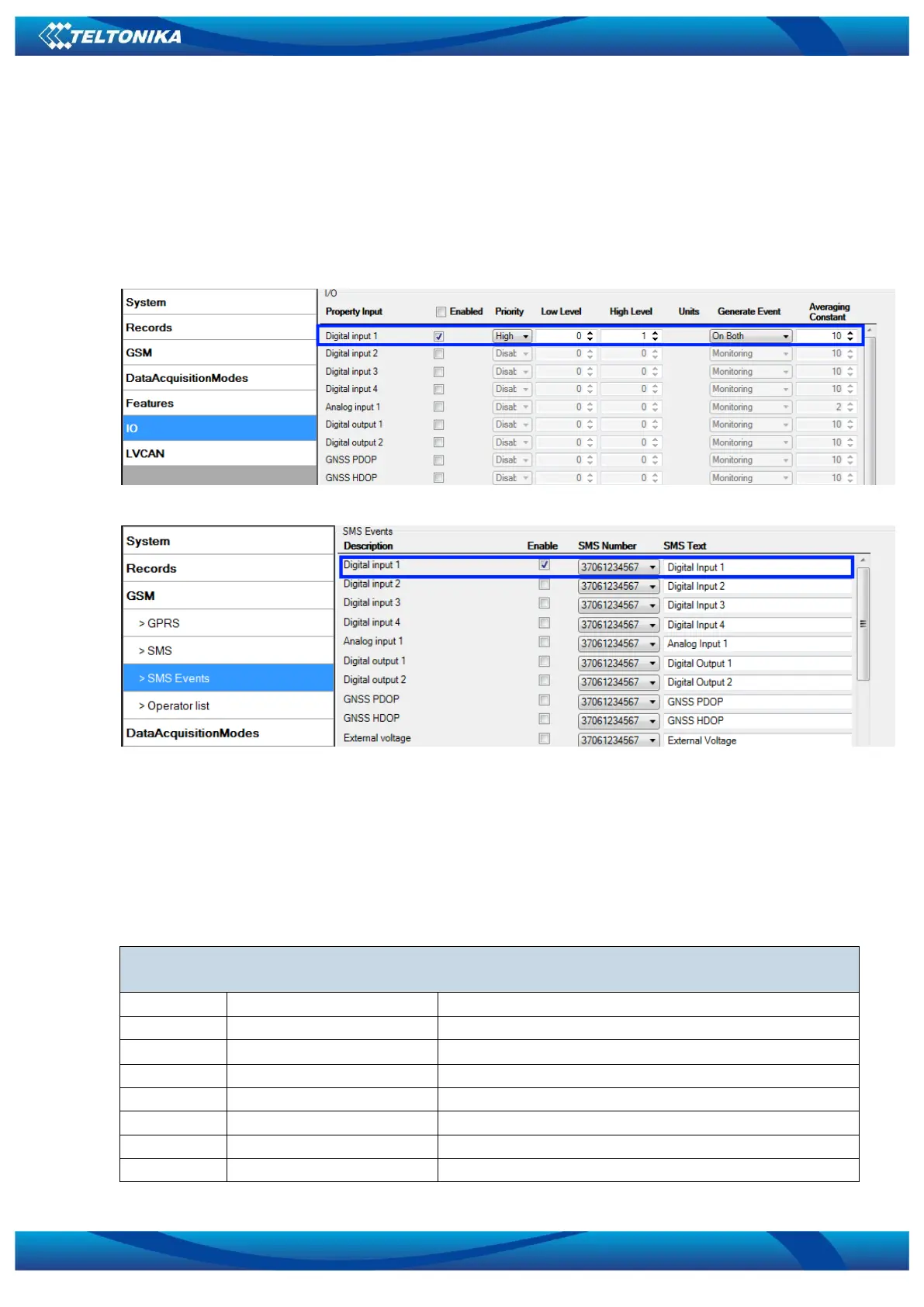
FM3602/FM3612 sends SMS event message when a configured I/O property enters and/or exits
its configured High/Low boundaries or Hysteresis event generation is chosen (Monitoring does
not generate event, so SMS event could not be configured). Every IO element SMS event can be
configured to send individual message to different numbers.
Figure 46. I/O event configuration
Figure 47. I/O SMS event configuration
5.15 I/O settings
When no I/O element is enabled, AVL packet comes with GNSS information only. After
enabling I/O element(s) AVL packet along with GNSS information contains current value(s) of
enabled I/O element.



 To Next Page