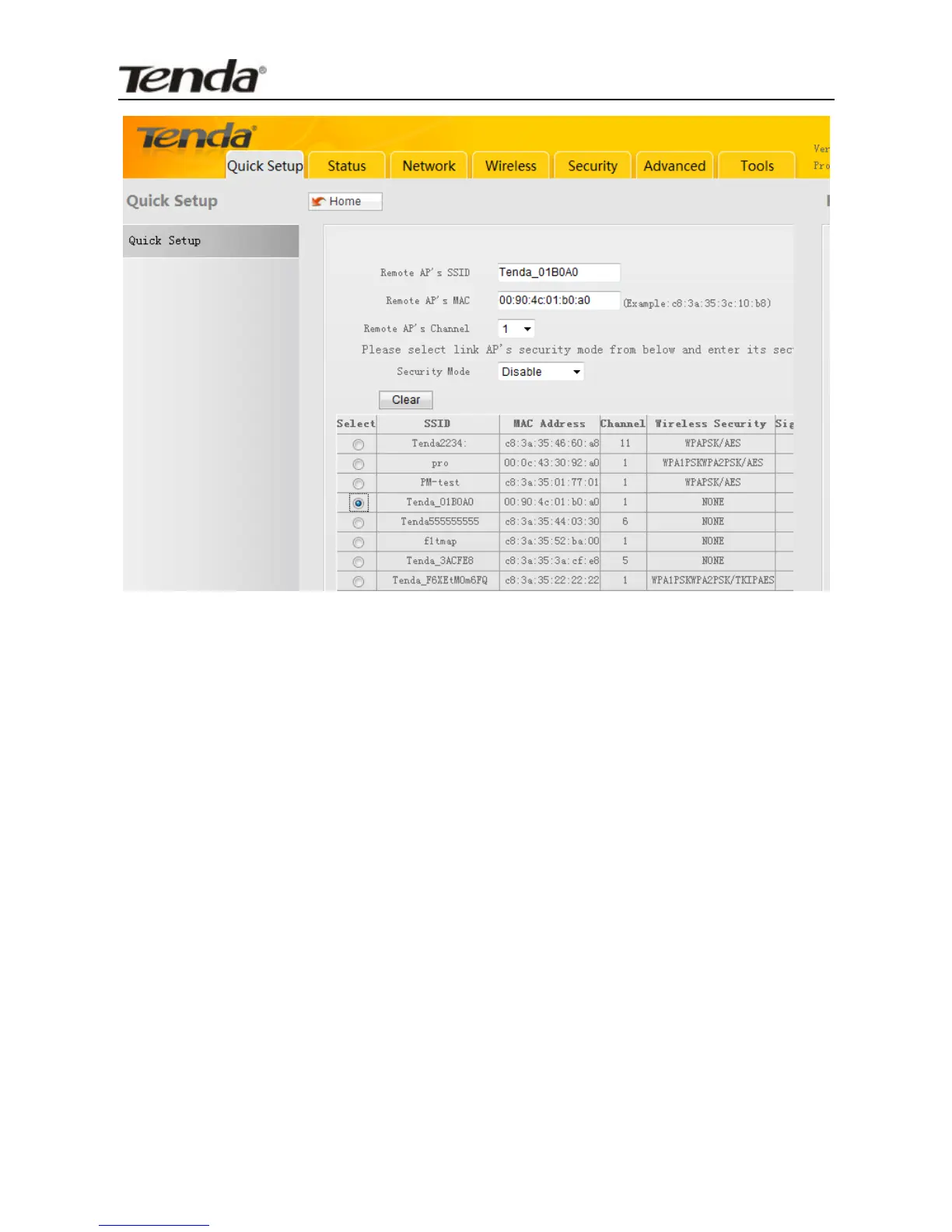
Remote AP's SSID: Service Set Identifier), unique wireless
network name; Enter a SSID of the link partner (to which
your device is going to connect).
Remote AP's Channel: Select the channel which the link
partner (to which the device is going to connect) is currently
operating on.
Remote AP's MAC Address: Enter the MAC address (also
called BSSID) of the link partner (to which the device is
going to connect).
Security Mode: Config same security settings (including
security key) set on the link partner here on your device.
For detailed configurations, refer to Wireless---->Security
section.
For convenience purpose, it is advisable to use the “Open Scan”


 To Next Page
 Loading...