5 Specify the Internet Settings
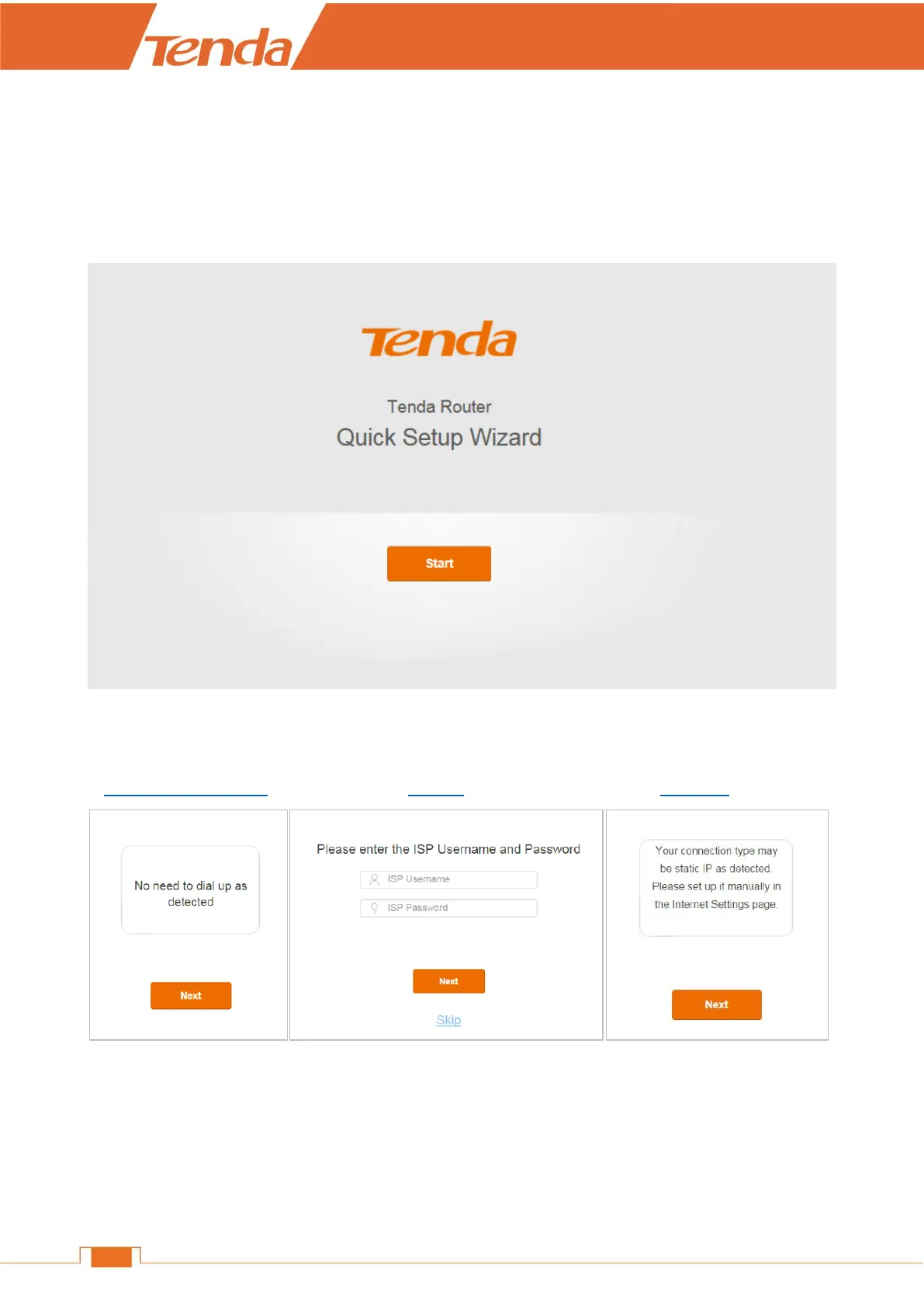
After the steps above, you will log in to the Router’s Quick Setup Wizard if you access the Router at
the first time or restore your Router to factory default. Click Start. The Router will detect your
connection type automatically.
Follow the corresponding steps to complete the Internet settings according to your Router’s
detection result.
DHCP (Dynamic IP) PPPoE Static IP
DHCP (Dynamic IP)
If the following page appears, it indicates that your connection type is dynamic IP (DHCP). No
parameter is required, just click Next to continue.


 To Next Page
 Loading...