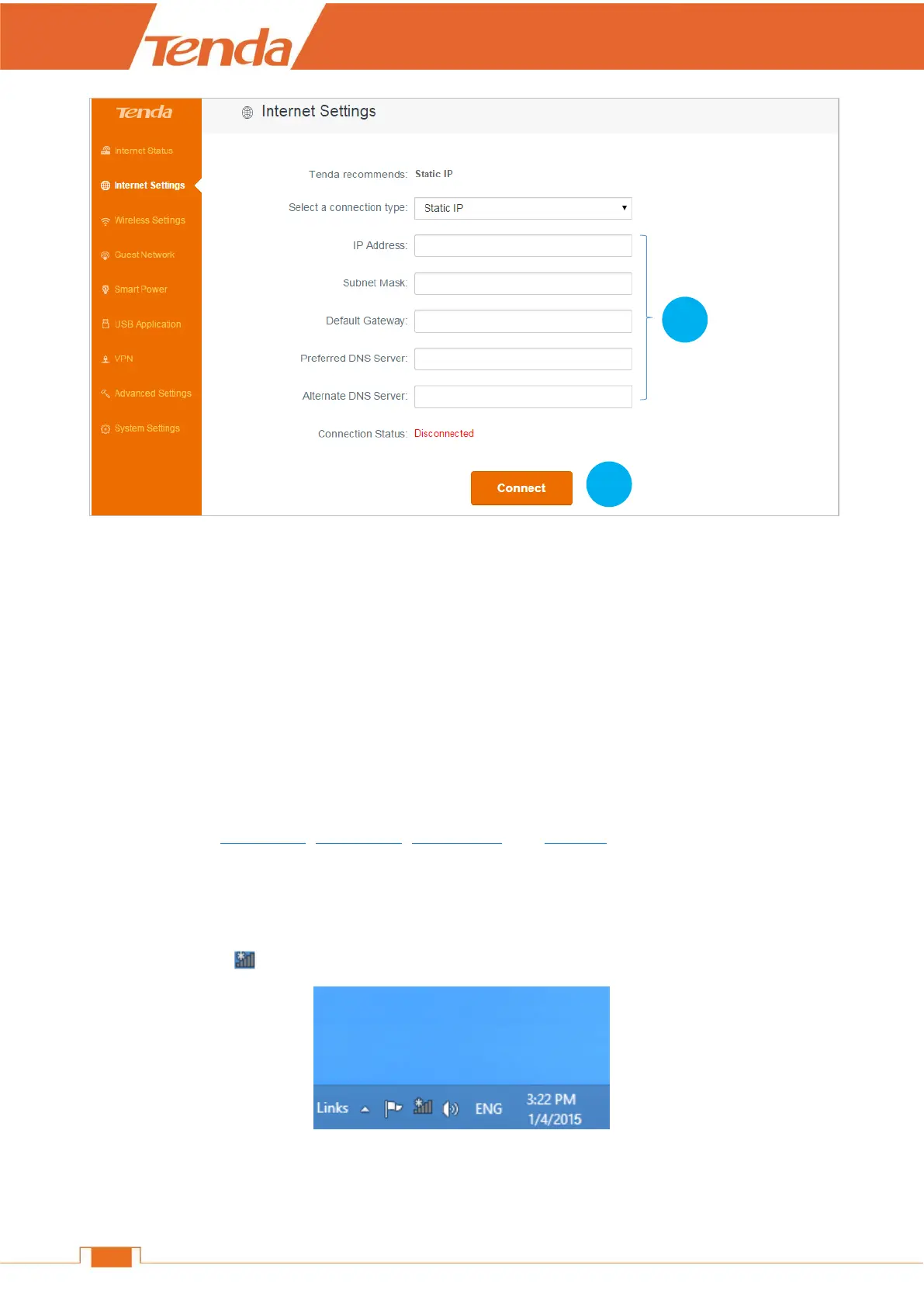
1. Type the static IP, subnet mask, default gateway, and preferred DNS server provided by your
Internet Service Provider.
2. Click Connect.
Then you can enjoy your wired or wireless network, or go forward to customize more settings.
6 Join Your WiFi
This part instructs you how to connect to your wireless network via your notebook or other wireless
devices. We take Windows 8, Windows 7, iPad/iPhone, and Android as examples here. Choose the
corresponding configuration steps according to your needs.
Windows 8
Click the icon on the bottom right corner of your desktop.


 To Next Page
 Loading...