Compact Track Loader
5. Operator Enclosure Disassembly and Assembly
5-3
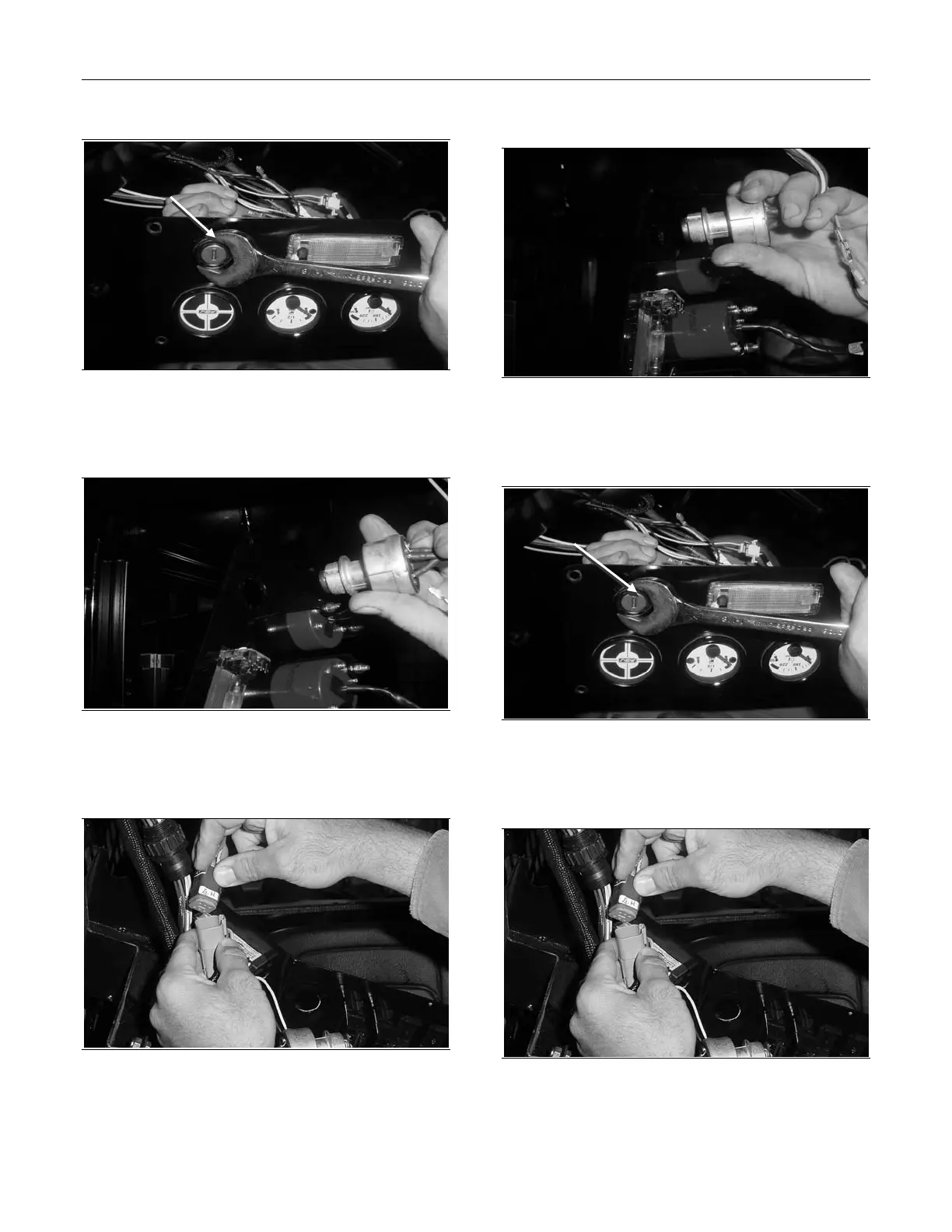
Figure 5-7
2. Remove the nut that secures the ignition switch
to the gauge panel.
Figure 5-8
3. Pull the ignition switch out from the rear of the
gauge panel.
Figure 5-9
4. Unplug the ignition switch connector.
Ignition Switch Installation
Figure 5-10
1. Insert the ignition switch from the rear of the
dash panel.
Figure 5-11
2. Install the nut that secures the ignition switch to
the dash panel.
Figure 5-12
3. Plug in the ignition switch connector.
Remove Nut
Install Nut



 To Next Page