3. Product description
37
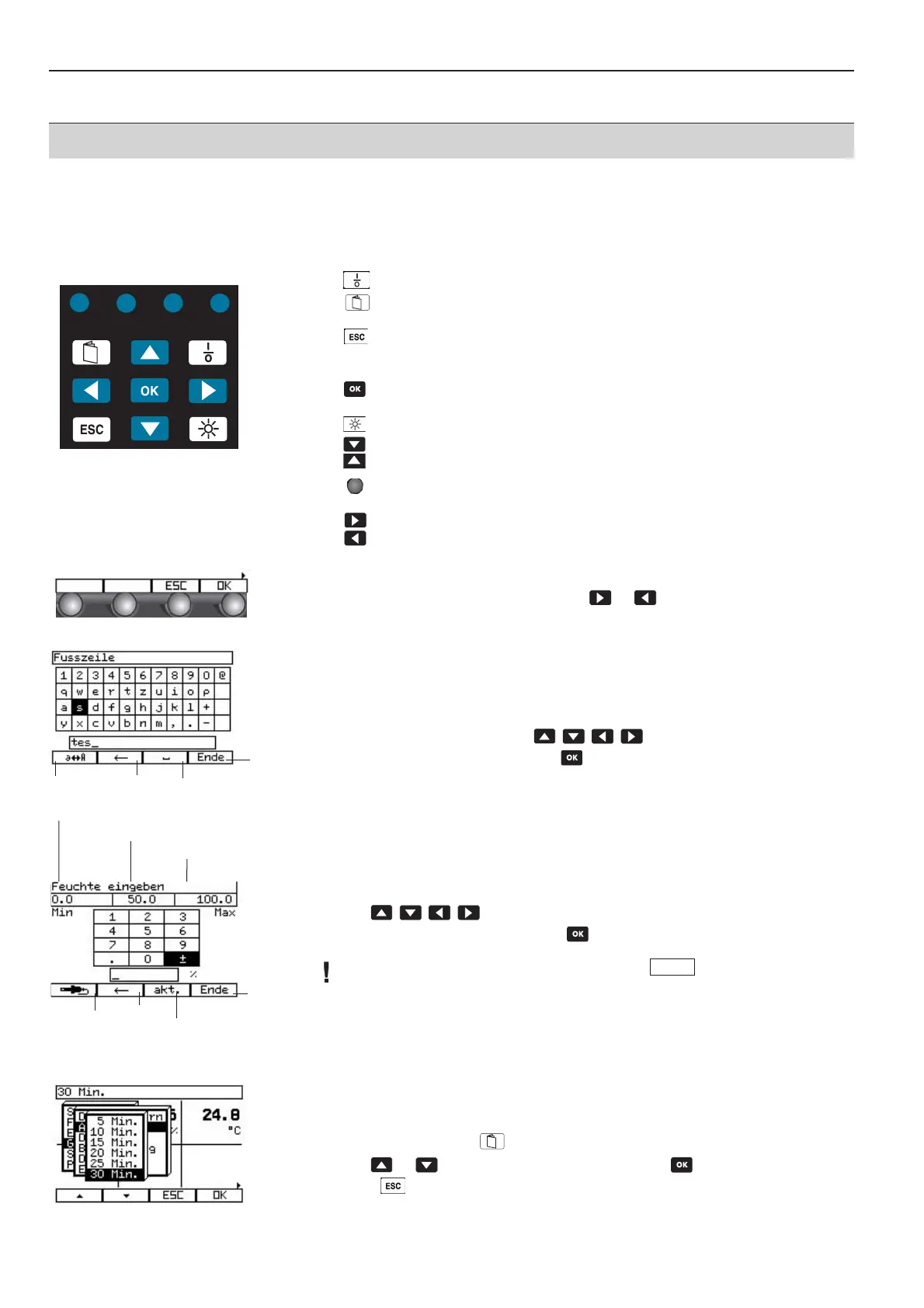
3.2.4 The keypad
Switch instrument on/off.
From the reading display: Open main menu.
From the input dialogue: Return to reading display.
Cancel chosen procedures or a selection or exit submenus. You will always
scroll back one menu window until the main menu.
Reading display: Open system configuration.
Entry/selection menu: Confirm entry/selection.
Switch display light on/off.
Use to scroll back and forth between the reading windows (in the
measurement menu) or select menu item in a list.
Call up instrument functions or measurement control. The meaning of the
freely programmable function keys is shown in the function bar.
Show additional functions in the function bar.
4 function buttons are located beneath the display. The functions are indicated on the
display above the keys. A small arrow on the left or right side indicates further functions
which can be reached by pressing the keys or .
3.2.5 Input dialogues
Entering numbers and letters
When you are requested to enter letters or numbers, the letter/number matrix shown
oppositie appears on the display of the control unit.
1
Select numbers or letters using .
2
The chosen symbol is selected with .
Entering parameters
When you are entering parameters, the number matrix opposite appears on the display
of the control unit.
1
Use to select numbers.
2
The chosen symbol is accepted with .
The plausibility of the entry is only verified after the
function button has been pressed.
3.2.6 Selecting menu item
1
Open main menu with .
2
Use or to select menu item and confirm with .
3
Press to go back one level.
Minimum input value
Saved parameter
Maximum
input value
Upper and
lower
case/Symbols
Delete
(back-
space)
Insert space
Accepts
entry and
exits
Use curr-
rent
reading
Delete
(backspace)
Applies sto-
red value
Accepts entry
and exits
End



 To Next Page